HomeHardwareFeaturesValorant
Valorant PC requirements and how to get the best performanceHow to hit 144fps even on an ancient graphics card
How to hit 144fps even on an ancient graphics card

After months in closed beta,Valoranthas finally arrived on PC, and to help you get the best performance from Riot’s new 5v5 tactical shooter, I’ve been testing the game to see how it runs. The good news is that you don’t need a super high-powered PC to get smooth frame rates inValorant, but just in case your PCisgetting on a bit, here’s how to get the best performance from Valorant no matter what type of PC you have.
Below, you’ll find everything you need to know about playing Valorant on PC, including its PC requirements and how to get the best settings. You can also read more about the game itself in ourValorant review, as well as How to play Valorant and get the best from all the differentValorant charactersin our extensive set ofValorant guides.
Valorant PC requirements
Thanks to Riot’s low-spec PC requirements, Valorant should run relatively smoothly even on very old PCs and laptops. Indeed, according to Riot’s ownValorant PC requirementspage, their minimum spec (which mostly consists of laptop components) is designed to deliver a steady 30fps frame rate, while the recommended spec should get you a smooth 60fps. Their ‘high-end’ spec, meanwhile, is designed for hitting 144fps frame rates, and when you only need a GTX 1050 Ti to get that kind of frame rate, anyone with a fairly recent graphics card should have no trouble at all getting Valorant to run on their PC.
Minimum PC requirements (30fps):
CPU:Intel Core 2 Duo E8400RAM:4GBGPU:Intel HD 4000OS:Windows 7, 8 10 (64-bit)
Recommended PC requirements (60fps):
CPU:Intel Core i3-4150RAM:4GBGPU:Nvidia GeForce GT 730OS:Windows 7, 8 10 (64-bit)
High-end PC requirements (144fps):
CPU:Intel Core i5-4460RAM:4GBGPU:Nvidia GeForce GTX 1050 TiOS:Windows 7, 8 10 (64-bit)
Admittedly, Riot don’t specify which resolution these frame rates are targeting, but having tested the game myself, I’m almost certain they’re aimed at 1920x1080 displays rather than anything lower, such as 1280x720. Indeed, my 6GB Asus GeForce GTX 1060 OC 9Gbps edition GPU was consistently hitting over 200fps at 1920x1080 on max settings, and around 180fps at 2560x1440. As a result, most people should still be able to play at 1080p even if they’re using an old laptop.
Watch on YouTube
Watch on YouTube

Valorant PC graphics settings
If you need to adjust Valorant’s graphics settings, you’ll find them in the main settings menu under the Video tab. Just click the menu button in the top left corner of the home screen, select Settings, then Video and you’ll be presented with Valorant’s general graphics settings. Here, you can change your resolution and take advantage of some of its specific laptop gaming settings, such as limiting your frame rate when you’re playing on battery.
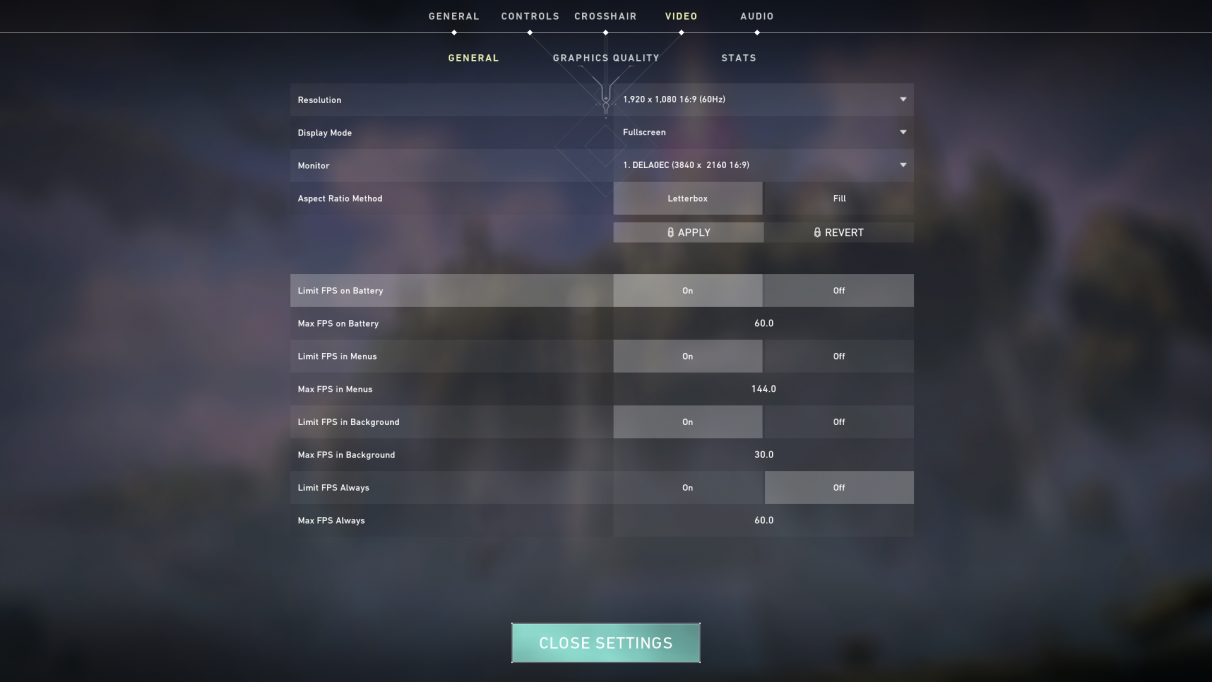
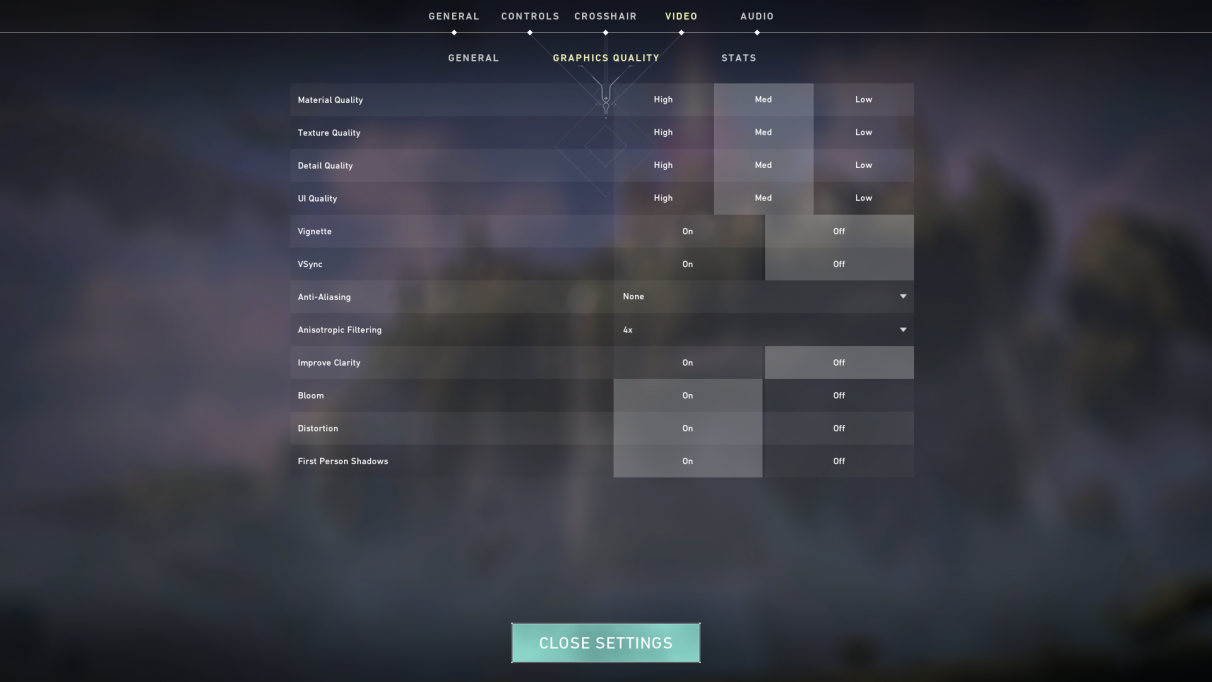
However, the main quality settings are over in the Graphics Quality tab. Unusually, Valorant doesn’t let you cycle through its three default quality settings ofLow, Medium and Highat the moment, and instead lets you choose whatever settings you want. The good news is that there aren’t reams and reams of the things to choose from, which helps to keep things nice and simple when it comes to finding the best settings for Valorant.
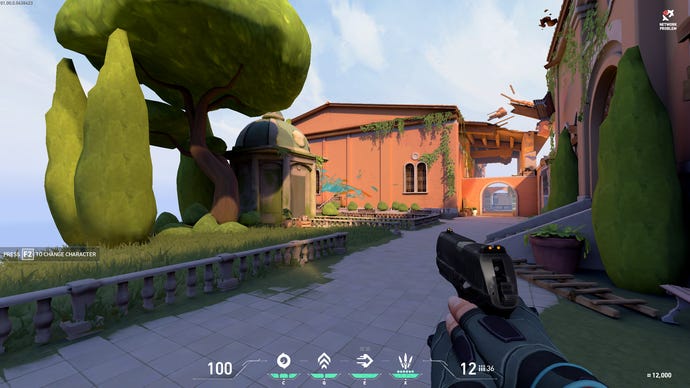
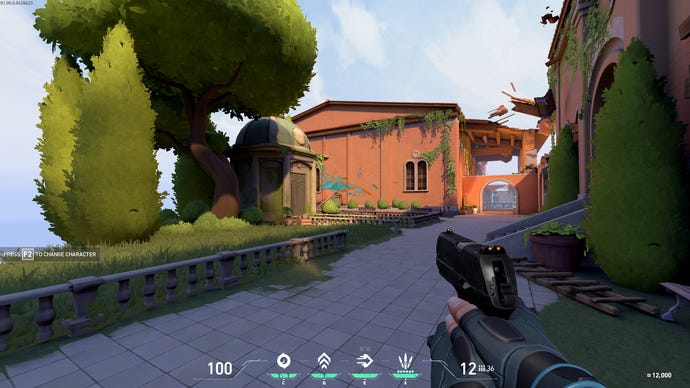
To help you get an idea of what the game looks like on Low, Medium and High, I’ve included some pictures of the game’s training ground below (click to enlarge). Low has all the settings down on their weakest setting, High has them all set to Max, and for Medium I switched off all the On / Off options and used the middle MSAAx2 Anti-aliasing and 4x Anisotropic Filtering settings to create the best possible middle ground.
LowMediumHigh
Low
Medium
High
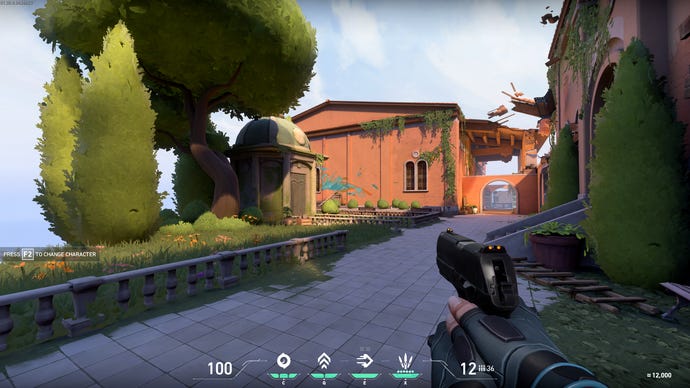
As you can see, Low gives you quite blocky shapes on the surrounding trees and vegetation, and other environmental details such as door panels and building brickwork are almost non-existent.The Mediumsettings I’ve used bring a bit more life back to the game, adding in proper leaves to the trees and hedges, and you can pick out more detail on the surrounding buildings from afar.
High, meanwhile, improves the game’s lighting, adds flowers to the patches of grass and generally packs out the scene a bit more with additional details and objects, such as extra vines and more floating debris above you.
How to get the best settings in Valorant
So, this is what we’re aiming for here: settings where we can hit the best frame rates without compromising too much on graphical fidelity. Since the GTX 1060 is more than capable of playing Valorant at high frame rates on PC, I decided that the best way to test the game was to swap it for the weakest graphics card I had to hand - my trusty AMD Radeon R9 270. With just 2GB of VRAM to its name, this graphics card from 2013 regularly struggles with today’s top games, as we’ve seen time and time again in my performance tests for games likeThe Division 2andAssassin’s Creed Odyssey.
With Valorant, however, it proved an able companion. Paired with my usual Intel Core i5-8600K CPU and 16GB of RAM, I saw an average frame rate of at least 90fps on max settings at 1920x1080 (if not closer to 120fps most of the time), and at least 70fps on max settings at 2560x1440. That’s pretty good, but there’s room for improvement, so I’m going to see exactly what it takes to push this card up to 144fps in order to meet Riot’s ‘high-end PC requirements’ spec, and which settings you can knock down to help you achieve that.
Material quality LowMaterial quality MediumMaterial quality High
Material quality Low
Material quality Medium
Material quality High
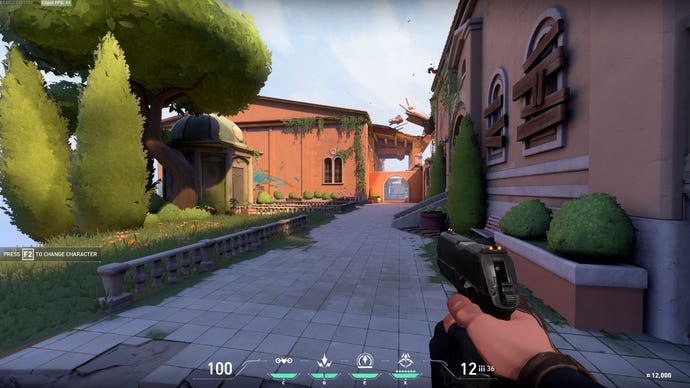
Combine all of those together and you should see a significant boost to your PC’s frame rate. With my R9 270, for example, I saw a minimum frame rate of around 180fps when I put all of the tips outlined above into effect at 1920x1080, with highs of around 240fps. Bumping up the resolution to 2560x1440 was pretty transformative as well, turning speeds of 60-80fps on max settings into 140-180fps, which is pretty impressive for such an old graphics card.
Our best settings recommendations for hitting high frame rates in Valorant.
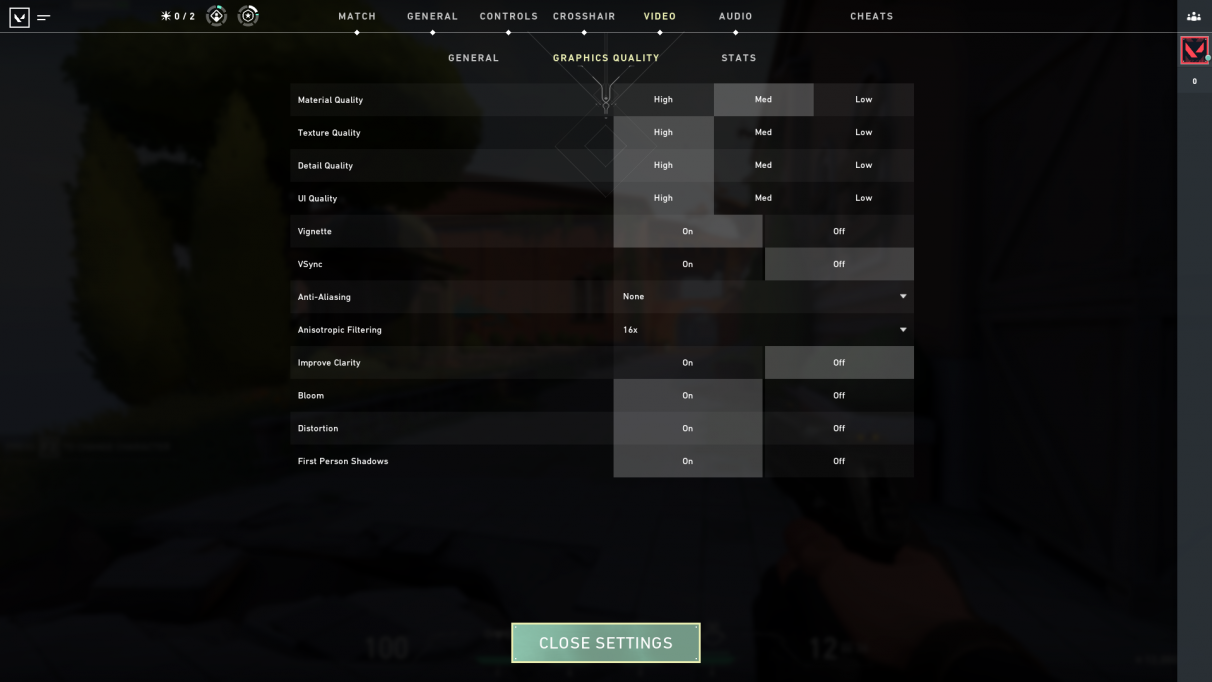
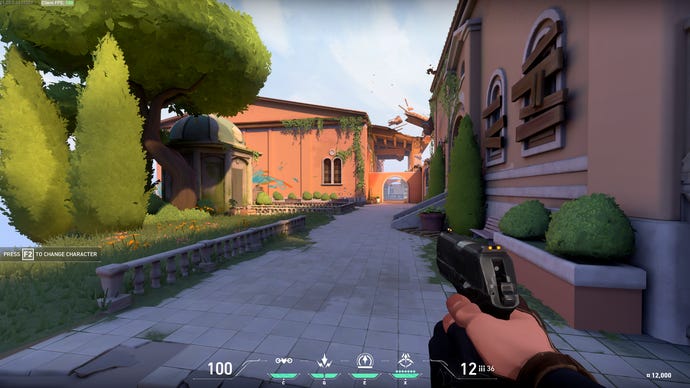
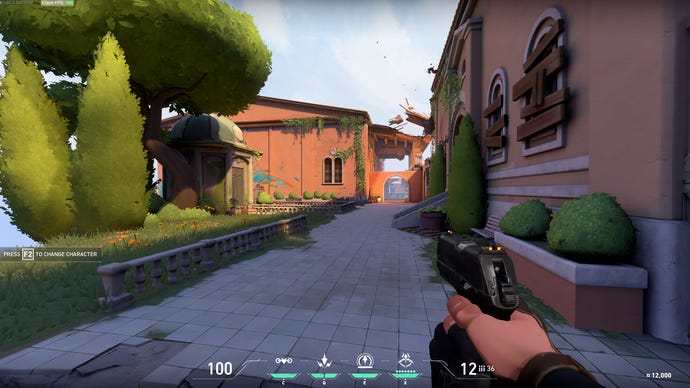
To apply these settings yourself, just have a look at the Graphics Quality screenshot above, as that’s what it should look like with the above settings tips in place. Moreover, to see what that all that means in-game, here’s what it looks like in practice compared to the game’s max settings. I think you’ll probably agree that both look pretty similar:
Valorant on maxed out settings…
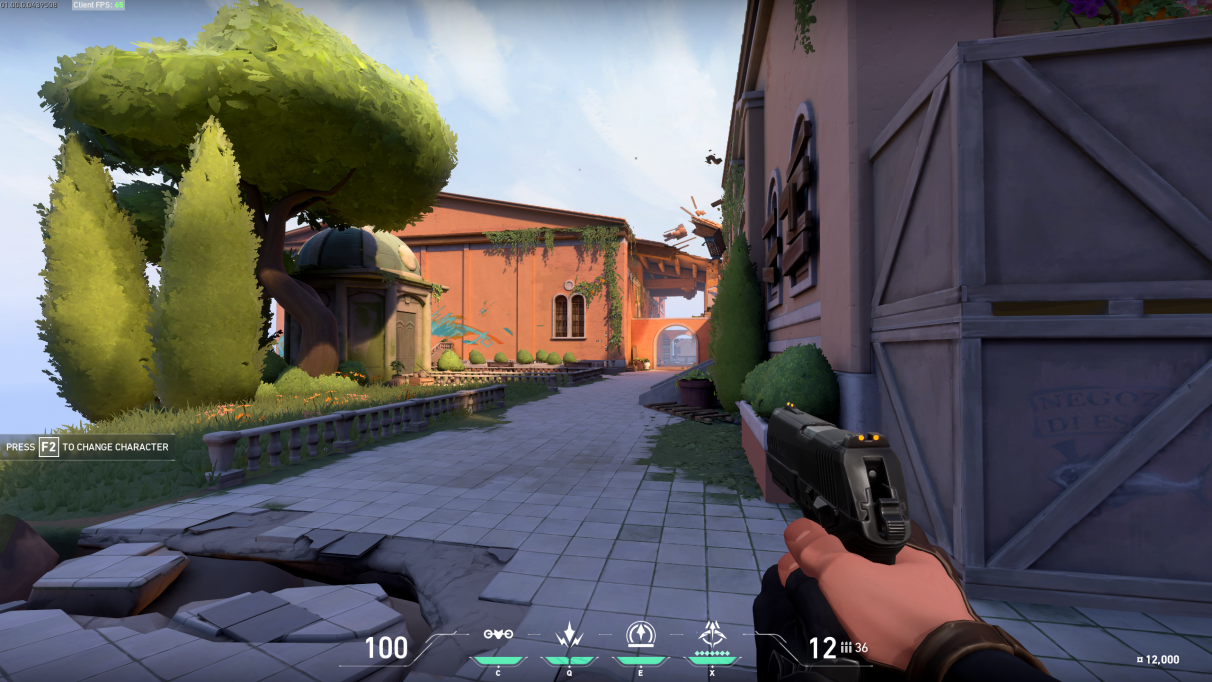
… and Valorant on our best settings profile.