HomeGuidesThe Sims 4
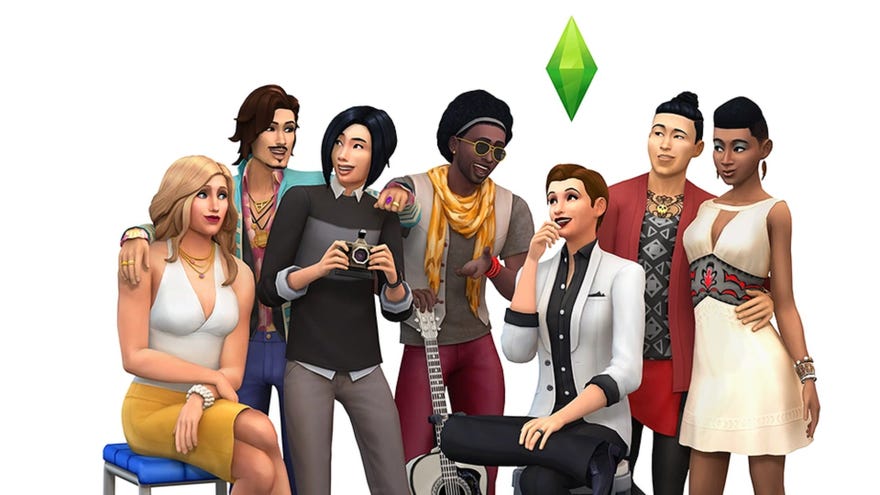
How do I customise a Sim’s gender and sexual orientation in The Sims 4?The Simsfranchise has always been considered something of a pioneer of LGBTQ+ representation in gaming, but even so,The Sims 4has come a long way since its initial release in 2014. Significant updates to the base game have made it the first generation of the franchise to allow for the creation of trans and gender non-conforming characters, and later the ability to change a Sim’s pronouns. And recently, another update made it possible to define your Sim’s sexual orientation.
Customising your Sims' sexual orientation, gender identity, and pronouns is fairly straightforward, but understanding what all the options actually mean in terms of gameplay can be a little more complicated. On this page, I’ll explain both how to customise your Sims and what impact your choices will have on the way your game works.
Before we proceed, it’s worth noting thatThe Sims 4never uses real-world labels for gender and sexual identities. In this guide I’ll be using familiar terms (like transgender and cisgender, non-binary, gay, straight, bisexual, and asexual/aromantic) because these are the lived experiences that the customisation options aim to allow you to replicate. But in-game terminology is exclusively geared around explaining what effect it actually has in the game.
The Sims 4 High School Years: Official Reveal TrailerWatch on YouTube
The Sims 4 High School Years: Official Reveal Trailer
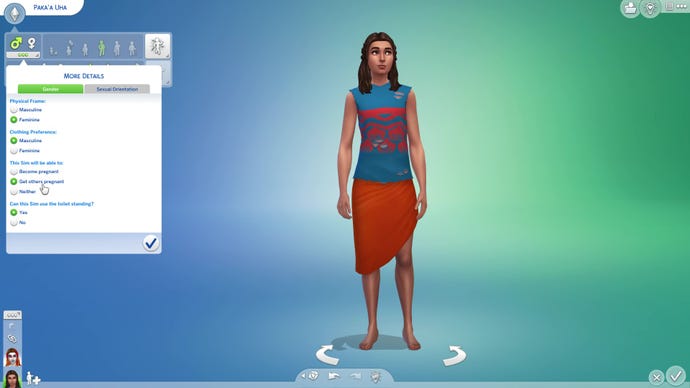
The Sims 4 gender customisation
Gender customisation options came to The Sims 4 way back in 2016, but it’s worth recapping this feature in the light of later updates.
Clicking the three dots under the male and female symbols in CAS gives you a number of expanded gender customisation options, allowing you to create a Sim who can be regarded as (for example) transgender, intersex, or otherwise gender non-conforming. It’s also here that you get to play with the fertility options for all Sims regardless of gender identity (most painless vasectomy ever, am I right lads?). These options are as follows:
Cosmetic gender-affirming effects
Patch 140 (January 2023) added a trio of cosmetic options to CAS in the base game in order to improve the creation of realistic trans and gender non-conforming Sims:
Unlike the gender customisation options outlined above, these options don’t impact on gameplay in any way, and are purely cosmetic enhancements to your storytelling. On a related note: binders and scars don’t actually change a Sim’s chest shape, so you’ll still need to use sliders to complete the effect.
How does gender work in The Sims 4?
Fundamentally, gender in The Sims 4 is still locked into a “male or female” binary. The developers have expressed regret that this continues to be the case, but the game’s underpinning architecture was built around that assumption (translation: the whole game engine will fall over if you’re not careful when you mess with it). So while efforts are being made to allow for more flexibility with regards to gender neutrality, for now we are a little bit stuck with the system we have.
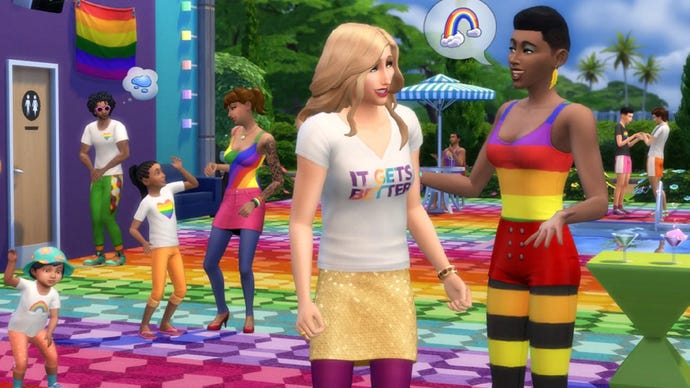
However, it’s important to understand exactly what this fundamental underpinning notion of gender means in The Sims 4 in 2022. This is a video game, and the way it’s programmed doesn’t always exactly translate to any real-world lived experience. So, while you might think of the basic gender option in The Sims 4 in terms of sex assigned at birth, it doesn’t really work quite like that. True, Sims born in-game will be assigned as either male or female, but you can manually change this classification in CAS once your Sim ages up to a Teen, at which point you can edit their gender presentation in more depth using the options outlined above.
The Sims 4 sexual orientation customisation
Customised sexual orientation options arrived in The Sims 4 in Patch 132, a free base game update accompanying the release of theHigh School Yearsexpansion in July 2022. For now, The Sims 4’s sexual orientation customisation runs on the same basic gender binary that we discuss elsewhere on this page. The devs have expressed a desire to move away from this when they can and update this feature to reflect that when they’re able, but for now this is what we have: your Sims' preference(s) refer to the underpinning gender marker the game sees when they interact with their potential love interests, not said paramour’s pronouns or deeper gender customisation.
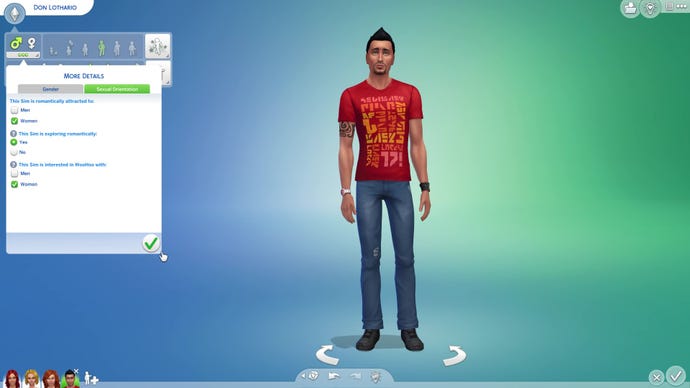
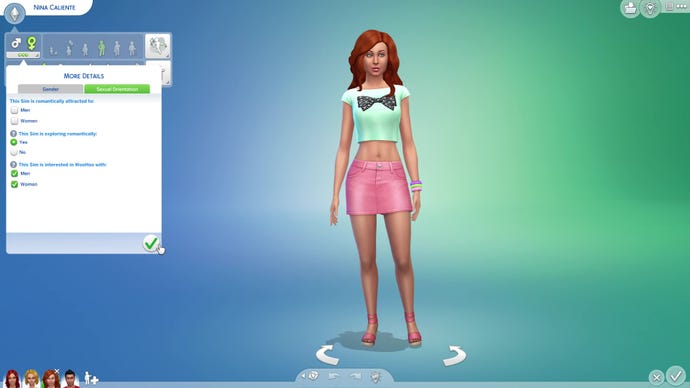
To customise a Sim’s sexual orientation, you need to click the same three dots under the male and female symbols in CAS that you use to customise their gender. You’ll notice that this has now been split into two further tabs, labelled Gender and Sexual Orientation. Tabbing over to the Sexual Orientation options will give you the following choices:
Finally, this update lets you define Don Lothario as heteroflexible, bringing order to the universe at last.
What is the “default” sexuality in The Sims?
Like gender customisation and pronoun options, you can elect not to engage with the custom sexual orientations feature in The Sims 4. But unlike with the other two, it’s less immediately obvious what the “default” sexual orientation actually is in The Sims series.
Interestingly, under the hood all Sims default to being what we might term aromantic bisexuals willing to experiment: they have no innate romantic attraction but are open to exploring romantically, and are interested in WooHoo/Mess Around with both men and women.
In gameplay terms, this basically means that they’ll happily engage in social interactions from the Romantic category with any Sim of an appropriate age group, as long as their mood and the context of the conversation make it appealing to them. Any gender preference they develop is a reaction to these behaviours over time — for example, a Sim successfully flirting with their male partner will gradually build up a preference for men (without affecting their feelings about women one way or another).
The Sims 4 pronoun customisation
The pronoun customisation option was added to The Sims 4’s base game in Patch 129 in May 2022, and is still considered a work-in-progress, with the dev team actively soliciting feedback on this feature. Having tested it out on a couple of Sims who I want to use They/Them pronouns, I can confirm that there are some issues with dodgy conjugation (“They has returned from work!"). Furthermore, some packs don’t seem to have recognised the update at all, meaning text pop-ups related to (for example) holidays from the Seasons expansion will still refer to a Sim according to the underpinning gender the game recognises them as (see above). It’s also only available in the English-language version of the game at the time of writing.
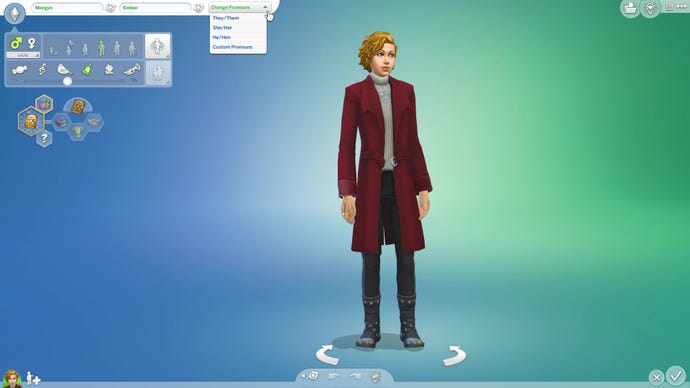
However, it’s a step forward, and the pronoun customisation feature itself is very easy-to-use. You can find it next to a Sim’s name in CAS, and it is available for all editable age groups (i.e. Toddler and up). Simply click “Change Pronouns” and you’ll be given the option to select He/Him, She/Her, or They/Them from a drop-down menu; or to enter your own choice of neopronouns, rolling pronouns, etc. using Custom Pronouns. Choosing the latter option will bring up a pop-up with text boxes where you can freely enter any pronouns you want, and a few examples to help you understand how to fit your chosen pronouns grammatically into a sentence.
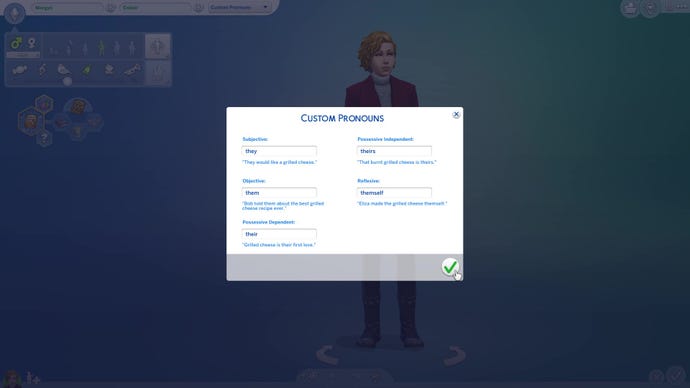
If you don’t use this feature, your Sim’s pronouns will default to either He/Him or She/Her, whichever is associated with their underlying gender according to the game engine.
If you’re interested in customising your game as much as possible, be sure to check out our list ofThe Sims 4 cheatsto ensure you have access to all the tools you need for some deep-level tinkering. We also have a comprehensivebest Sims 4 DLCguide to help you decide which of the game’s many, many add ons you want to check out.
