HomeHardwareFeaturesStarfield
Starfield Steam Deck performance report: a frontier too farShe can’t take much more, cap’n
She can’t take much more, cap’n
Image credit:Rock Paper Shotgun
Image credit:Rock Paper Shotgun
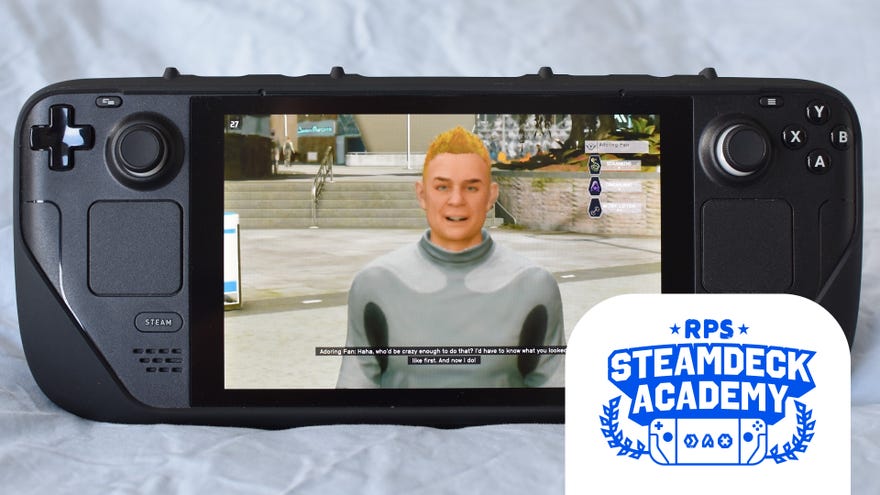
One SteamOS patch and a reinstall later, and I’ve overcome my initial launching woes to properly playStarfieldon theSteam Deck. Though perhaps it was better off breaking in the atmosphere, and while I’m enjoyingStarfield’s spacey adventures in a general sense, itspunishing technical requirementsare making the Deck’s usually-plucky hardware look like a pile of Old Earth scrap.
All is not lost for the portable PC, asGame Pass Ultimate subscribers can stream Starfieldto their Steam Decks with much slicker performance. There’s also theSteam Remote Playroute, and future improvements to native running aren’t out of the question either. Bethesda’s Todd Howard hashinted at a focus switchto handheld play “down the road”, and we’ve previously seen fellow AAA megagameThe Last of Part Iturn around its initially rubbish Deck performance andearn full Verified status, so maybe Starfield could do the same. For now, however, Starfield is just too damned choppy, even with the lowest of low quality settings.
To see this content please enable targeting cookies.Manage cookie settingsWas Starfield worth the wait? Liam and Alice B discuss this question - and more - in the video above.Watch on YouTube
To see this content please enable targeting cookies.Manage cookie settings
To see this content please enable targeting cookies.Manage cookie settings
Image credit:Rock Paper Shotgun
Steam Deck Academybrings together all our guides and explainers on getting the most out of your Steam Deck, no student loans or sweaty dormitories required.
Those include deep, wide cuts to resolution, which on the Steam Deck’s 1280x800 display induces a downright drunken blurriness. Specifically, we’re talkingFSR 2upscaling with rendering resolution set to 50%, plus dynamic resolution enabled. Yet even with these applied to a full set of minimum-quality graphics settings, it’s a regular occurrence for Starfield to drop below 25fps, with frequent stumbles into the 15-20fps range when exploring busy settlements like the gleaming New Atlantis and the cowboy enclave of Akila City. A far cry fromSkyrim, which is still one of thebest Steam Deck gamesaround.
Image credit:Rock Paper Shotgun
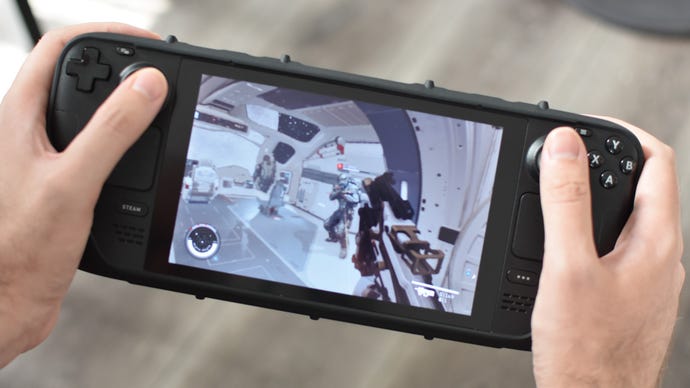
All that said, it’s strangely..notunplayable? I wouldn’t recommend locally running Starfield on the Steam Deck at all, but I can’t deny that I’ve got a few hours into a new playthrough without being sick or throwing my Deck to the floor in righteous disgust. Maybe it’s the gentle pace and forgiving mood with which Starfield plays out; I hated The Last of Us Part I at sub-30fps because I felt its stuttering was contributing to missed shots and scuppered fights, costing me extremely precious resources in turn. Starfield? Yeah, you can whiff half your magazine at this one space pirate, sure. Couldn’t even see that alien crab because the resolution is fucked? Eh, he’s a slow old thing, you’re fine. Fancy a medkit?
That’s not to excuse how badly it runs on Deck, an issue that extends to itsbattery life drain: Starfield can suck a full charge dry in 1h 23m, a below-average result even among its bigRPGpeers. It’s just that if you’re absolutely determined to take it out on the road, then yes, I guesstechnicallyyou can. It’ll just look like bums.
Speaking of which…
Image credit:Rock Paper Shotgun

Starfield on Steam Deck: best settings guide
“Least worst settings guide” might be a better name for this section, but for the benefit of anyone who’s willing to endure, it’s still worth running through which adjustments need sorting. Partly because simply choosing the Low preset from the available options will still leave on a few settings that reduce performance slightly, like film grain and depth of field effects.
