HomeFeaturesThe Elder Scrolls III: Morrowind
Screenshot Secrets: photographing Stripes the family cat in MorrowindA behind-the-scenes peek at technical tricks and excessive effort
A behind-the-scenes peek at technical tricks and excessive effort
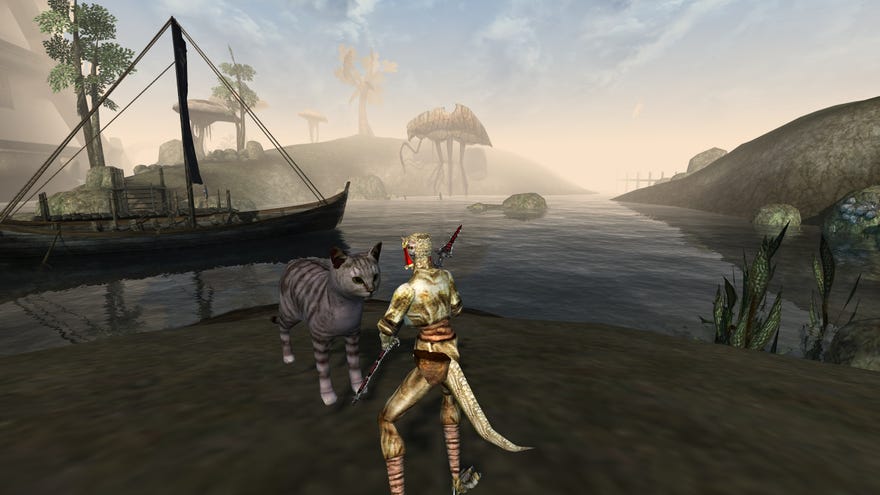
In this job, I expend a lot of effort and care on details no one notices. While this is arguably a poor use of my time, I enjoy the process—and technically it is productive. But perhaps you, reader dear, might enjoy hearing about these small things, or at least find them interesting/weird. So let’s talk about the work which went into producing one (1) screenshot and 43 seconds of video for last week’s post aboutthe Morrowind modder who added the family cat because their kids were afraid of mudcrabs.
The story behind Stripes the cat coming to Morrowind is lovely but that story is more interesting than the actual mod, and it’s all contained the mod’s readme file. Great for me as an avid readme reader, less exciting for website readers. And the mod’s download page has only a single muddy screenshot to show. So off I go to play the mod for myself, and take a screenshot and video to give you a better look at Stripes. I did not expect this to take so long.
The screenshot I ended up snapping for my post, for reference.
First problem, Morrowind is a 20-year-old game. Not able to run it in a modern screen resolution and wary of other potential tech problems, I soon turn to the excellent fan-made replacement engine,OpenMW. Once that’s running, I just need to start a new character, go through the tutorial, use cheats to teleport to the distant city where I’ll find Stripes, and then surely I’m about done.
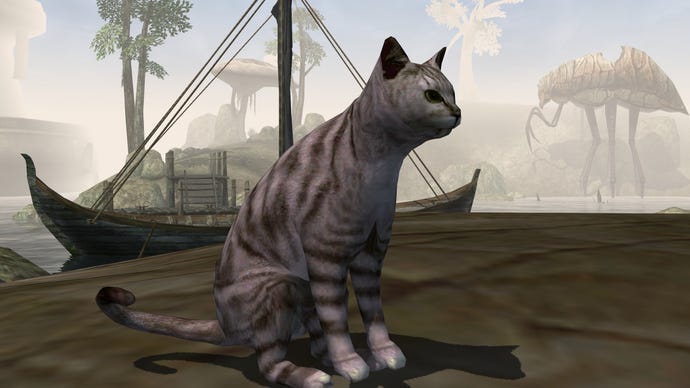
Manouvering Stripes into a good position, I learn why the mod’s only screenshot is staring down at him on the ground. Morrowind’s camera is not conducive to photography. Rather than hunt for camera mods, I remember a useful console command. Observe:
Screenshot Secrets: Stripes the CatHonestly, pretty proud of this workaround.Watch on YouTube
Screenshot Secrets: Stripes the Cat
Why faff with mods when you can shrink your wizard down to 30% of their normal size? Then turn the FOV down as narrow as it’ll go, turn off the HUD, put your weapon away, and you have a great first-person camera. I was very pleased to think of this solution. After a few snaps, I have a screenshot I’m happy with. While I’m scornful of the ‘bullshots’ publishers often stage to sell games, trickery is fine when it’s to show people a nice cat.
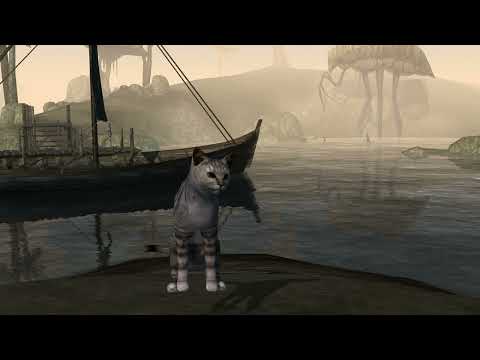
Finally, time to record a video. Rather than hunt for mudcrabs, I use console commands to spawn a load. But now I’m not only herding a cat, I’m herding AI-controlled crustaceans too. Many crabfights come out poorly on video. Maybe Stripes clips inside a mudcrab corpse and vanishes, or Stripes is reluctant to fight, or I add too many mudcrabs and it’s boring, or I spawn the mudcrabs in positions which turn out to be uninteresting, or… it doesn’t help that I have a daft idea to film with the beautiful dawn as a backdrop, a detail which barely appears on-screen but does make everything backlit and murky. I ended up with loads of naff takes looking broadly like this:
Screenshot Secrets: a rejected Stripes fightOne of many rejected takes.Watch on YouTube
Screenshot Secrets: a rejected Stripes fight

Not good enough. I swapped to the other side of the island, fiddled with mudcrab positioning and numbers, and reloaded from save until one battle came out nice enough. It’s not that I think the video I ended up making is amazing, but it’s better. It’s a video I think is good enough for a post. I’m finally done.
Fighting Morrowind mudcrabs with Stripes the CatThe many good paw taps sold me on this particular take.Watch on YouTube
Fighting Morrowind mudcrabs with Stripes the Cat

Between setup, troubleshooting, scouting, staging, and many attempts, it took me perhaps two hours for one screenshot and less than a minute of video. I think it was worth it. And now I’m telling you about it, double-dipping on content, so yes, it was doubly worth it. An invaluable use of my time! Now I just need a fun video clip for our tweet about this post…
