HomeHardwareFeatures
Samsung Odyssey G9 reviewWide of the mark
Wide of the mark
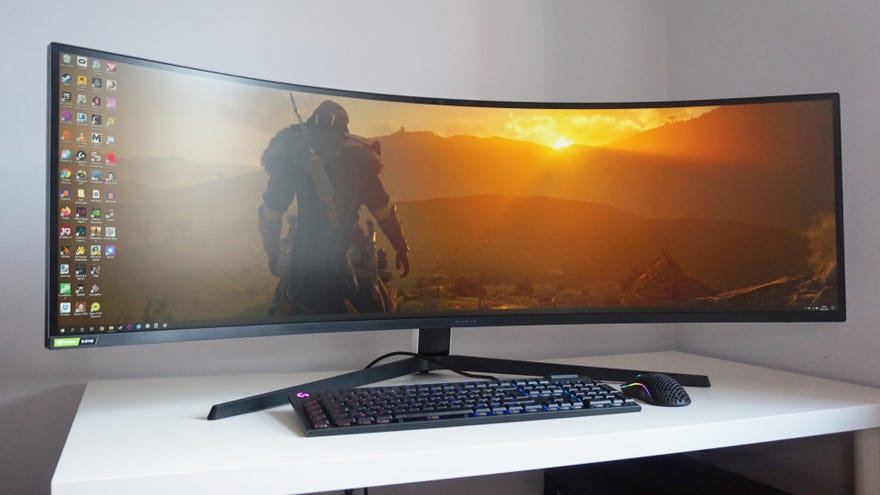
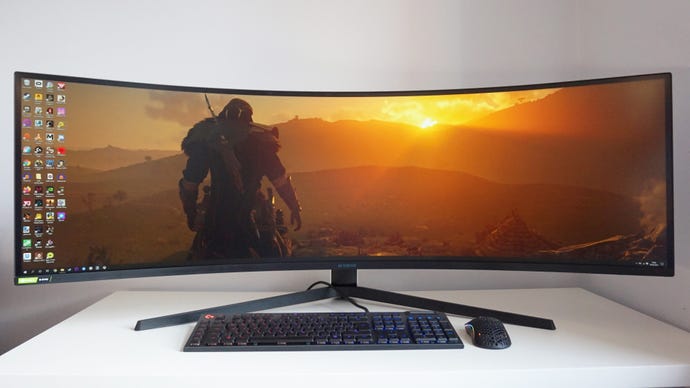
If you thoughtSamsung’s CRG9gaming monitor was one of the most ridiculous gaming screens you’ve ever seen, think again. Enter Samsung’s Odyssey G9, the latest monitor in Samsung’s super ultrawide series. You still get the same 49in screen size, 32:9 aspect ratio and a whopping resolution of 5120x1440 with the Odyssey G9 - the equivalent of two 27in, 2560x1440 monitors in one - but now you also get the benefit of a massive 240Hz refresh rate (up from the CRG9’s 120Hz), full Nvidia G-Sync Compatibility and an even curvier VA display. It’s a mad thing to behold, but is it a better gaming monitor?
On the face of it, the spec bump brings some very welcome additions. While I’m not sure there’s a graphics card in existence that can run thebest ultrawide PC gamesat 5120x1440 at 240fps, at least you’re getting a monitor with plenty of room to grow as newer graphics cards get released in the years to come. Similarly, its new status as an officialG-Sync Compatible monitorfinally means that Nvidia GPU owners now have peace of mind when it comes to taking advantage of the monitor’s variable refresh rate tech for smooth, tear-free gaming as well as AMD owners - even if the CRG9 also worked perfectly fine with Nvidia cards without being a big C Compatible screen.
The curve, however, may be more divisive. Like the CRG9 before it, the sheer size and length of the Odyssey G9 means it immediately fills my peripheral vision when I’m sat up at my desk. However, whereas the CRG9 had a comparatively mild curvature radius of 1800R, the Odyssey G9 deepens this to 1000R, which Samsung says matches the contour of the human eye, apparently. It’s wonderful for games, as it really feels like you’re in the middle of whatever you’re playing. As an everyday monitor, however, it’s even more impractical than the CRG9 - at least when it’s sat on my probably too small desk and its deep stand means its panel is only ever around a foot away from my face.
Indeed, turning my head from side to side to glance at the edges of the screen already felt like a bit of a hassle on the CRG9, but with the Odyssey G9, it was almost like I was having to turn my head a full 90 degrees to look left and right. That might be a slightly exaggeration, but as someone who normally positions their monitors so I can see everything at a glance, this extra head movement felt a lot more grating than usual.
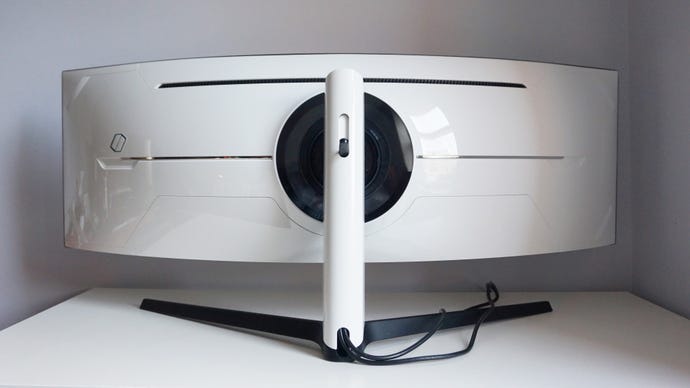
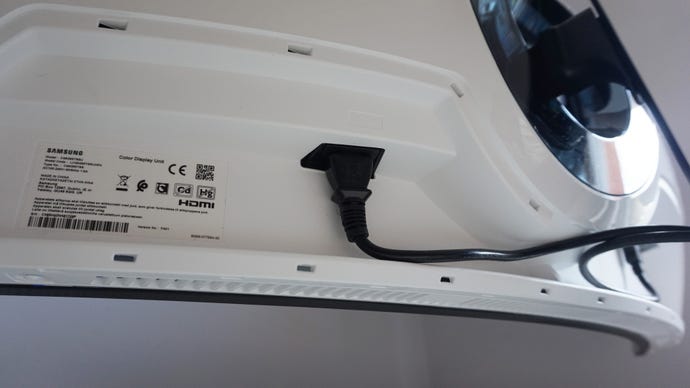
The Odyssey G9 has an RGB lighting ring round the back, but you can thankfully turn it off in the monitor’s menu settings. There’s also a hook for your headset in the back of the stand, too.
Its various picture modes were equally accurate, too, which is good news considering a lot of these modes are fixed and don’t offer much flexibility other than tweaking the brightness a bit, or enabling its Eye Saver setting. There are a couple of genre-specific ones including FPS, RTS and RPG (as well as an ultra-specific AOS or Aeon OfStrifemode if you’re into Starcraft), as well as the usual sRGB and Cinema modes for other types of media, but you’ll probably want to stick with its default Custom mode for everyday use, if only so you’ve got more options available to you.
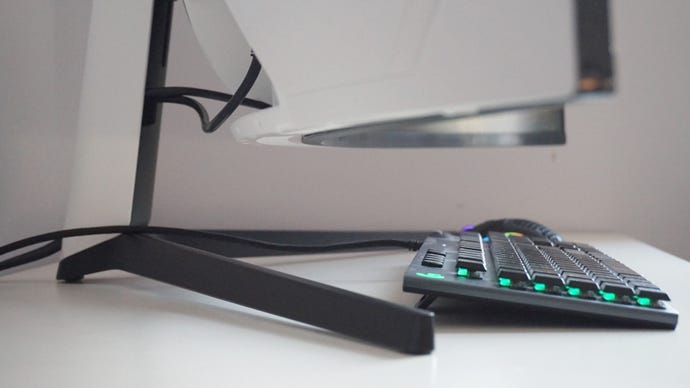
You’ll need a big desk to accommodate the Odyssey G9, as it not only has a very deep stand, but its pronounced curve takes up a fair amount of room, too.
For starters, my usual in-game HDR tests inAssassin’s Creed OdysseyandFinal Fantasy XVonly ever managed a peak brightness of around 680cd/m2, and that was when I placed my calibrator over quite small sections of the screen where the sun was shining very brightly. I saw a full 1000cd/m2 on the CRG9 back when I tested it at the end of 2019, but the Odyssey G9’s brightness levels never rose above 700cd/m2 at any point during my testing.
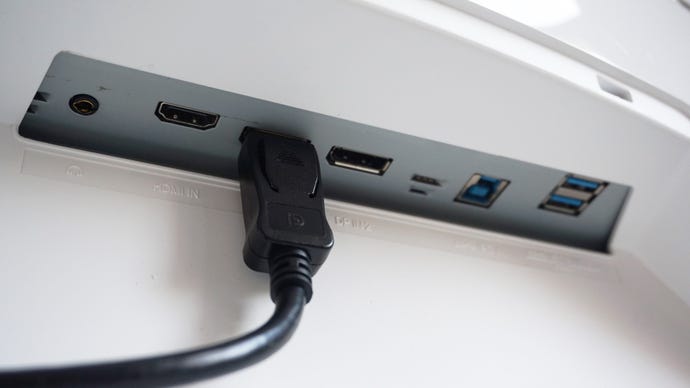
To make use of the Odyssey G9’s 240Hz refresh rate, you’ll need to use one of its two DisplayPort 1.4 inputs, as the HDMI 2.0 input is capped at 60Hz.
This is still high enough to make a decent visual impact when it comes to HDR brightness, but the worst thing about the Odyssey G9’s HDR was that this 680cd/m2 figure often only reared its head once I turned each game’s HDR support back off again, as switching it on made everything look very dismal and washed out. It was almost like switching it off kicked its HDR back into existence again, but I simply wasn’t able to replicate that experience when I turned its HDR back on again.
I also had to select the monitor’s High Bright mode to get this figure, as its default Custom mode only ever peaked at around 650cd/m2. Annoyingly, you can’t change picture mode once HDR has been switched on, so you have to go through the laborious process of switching it off again if you want to tweak the monitor’s menu settings. All in all, it was a very frustrating HDR experience, and I’d actively recommend you avoid this particular monitor if HDR is your primary focus in buying a new display.
Worse still, there appears to be an ongoing driver issue with Nvidia’s new RTX 30 GPUs, which causes the screen to flicker when you enable its 240Hz refresh rate setting. Indeed, the monitor was nigh-on unusable when I had an RTX 3080 plugged into my PC at 240Hz, and I had to settle for “just” 120Hz. Other reports I’ve read suggest this is an Nvidia problem rather than a Samsung one, though, and swapping it out for an RTX 2080 Ti fixed the problem instantly. Still, considering this is meant to be an official Nvidia G-Sync Compatible display, it’s not exactly good news if none of Nvidia’s RTX 30 cards work with its top 240Hz setting. It’s not clear if or when a fix will be forthcoming, either.
Finally, if you want to make use of the monitor’s low input lag setting, then you’ve actually got to turnoffits adaptive sync tech. Otherwise, it remains greyed out on all of the monitor’s different picture modes. This seems rather counterintuitive to me, as it means you’re having to give up that tear-free gaming experience for marginally lower input lag. Personally, my reflexes aren’t anywhere near quick enough to notice the difference of a few points of a millisecond when it comes to input lag, so I left this turned off in favour of keeping its variable refresh rate tech switched on. You may feel differently, of course, but it seems mad that you have to give up one for the sake of another.
For more gaming monitor recommendations, make sure you read ourbest gaming monitorpicks for 2021.
