HomeGuidesLegends of Runeterra
Runeterra guardians: how to equip themYou can pet the Poro
You can pet the Poro
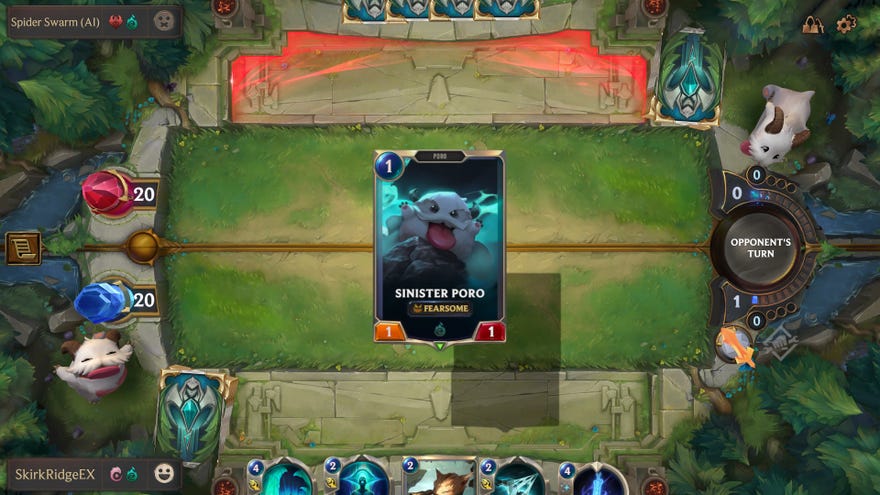
So you really likeLegends of Runeterra, to the point where you want to purchase a new guardian. Guardians are the little avatars to the lower left of every match. You can click on them multiple times and they do things. Poro likes to blow raspberries, yawn, and scratch itself. But what if you fancy a change to a ghost shark? The bad news is you have to spend real money. The good news is that we know how to equip them should you choose to do so.

Runeterra guardians guide
ThisRuneterra guardians guidewill show you how you can equip any purchased guardians that you have bought with real money, since Runeterra sort of hides the option to use them. If additional avatars are not your thing, you can look at ourRuneterra best decksguide instead.
How to equip Runeterra guardians
As one of the cheeky little avatars that populates theLeague of Legendsuniverse, the guardians come in all shapes and sizes. When you start Legends of Runeterra, you’ll only have access to the Poro guardian. I personally think it’s a loveable little scamp, so much so that I would never change it. But you may feel differently, both about giving money for avatars and changing them from the adorable Poro in the first place.
Please note that the currency values are displayed in GBP as I could not get 100% correct values for USD or Euros.
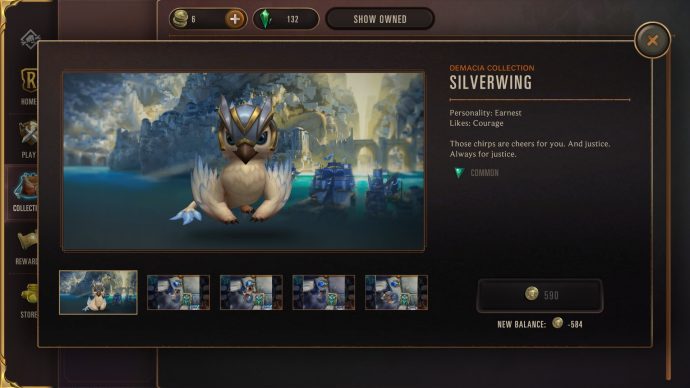
To equip your newly purchased Runeterra guardians, here are the steps you need to take:
You’ll then see your little avatar in the bottom left of your screen. You can even click on it a few times to make it do something. Each one has at least three unique actions.

Currently available Runeterra guardians
There are seven guardians available for Legends of Runeterra at this time. Each one represents a particular region in the League of Legends universe. Below are all of the currently available guardians in the game.
This isn’t the only thing you can buy to customise your playing experience for Legends of Runeterra, as you can also spend money onRuneterra boards.
Watch on YouTube
Watch on YouTube

