HomeHardwareNewsGod of War (2018)
Nvidia’s Deep Learning Dynamic Super Resolution tech is out now – here’s how to enable itSharpness-boosting feature piggybacks on God of War optimisation driver
Sharpness-boosting feature piggybacks on God of War optimisation driver
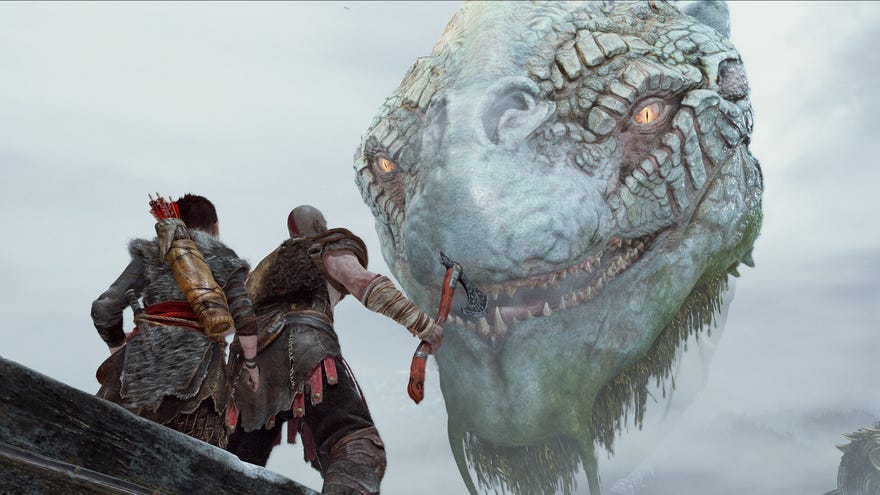
Earlier this week, Nvidiaquietly announceda kind ofDLSS-adjacent downsampling tech: Deep Learning Dynamic Super Resolution (DLDSR). It aims to improve image sharpness and quality on GeForce RTX graphics cards, using AI to reduce the performance loss of Nvidia’s existing DSR feature, and it’s now available to install and enable throughGeForce Game Ready Driver 511.23.
NVIDIA CES 2022 Special AddressWatch on YouTube
NVIDIA CES 2022 Special Address
Standard DSR already does this, of course, but eats an FPS drop in the process. Nvidia’s idea is that DLDSR’s Tensor-enabled AI enhancements can drastically reduce the performance hit that downsampling would normally dish out. I’ll be testing DLDSR in-depth next week to see how true this is in different games, though since the driver is already available, go ahead and try it out yourself if you want.(Update - it is now next week, and I have indeedtested DLDSR. It’s pretty good!)
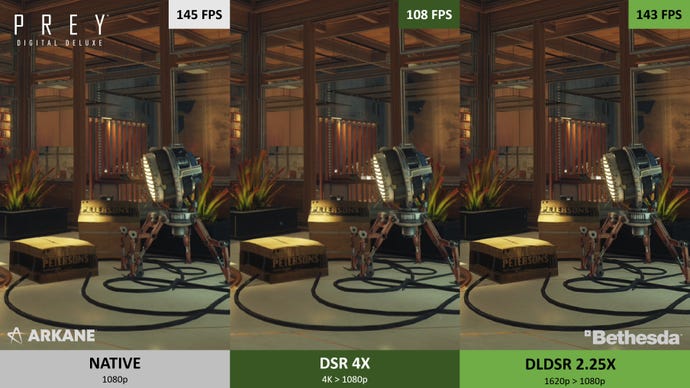
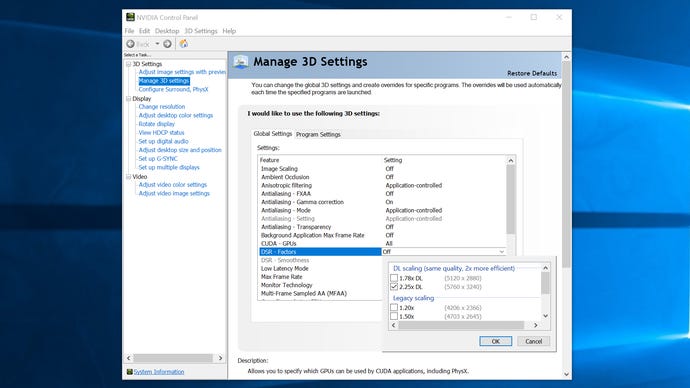
How to use Nvidia DLDSR
Step 1:Open up Nvidia Control Panel and click “Manage 3D settings” in the left sidebar.
Step 2:In the list of Global Setttings, scroll down to “DSR – Factors” and click where it currently reads “Off”. This will bring up a list of rendering resolution options for both DLDSR and standard DSR.
Step 3:Click one or both of the “DL scaling” options, then “OK” and “Apply”.
