HomeHardwareFeaturesNew World
New World: the best settings to improve performanceReclaim some frames with these choice tweaks
Reclaim some frames with these choice tweaks
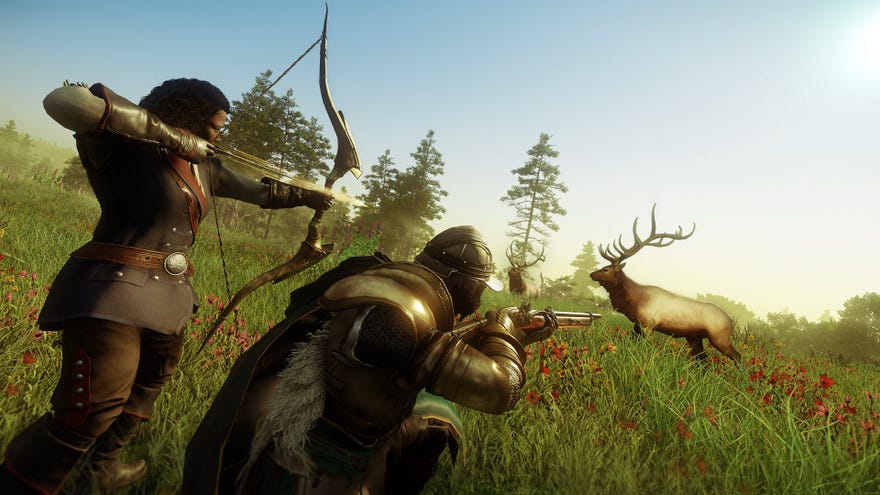
The PC Gaming Weekspot: Outer Wilds Echoes Of The Eye Review! Sable Gameplay! Other Stuff!Watch on YouTube
The PC Gaming Weekspot: Outer Wilds Echoes Of The Eye Review! Sable Gameplay! Other Stuff!

New World system requirements
Recommended System Requirements
Minimum System Requirements
These spec lists don’t ask for much – unlike with, say,Deathloop, which listed an RTX 2060 as a “Recommended” level GPU – though that doesn’t mean New World will smash 60fps on any old spud PC. Having played a few hours on various different CPU/graphics card combinations, I’d say you can get away with a basic processor, but for smooth 1080p play you should be looking at the 6GB GTX 1060 / 8GB Radeon RX 580 or above. For 1440p, an RTX 2060 or GTX 1080 will suffice, though 4K will need at least an RTX 2070 to weather the big drops that occur in heavily populated areas. At the low end, a GTX 1050 Ti will just about manage at 1080p, but you’ll need everything on Low to get a solid 40fps around crowds.
Amazon are spot on about recommending an SSD, too. New World isn’t actual world size but does have a huge, free-roaming map, as well as not-inconsiderable load times even when installed on an NVMe drive. Both of these considerations make an SSD a good fit, so find room if you can.
New World best settings
First off, scroll to the bottom of the Visuals menu and turn off Dynamic Resolution Scaling. This automatically lowers the resolution to prevent frame rate drops when they’d otherwise occur, something that’s extremely noticeable and a bit of a nuclear option in general; it’s better if you can find a balance of settings that allow New World to run smoothly all the time. Be sure also to turn off V-Sync if you have aG-Sync or FreeSync monitor, though at least one of these three should be in play, or else you can and will get screen tear.
2560x1440, Very High Video Quality
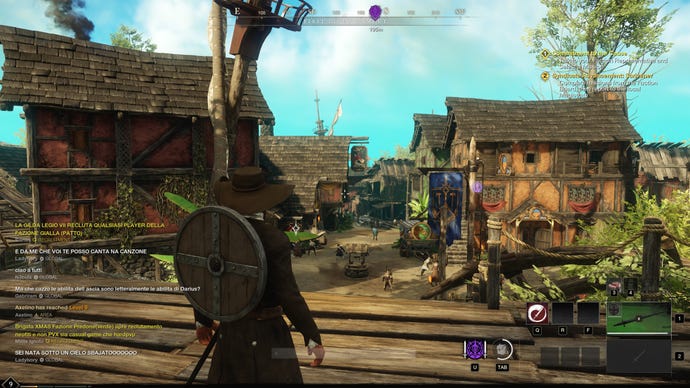
2560x1440, High Video Quality
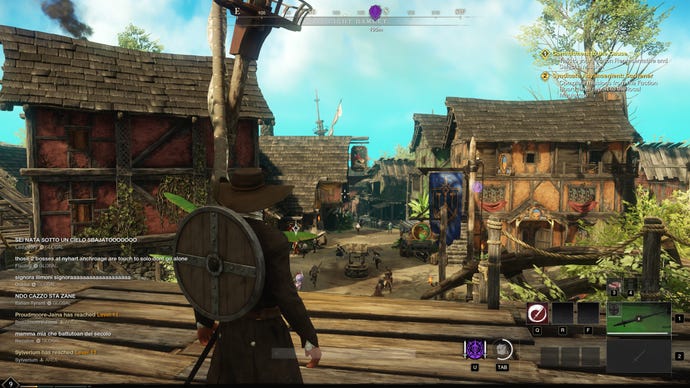
2560x1440, Medium Video Quality
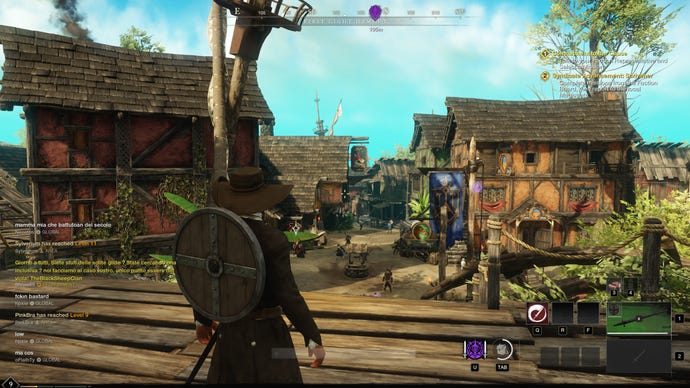
2560x1440, Low Video Quality
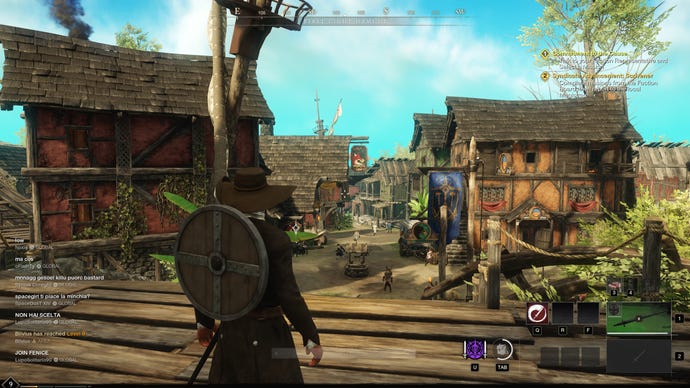
You can also set a frame rate cap, though the options seem limited to 30fps or 60fps – a shame if you have one of thebest gaming monitorswith a 144Hz refresh rate. Uncapped frame rates in the New World beta were linked to certainRTX 3090cards going kaput, though the bigger, underlying cause here wasEVGA’s faulty soldering. The RTX 3090 Founders Edition I tested with survived, for what it’s worth.
Now, for the main quality settings. I’d suggest avoiding Low quality as much as possible – dropping from the Very High preset to Low does produce major frame gains, a 49% improvement according to my testing, but as you can see in the screenshots above it’s a big visual downgrade even compared to the Medium preset. You also get these distracting, if funny, moving shadows that the more advanced settings avoid:
Dropping from Very High to Medium produces a 20% performance boost, so there’s still gains to be made without losing as much detail. Here are the individual settings you can change, including which ones are worth changing and which ones you can leave up.
Effects details:The quality of New World’s bread-and-butter visual effects, including particle effects and volumetric effects (how light appears when passing through gas or smoke). Dropping this from Very High to Medium has an extremely mild effect on frame rate, so can be left up.
Lighting details:The quality and realism of lighting. There no ray tracing here, and switching from Very High to Medium helps less than you’d think: I only got a 2% performance boost this way. Even so, that’s more than a lot of these settings.
Object details:This determines how detailed in-game objects can appear. I’ve seen some players say this was a performance hog at the beta stage, but turning it down in the release version hasn’t done much for me: less than a 1% frames per second improvement, from Very High to Medium.
Post processing details:This covers effects like light bloom and the darkening you might see in the corners of objects: effects that are applied after the image is actually rendered. Once again, you can leave this on High or Very High without a clear performance loss.
Terrain details:Finally, a heavy hitter. This setting determines the quality level of natural terrain, and dropping from Very High to Medium can net you a relatively painless 7% frame rate bonus.
Texture details:In terms of overall fidelity, this is the big one: Texture details affects the visual richness of just about every in-game object. Turning this down is far more noticeable than, for instance, dropping the Object details setting, but on Medium you can get about 6% more frames per second than on Very High.
Water details:Rather than reflections or even the ‘texture’ of New World’s seas and lakes, this setting seems to control how animated that water is - a still inlet on Low will move with the tide on Very High. Turning it down also has an almost non-existent impact on performance, so let the good waves roll.
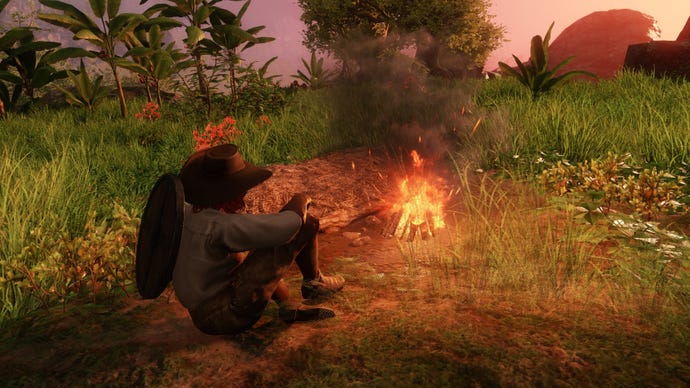
In short, anyone who feels the need to turn down their settings (without the wholesale changes of the Video Quality presets) should focus on turning downTexture detailsandTerrain details.Lighting detailscan also go down a notch in a pinch. To confirm, I set these three settings to Medium, leaving everything else on Very High, and got 11% more frames than with everything on Very High. That’s not bad, though the lowered texture quality is pretty apparent, especially on character models and equipment.
With your settings decided and hopefully your queuing time over, you can you explore New World as it was intended: with a stable frame rate, and no destroyed RTX 3090s. You can go check out Ollie’sNew World tips and tricksguide for a helping hand in actually playing the game, too.
