HomeHardwareFeaturesMarvel’s Spider-Man Remastered
Marvel’s Spider-Man Remastered: PC performance, system requirements and the best settings to useRay tracing, DLSS, FSR 2.0 and other PC features tested
Ray tracing, DLSS, FSR 2.0 and other PC features tested
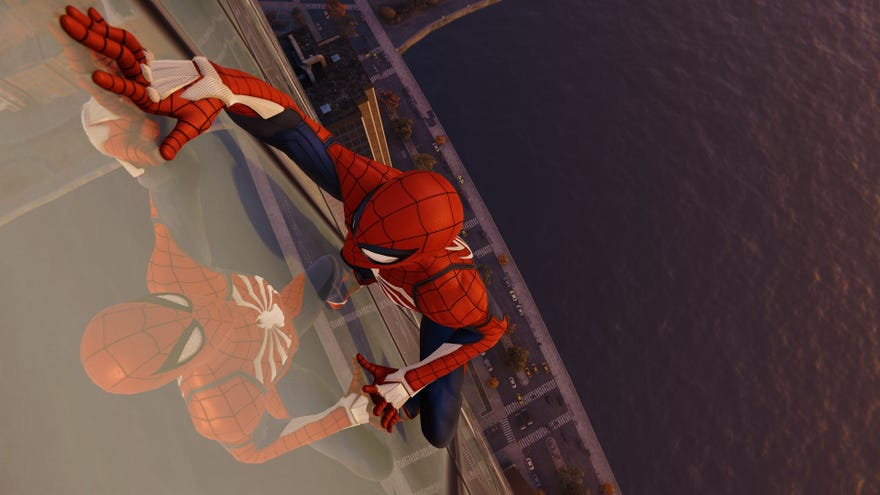
Marvel’s Spider-Man Remasteredis landing on PC, andit’s pretty good! Co-developers Insomniac Games and Nixxes, whospoke to me this weekabout the port’s development, have also taken the care to festoon this version of the open-world crim-puncher with various Windows-exclusive features. These span enhanced ray traced reflections and ultrawide monitor support to bothNvidia DLSSand (surprisingly, given it wasn’t in the initial PC features trailer)AMD FSR 2.0, adding to a list of visual options that already stretches into the sky like a Manhattan high rise. Let’s take a look, then, at how Marvel’s Spider-Man Remastered performs on PC – as well as the best settings to keep it swingin’ real smooth like.
To see this content please enable targeting cookies.Manage cookie settings
To see this content please enable targeting cookies.Manage cookie settings
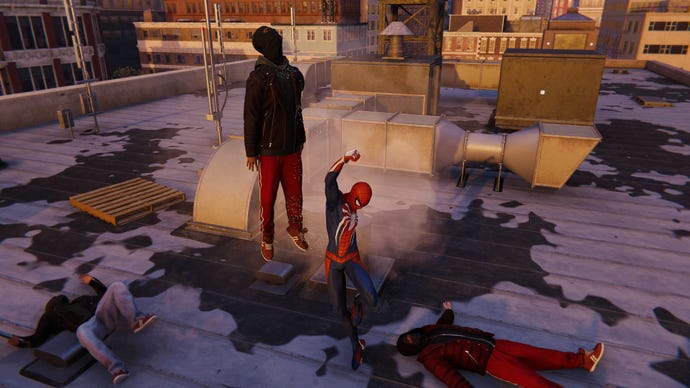
LikeGod of War, Marvel’s Spider-Man Remastered is based on the touched-up PS5 version of a PS4 original, with further tweaks to make it look and play like a proper PC game. So besides the graphics stuff there’s also mouse and keyboard support, Steam/Epic Store achievements and the like. It’s even earned Verified status on theSteam Deck, though we’ll be focusing on desktop performance here; Liam, possibly with an eye on stealing my job and identity, has alreadychecked out Deck performancespecifically. Here, we’ll begin with a reminder of Spidey’s myriad of minimum and recommended specs…
Marvel’s Spider-Man Remastered PC system requirements
Nixxes haven’t skimped on details for suggested PC specs, and they don’t half get ambitious towards the higher end. Fortunately, latest andbest graphics cardsaren’t demanded for lower resolutions.
Marvel’s Spider-Man Remastered Minimum PC specs (720p / 30fps)
Marvel’s Spider-Man Remastered Recommended PC specs (1080p / 60fps)
Marvel’s Spider-Man Remastered Very High PC specs (4K / 60fps)
Marvel’s Spider-Man Remastered Amazing Ray Tracing specs (1440p / 60fps)
Marvel’s Spider-Man Remastered Ultimate Ray tracing specs (4K / 60fps)
This is (I believe) the first time a processor from Intel’s 12th Gen range has appeared in a recommend specs list for a major PC release: a minor milestone for some of thebest gaming CPUsaround. It’s only for the highest 4K / 60fps spec, though, and having tested this resolution on lesser hardware, I reckon you don’t have to worry if you’re a bit short of these official listings.
Marvel’s Spider-Man Remastered PC performance
That being said, those specs can be fairly accurate guides to performance. For instance, I tried the GTX 1060 at 1080p with the Medium quality preset – as per the “Recommended” specs list - and it averaged 76fps, not 60fps. However, I was using it with an Intel Core i5-11600K, a major upgrade on the same list’s suggested CPUs, and switching to High quality dropped the average to 61fps. That’s more than merely playable too, of course, and the same setup also produced 52fps at Medium quality at 1440p, so it’s a decent match for Marvel’s Spider-Man Remastered at the most popular resolutions.
I also tested a GTX 1050 Ti, to see how low-end hardware could cope. This was playable too at 1080p, albeit with a much more modest 49fps at 1080p/Medium, again with a relatively more powerful CPU that what it would likely pair with in the wild. There’s still plenty of daylight between this and the 30fps minimum, mind.
I ended up performing the bulk of my testing on theRTX 3070, as it could handle the enticing new ray tracing and upscaling features; Radeon RX 6000 GPUs will support ray tracing and FSR 2.0, but as ever you’ll need an Nvidia GeForce RTX model for DLSS. Nvidia’s card proved comfortable at 1440p, pumping out 100fps on Very High and 107fps on High. With the addition of ray traced reflections, on their own default quality settings, that 107fps dipped to 88fps. Which sounds like a lot, but doesn’t reflect the utter performance-gutting that some games suffer once RT effects are turned on.
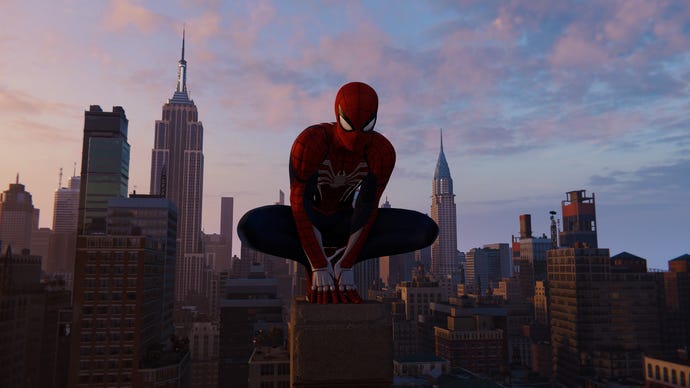
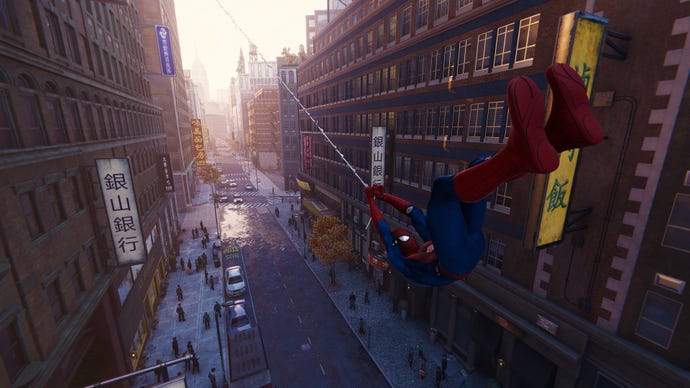
Admittedly, that’s partly because ray traced reflections are the only ray tracing gubbins to make it in; shadows and general lighting use cheaper, more traditional techniques. How there are plenty of opportunities to admire those reflections, given New York is a city made largely out of glass, and the much-memed puddles of Marvel’s Spider-Man Remastered do add an attractively rain-slicked look to the streets you’re swinging over.
In fact, Insomniac’s take on the Big Apple is inarguably one of the best-looking, most densely detailed urban open worlds yet committed to PC gamesdom. Every rooftop and graffiti-coated alleyway has an attentive, handcrafted quality to it, and a mix of bespoke and semi-randomly generated building interiors helps maintain the feeling of swinging through a lived-in place and not just a well-dressed set.
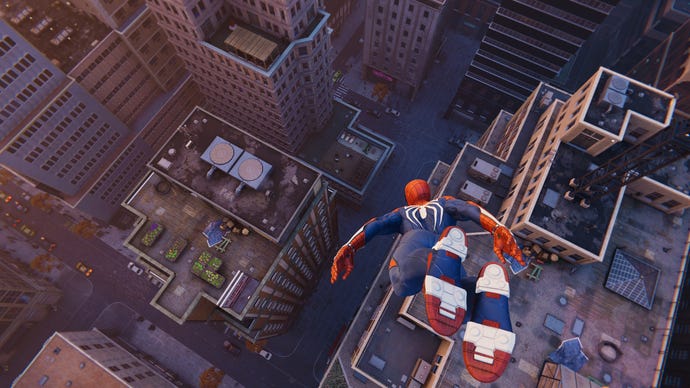
The are peaks and troughs to performance as you thwip through different parts of the city, and you will probably see FPS inconsistencies as you transition between narrow alleyways to sprawling rooftop views. Them’s the breaks with open world games, though, and for what it’s worth, framerates are generally more stable on the most recenmt patch than they were when I first played the game last week. Similarly, the few graphical glitches and crash issues I bumped into have been almost entirely cleaned up. The game still sometimes freezes when changing the graphics preset option, but that’s hopefully a simple fix.
The upscalers could do with a bit more work as well, sadly. It’s not that DLSS and FSR are ugly (they’re not), but they don’t yet provide the same kind of performance boost that I’ve come to expect from other other supporting games. Especially with ray tracing turned on, which is basically when such a speed boost would be most welcome.
This is 21:9, btw.
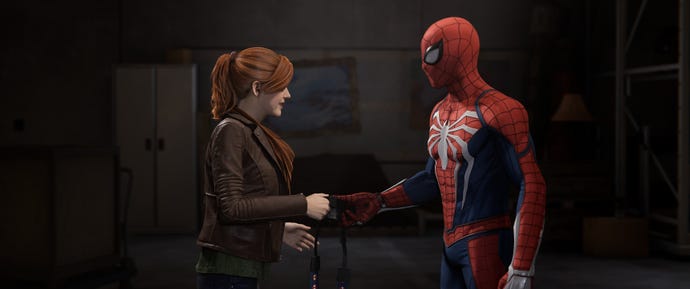
Fingers crossed that they can improve with future updates, especially because Marvel’s Spider-Man Remastered get so much else right about its jump to PC. Mouse and keyboard controls are workable and customisable, there’s Xbox controller support (with the correct on-screen button prompts) as an alternative to thePS5 DualSense, and it comes fully adapted for 21:9 and 32:9 ultrawide monitors. That includes cutscenes (see the above screenshot – spoiler warning, Spider-Man touches a camera), and if you’re unhinged enough to play at even wider aspect ratios, outer edges will be filled with a blurred extension of the main image: a less ugly workaround to the usual black bars.
Marvel’s Spider-Man Remastered: the best settings to use
Upscale method:Depending on your graphics card, you might have access to DLSS, FSR 2.0, and/or Insomniac Games Temporal Injection (IGTI). This last one is a basic spatial upscalers, whereas DLSS and FSR are a bit smarter in how they piece frames together to recreate higher resolutions.
Upscale quality:With your upscaler selected, you can select a quality level. Try to avoid dropping below the ‘Balanced’ level, for image quality’s sake, and I found the best performers here were DLSS Balanced (123fps) and IGTI Balanced (124fps). FSR Balanced wasn’t far behind, though, averaging 119fps – a 19% improvement.
At the highest ‘Quality’ setting, DLSS and FSR both produced 117fps, with IGTI edging to 118fps. Of the lot, I’d say DLSS Balanced provides the best combo of sharpness and speed, and since FSR looks slightly cleaner than IGTI, I’d sooner use AMD’s tech over Insomniac’s as an alternative.
1of7CaptionAttribution
1of7
1of7
1of7
CaptionAttribution







CaptionAttribution
Caption
Attribution
Dynamic resolution scaling:If enabled, this will automatically drop the game’s render resolution so that performance stays above your chosen threshold (30fps, 45fps or 60fps) during busy moments when it would otherwise drop below. Permanently changing quality settings is usually the better route to a high framerate, so you can probably ignore this, though it is cool how dynamic scaling works with your chosen upscaler – reducing the suddenness of resolution drops that you typically get with DRS.
Preset:On hardware like the RTX 3070, there’s actually not a truly huge performance difference between the Very High preset and Very Low (100fps from the former, 128fps from the latter). But Medium, Low, and Very Low all perform similarly to one another, leaving a comparatively sizeable gap between Medium (120fps) and High (107fps). As such, lowering individual settings to Medium makes the most sense, as dropping any further will make Marvel’s Spider-Man Remastered look worse without also having it perform much better.
1of5CaptionAttribution
1of5
1of5
1of5
CaptionAttribution
CaptionAttribution
Caption
Attribution
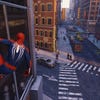
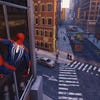
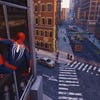
Texture quality:Case in point, dropping from Very High textures to Medium got my test rig up to 107fps, a 7% increase. That’s one of the larger jumps for a single setting, and visually, the impact is hardly jarring.
Texture filtering:This is another good one to lower. Switching from 8x anisotropic to 2x produced a 6% improvement, and lets you avoid the trilinear setting, which runs fast but adds an ugly blur to angled surfaces.
Shadow quality:Unusually, you’re best offraisingthis setting. There are two reasons: one, the Very High shadows setting can only be enabled manually, and two, it doesn’t run any slower than the High setting. In fact, I averaged 103fps when I tried it. That might be margin-of-error territory, but at least it shows that the PC version’s enhanced shadows don’t come at any real performance cost.
Screen space reflections:Turning this off got me 6% better performance, but that comes at the cost of any halfway decent reflections, which frankly isn’t worth it. New York just looks better with more reflective glass and puddles, though that’s also why you may want to disable screen space reflections in favour of…
Ray traced reflections:Windows, puddles, polished floors, passing cars, they all look better with some traced rays. This specific setting enables or disables RT reflections; tinker with the three following settings to manage them.
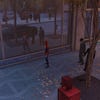
Reflection resolution:Essentially, this is the quality level of any ray-traced reflected objects you can see. There are only two settings, High and Very High; with all other settings either on default or under the Very High preset, High averaged 63fps and Very High averaged 54fps. These are sharp drops from the usual 100fps, so use with caution, and while Very High’s reflections are indeed sharper and cleaner I’d recommend sticking with High instead. It’s still a loping step up from simple screen space reflections, which only reflect what’s already being rendered onscreen, and don’t even seem to be applied to as many different surfaces as ray tracing.
Geometry detail:The second ray tracing quality setting, this time determining the object detail level for reflected entities. To be honest, you’d have to stop swinging for a moment and look really hard to see much of a difference, though since I got 63fps from the High setting and 62fps from Very High… I mean you might as well go with Very High, right?
Object range:This determines the distance at which objects are visible in reflected surfaces. Distance is judged from the camera, not the surface, so I wouldn’t suggest dropping this value below the default of 6. Otherwise, you might notice pop-in reflections forming on distant puddles, for instance. That said, there’s not much to gain from whacking object range up to its maximum setting either; using the Very High preset, this produced the same 63fps average as the default range, but in another test I tried using the High preset instead, and dropped from 88fps to 70fps.
1of2CaptionAttribution
1of2
1of2
1of2
CaptionAttribution
CaptionAttribution
Caption
Attribution
Level of detail:Back onto the regular option, this is basically a geometry detail setting – the higher the setting, the further the distance at which certain environmental details will become visible. Medium only performed 3% better than High, but also wasn’t a particularly noticeable visual downgrade.
Traffic density:You should be able to leave this turned up, as lowering it from High to Medium only got me a lousy 2fps extra.
Crowd density:Same again, leave this up.The Mediumsetting gave me all of one extra frame per second, and the Low setting only bumped that up to 2fps.
Hair quality:Not even sure why this is here, as lowering it from High to Medium didn’t improve performance for me at all.
Weather particle quality:Although changing this setting doesn’t make much of a visible difference, even while New York is getting some drizzle, I found that lowering it down to Medium gave a tasty 13fps performance boost. Sure, why not.
Depth of field:Normally, this is a vanity option in games, but disabling it in Marvel’s Spider-Man Remastered did at least give me a modest 4% extra performance.
Bloom:Nothing wrong with bloom effects sometimes, though disabling them could give you 3% more frames per second, like it did me.
Lens flares:Another visual sweetener you can ditch for 3% faster performance.
Chromatic aberration:Yet again, 3% more frames were up for grabs after I turned this off. More noticeably, this gets rid of the soft focus effect that covers a good portion of the screen edges, and I can’t say I missed it.
Vignette:This darkens the edges (and unlike chromatic aberration, only the edges) for a more film-y look. Turn it off if you want, though doing so only gave me 1fps extra.
Film grain strength:This game’s film grain is so subtle I wasn’t even sure of success when I pushed it to the lowest possible setting. But I did, and it got me an extra 4% to performance, so it’s one to consider if you’re in need of frames.
Cripes, that’s a lot. But I think the following are the best settings for a healthy balance of FPS speed and visual richness:
This combination produced an average of 126fps on my RTX 3070 setup, so you’d be getting visuals that lay between the High and Medium presets, with performance that surpasses both. And, as a bonus, the extra shadow quality that’s only available on PC.
Adding DLSS Balanced to the mix got me 135fps (a 35% increase over Very High with TAA). Enabling ray tracing – with reflection resolution on High, geometry detail at Very High and object range at 6 – dropped the average from 126fps to 91fps, but that’s not such a big loss compared to the same settings used with the Very High preset.
Frustratingly, combining DLSS Balanced with these ray tracing settings wouldn’t improve performance past 94fps; the former is much more effective without ray tracing off, so I’m concerned that enabling both might break something on the upscaling side that needs to be fixed post-launch. Truth be told, there’s room for both DLSS and FSR 2.0 to improve further, as they already have done in the early patches I’ve had to install.
Otherwise, though, Marvel’s Spider-Man Remastered is plenty adequate as a PC port. Despite some occasionally scary system requirements it will run fine on weak hardware, and is capable of juggling fancy tech with smooth performance on high-tier gear as well.
