HomeHardwareGuides
Liquid cooling vs air cooling: which is better?How to pick the right CPU cooler for your rig
How to pick the right CPU cooler for your rig
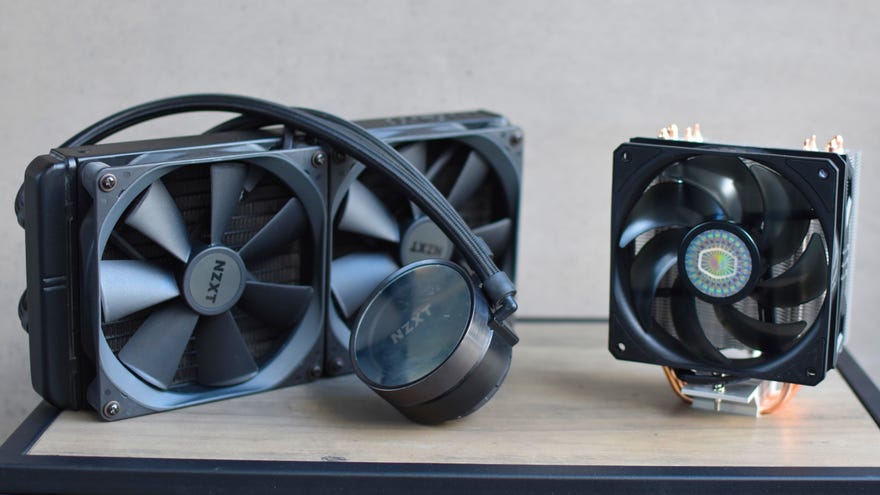
Like just about everything else in your PC, the CPU can get very hot, very quickly. That’s why not even thebest CPUsare complete without a dedicated cooler, but which of the two main types are better: liquid coolers or air coolers?
This is a question that’s passed the lips (or rolled around in the brain) of many an aspiring PC builder, and the honest answer is “it depends”. Liquid coolers and air coolers do their thing in very different ways, using very different form factors, and at very different price points – so it pays to do some research before youinstall your CPUand turn your attention to keeping it chilled.
Year In Review | Mystery Steam Reviews (2021 Video Games)Watch on YouTube
Year In Review | Mystery Steam Reviews (2021 Video Games)

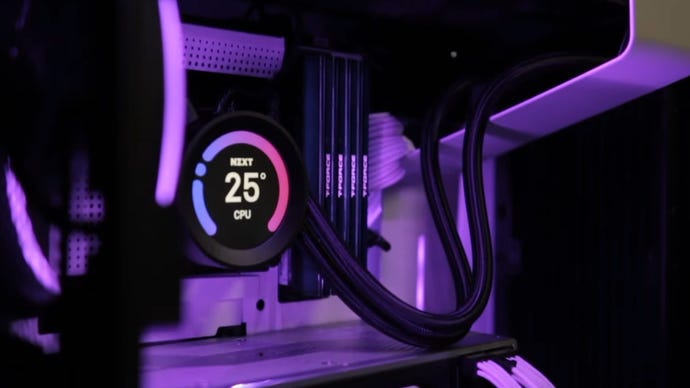
Some liquid coolers include dinky displays on the pump.
How liquid and air coolers work
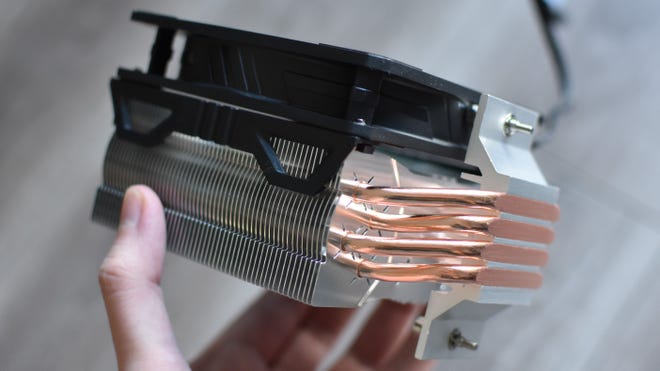
On an air cooler, heat is initially conducted onto the cooler’s contact plate (also called a cold plate), then transferred again into the heat pipes: the metal tubes you see extending from the contact plate all the way up to the top of the radiator. These pipes contain a fluid that evaporates to facilitate heat transfer to the connected radiator fins – that’s right, an air cooler still has liquid in it. Or at least it does before quickly becoming a gas.
Pumps are compact, and make almost no noise.
Why liquid cooling?
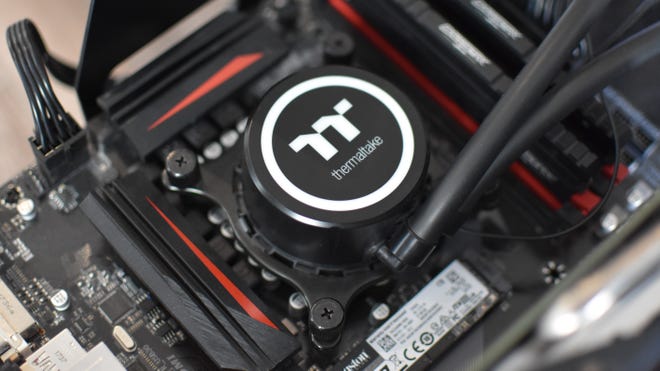
Although it’s possible to find high-end air coolers that can compete with liquid cooling on temperature lowering performance, the latter has a couple of advantages that make it moreefficient– and therefore preferable for powerful CPUs and/or overclocking.
These efficiency advantages usually translate into extra headroom for overclocking, as the CPU can run hotter without overwhelming the cooler’s capabilities, and make liquid cooler generally ideal for high-core-count processors that get relatively toasty even under medium workloads. Also, because AIO radiators are better at dissipating heat, the cooler’s fans may not need to spin as quickly to shoo away the warmth. Your PC, in other words, can run both cooler and quieter.
Heat travels up to the radiator fins via these pipes.
Why air cooling?
Don’t think of air cooling as the losing side, mind. In truth, most non-overclocked CPUs will be run perfectly fine on a humble air cooler, and some chips – especially those with six cores or fewer -might even be able to take a moderate OC without temps tipping into the danger zone.
Air coolers also tend to be easier to install, making them even better for first-time builders. Not that AIO liquid coolers are particularly difficult to hammer together, but not all PC cases will have room for 240mm, 280mm or 360mm radiator and fan setups. With an air cooler, the fan usually comes pre-attached, and only the very fattest air coolers are too tall to squeeze into the majority of tower-style cases. High profile RAM sticks can make installation difficult if there’s not much space between the DIMM slots and the CPU socket, though it’s not a common issue. Some air coolers are even designed to avoid RAM clash specifically, like the Cooler Master 212 Evo V2 (£40/$40) pictured above.
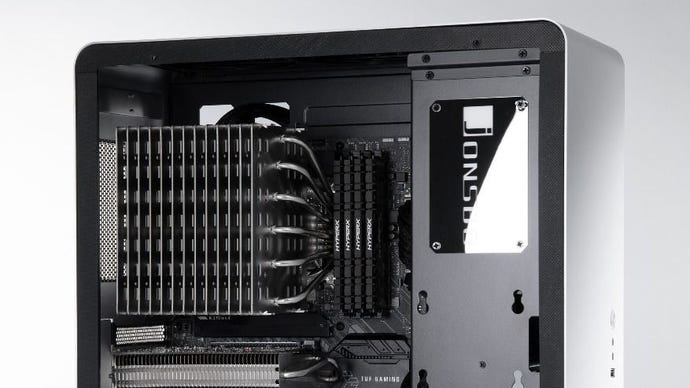
An imposing look, but too much of a risk in high-performance builds.
Can I try passive cooling instead?
In a gaming PC, I wouldn’t recommend it. There are a small number of completely fanless coolers, like the Noctua NH-P1 and Silverstone HE02, that rely solely on the dissipation power of their gigantic radiators to keep the chip cool. These can spread heat around effectively enough for low-end chips and some of the more efficient mid-range CPUs, but only at significantly higher temperatures than a simple active air cooler would manage. They’re more expensive, too, and tend to be chunky enough that a lot of cases just won’t have the clearance for them.
Silent running sounds nice, but assuming your gaming rig has case fans and a graphics card making noise anyway, the benefit won’t be felt as keenly as if you were building a completely silent PC for work or living room use.
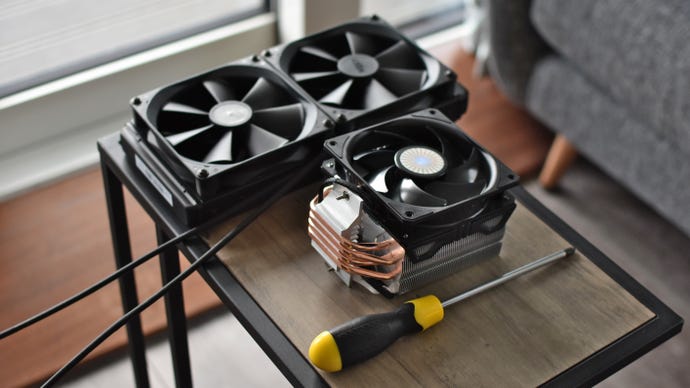
Whatever you choose, be sure your case has room for it.
So which is better, liquid or air cooling?
It ultimately depends on your budget, your CPU and which exact qualities you want out of your CPU cooler. For high-performance builds, especially overclocked ones, a liquid cooler is the much safer bet, but it’s also worth taking this route if you just want to minimise noise. AIO coolers could also be consider better for future-proofing: even if they’re overkill for your current CPU, they’ll leave you in a better position to upgrade later.
Again, though, a respectable air cooler can handle the vast majority of processors, especially if you’re happy to leave them running at stock clock speeds. As the generally cheaper alternative, it might well be wise for anyone building their first PC to get a more affordable air cooler and free up their budget for a faster CPU or one of thebest graphics cardsinstead.
