HomeHardwareFeatures
Kingston KC2500 SSD reviewA PCIe 3.0 NVMe drive that does one heck of a PCIe 4.0 impression
A PCIe 3.0 NVMe drive that does one heck of a PCIe 4.0 impression
It seems like I’ve been harping on about the stupidly good valueWD Blue SN550since time immemorial at this point, as it really is one of thebest SSDs for gamingI’ve ever tested. Happily, the arrival of Kingston’s KC2500 SSD on my testing bench means I can finally widen my repertoire a bit now, as this is another astonishingly good NVMe drive that’s so darn fast it can actually rival the speeds of much newer and more expensive PCIe 4.0 drives.Kingston KC2500 specs:Capacity:250GB, 500GB, 1TB, 2TBForm Factor:M.2 (2280)Interface:PCIe Gen 3.0 x4Sequential read:Up to 3500MB/sSequential write:Up to 2900MB/sWarranty:Five yearsEndurance Rating:150TBW (250GB), 300TBW (500GB), 600TBW (1TB), 1200TBW (2TB)Price:Starting from£43/$42Available in 250GB, 500GB, 1TB and 2TB size capacities, I almost couldn’t believe my eyes when I finished benchmarking the 1TB model of the Kingston KC2500 that was sent in for review. Not only were its random read and write speeds substantially faster than any other PCIe 3.0 NVMe SSD I’ve ever tested, but they were also verging on the kind of speeds I’d previously only seen on next-gen PCIe 4.0 SSDs - and in some cases even surpassing them. I double and triple-checked my results and cross-referenced them with other reviews to definitely make sure something wasn’t amiss, but it would appear they are indeed correct.I’m not sure how Kingston have managed it. On paper, it would appear the KC2500 is no faster than its PCIe 3.0 competition. The 1TB model’s sequential read and write times are rated up to 3500MB/s read and 2900MB/s write, which is pretty much the same as theWD Black SN750andSamsung 970 Evo Plus- two of the best PCIe 3.0 drives you can buy today. In practice, I saw results of 3042MB/s read and 2712MB/s write when I put the KC2500 through AS SSD’s 1GB sequential test, and these speeds put it very much in the same ballpark as its WD and Samsung rivals.Now, sequential speeds aren’t the best indicator of everyday performance, as data tends to be read and written randomly (i.e: all over the shop) instead of in neat blocks next door to each other. And it’s here where the KC2500 really blew me away. When I put it through AS SSD’s 1GB 4K random speed test, which reads and writes 1GB’s worth of tiny 4K files, the KC2500 finished with an incredible 62.8MB/s read and 196.6MB/s write.To put those figures in context, the Samsung 970 Evo Plus only managed speeds of 55.2MB/s read and 132.3MB/s write in that test, making the KC2500 14% and 48% faster respectively. As for the WD Black SN750, this drive came in with 45.0MB/s read and 167.1MB/s write with its special gaming mode enabled, which once again puts the Kingston KC2500 way out in front - 39% faster on read and 15% on write, which is mighty impressive considering its comparatively lost cost.Indeed, while the 1TB model of the KC2500 isn’t quite as wallet friendly as the£83/$110WD Blue SN550 (which has a random read and write speed of 44.6MB/s and 157.3MB/s, in case you’re wondering, making the KC2500 41% and 25% faster)), the price of the 250GB and 500GB versions are pretty similar at time of writing, making them very,verytempting for those after a quick, but budget-friendly NVMe drive. The write speeds of these smaller drives may vary a little from what I’ve recorded above (they’re only rated up to 1200MB/s and 2500MB/s write according toKingston’s website), but their read speeds should be just as quick thanks to their identical 3500MB/s sequential ratings.It’s that read speed that’s most important for gaming, too, as the faster a drive can read all those individual game files and whatnot, the faster it will be able to load them up. Sure enough, the 1TB KC2500 put in a stellar performance in my game loading time tests, loading upMonster Hunter: Worldin just eight seconds, Shadow Of The Tomb Raider in around 10 seconds, andFinal Fantasy XV’s massive Duscae region in 16 seconds. Now, I don’t have as much historic data for this test as I only started including it in my benchmarking earlier in the year, but in each case, the KC2500 was a couple of seconds faster than the WD Blue SN550 and four seconds faster than the also very budget-friendlyCrucial P2.Xbox Series X - Xbox Velocity Architecture TrailerWatch on YouTubeSure, these intervals aren’t quite as ground-breaking as the difference between these drives' regular random speeds, but these times are still pretty much on par with what you’ll see over on a PCIe 4.0 NVMe drive at the moment. This may change once Microsoft introduce their fancyDirectStorageloading time reduction tech later in the year (which is based off their incredi-fast Xbox Velocity Architecture in the Xbox Series X and S), but for now, the KC2500 makes a pretty compelling case compared to its PCIe 4.0 rivals. For example, my current PCIe 4.0 champion, theWD Black SN850, came in with six seconds in Monster Hunter: World, an identical 10 seconds in Tomb Raider, and 14 seconds in FFXV - and a 1TB version ofthatdrive currently costs£158/$200, which is quite a bit more than the KC2500.It’s not just game loading times where the KC2500 gives PCIe 4.0 drives a run for their money, either. As mentioned right at the start of this article, the KC2500’s everyday random speeds are also knocking on the door of its more expensive PCIe 4.0 counterparts as well. It’s not going to worry the WD Black SN850, which is still the fastest NVMe SSD I’ve ever tested thanks to its 79.3MB/s and 245.6MB/s random read and write speeds, but the KC2500’s read speed is definitely chomping at the heels of theXPG Gammix S70, which finished the AS SSD test with 65.7MB/s. Similarly, its random write speed is actually faster thanSamsung’s 980 ProSSD, which came in with 178.9MB/s when I tested it earlier in the year. That’s astounding for a PCIe 3.0 SSD, and when you consider that a 1TB model of the 980 Pro currently sets you back£175/$257, that makes the KC2500 a veritable steal in terms of value for money.If all that wasn’t enough, the KC2500’s transfer speeds are also lightning quick as well. Once again, it did a great PCIe 4.0 impression when I copied my 100GBAssassin’s Creed Odysseyfolder over to it and timed how long it took to complete the transfer with a stopwatch. Whereas the WD Blue SN550 took around 2 minutes and 43 seconds to copy it from my old WD Black 3D NVMe drive, averaging around 630MB/s give or take, the KC2500 steamed through it in just 1 minute and 2 seconds, hitting a top speed of 1.8GB/s and rarely falling much low 1.1GB/s. Those kind of figures are pretty much bang on with the 58 and 59 second times I saw on the WD Black SN850 and XPG Gammix S70, making the KC2500 an absolute dream for those who regularly move large files around their PC.In short, if you’re after a wallet-friendly 250GB or 500GB NVMe SSD, the Kingston KC2500 should now be at the top of your list, no doubt about it, supplanting the WD Blue SN550 as my new budget NVMe drive of choice. The £40 / $40-odd difference between the 1TB versions of these two drives is still probably just about wide enough for the SN550 to retain some of its cheap, good value appeal (£83/$110is very different to paying£120/$149in my books), but if you’re after the best of the best at 1TB or above, then the KC2500 is hands down the SSD to beat right now.
It seems like I’ve been harping on about the stupidly good valueWD Blue SN550since time immemorial at this point, as it really is one of thebest SSDs for gamingI’ve ever tested. Happily, the arrival of Kingston’s KC2500 SSD on my testing bench means I can finally widen my repertoire a bit now, as this is another astonishingly good NVMe drive that’s so darn fast it can actually rival the speeds of much newer and more expensive PCIe 4.0 drives.Kingston KC2500 specs:Capacity:250GB, 500GB, 1TB, 2TBForm Factor:M.2 (2280)Interface:PCIe Gen 3.0 x4Sequential read:Up to 3500MB/sSequential write:Up to 2900MB/sWarranty:Five yearsEndurance Rating:150TBW (250GB), 300TBW (500GB), 600TBW (1TB), 1200TBW (2TB)Price:Starting from£43/$42Available in 250GB, 500GB, 1TB and 2TB size capacities, I almost couldn’t believe my eyes when I finished benchmarking the 1TB model of the Kingston KC2500 that was sent in for review. Not only were its random read and write speeds substantially faster than any other PCIe 3.0 NVMe SSD I’ve ever tested, but they were also verging on the kind of speeds I’d previously only seen on next-gen PCIe 4.0 SSDs - and in some cases even surpassing them. I double and triple-checked my results and cross-referenced them with other reviews to definitely make sure something wasn’t amiss, but it would appear they are indeed correct.I’m not sure how Kingston have managed it. On paper, it would appear the KC2500 is no faster than its PCIe 3.0 competition. The 1TB model’s sequential read and write times are rated up to 3500MB/s read and 2900MB/s write, which is pretty much the same as theWD Black SN750andSamsung 970 Evo Plus- two of the best PCIe 3.0 drives you can buy today. In practice, I saw results of 3042MB/s read and 2712MB/s write when I put the KC2500 through AS SSD’s 1GB sequential test, and these speeds put it very much in the same ballpark as its WD and Samsung rivals.Now, sequential speeds aren’t the best indicator of everyday performance, as data tends to be read and written randomly (i.e: all over the shop) instead of in neat blocks next door to each other. And it’s here where the KC2500 really blew me away. When I put it through AS SSD’s 1GB 4K random speed test, which reads and writes 1GB’s worth of tiny 4K files, the KC2500 finished with an incredible 62.8MB/s read and 196.6MB/s write.To put those figures in context, the Samsung 970 Evo Plus only managed speeds of 55.2MB/s read and 132.3MB/s write in that test, making the KC2500 14% and 48% faster respectively. As for the WD Black SN750, this drive came in with 45.0MB/s read and 167.1MB/s write with its special gaming mode enabled, which once again puts the Kingston KC2500 way out in front - 39% faster on read and 15% on write, which is mighty impressive considering its comparatively lost cost.Indeed, while the 1TB model of the KC2500 isn’t quite as wallet friendly as the£83/$110WD Blue SN550 (which has a random read and write speed of 44.6MB/s and 157.3MB/s, in case you’re wondering, making the KC2500 41% and 25% faster)), the price of the 250GB and 500GB versions are pretty similar at time of writing, making them very,verytempting for those after a quick, but budget-friendly NVMe drive. The write speeds of these smaller drives may vary a little from what I’ve recorded above (they’re only rated up to 1200MB/s and 2500MB/s write according toKingston’s website), but their read speeds should be just as quick thanks to their identical 3500MB/s sequential ratings.It’s that read speed that’s most important for gaming, too, as the faster a drive can read all those individual game files and whatnot, the faster it will be able to load them up. Sure enough, the 1TB KC2500 put in a stellar performance in my game loading time tests, loading upMonster Hunter: Worldin just eight seconds, Shadow Of The Tomb Raider in around 10 seconds, andFinal Fantasy XV’s massive Duscae region in 16 seconds. Now, I don’t have as much historic data for this test as I only started including it in my benchmarking earlier in the year, but in each case, the KC2500 was a couple of seconds faster than the WD Blue SN550 and four seconds faster than the also very budget-friendlyCrucial P2.Xbox Series X - Xbox Velocity Architecture TrailerWatch on YouTubeSure, these intervals aren’t quite as ground-breaking as the difference between these drives' regular random speeds, but these times are still pretty much on par with what you’ll see over on a PCIe 4.0 NVMe drive at the moment. This may change once Microsoft introduce their fancyDirectStorageloading time reduction tech later in the year (which is based off their incredi-fast Xbox Velocity Architecture in the Xbox Series X and S), but for now, the KC2500 makes a pretty compelling case compared to its PCIe 4.0 rivals. For example, my current PCIe 4.0 champion, theWD Black SN850, came in with six seconds in Monster Hunter: World, an identical 10 seconds in Tomb Raider, and 14 seconds in FFXV - and a 1TB version ofthatdrive currently costs£158/$200, which is quite a bit more than the KC2500.It’s not just game loading times where the KC2500 gives PCIe 4.0 drives a run for their money, either. As mentioned right at the start of this article, the KC2500’s everyday random speeds are also knocking on the door of its more expensive PCIe 4.0 counterparts as well. It’s not going to worry the WD Black SN850, which is still the fastest NVMe SSD I’ve ever tested thanks to its 79.3MB/s and 245.6MB/s random read and write speeds, but the KC2500’s read speed is definitely chomping at the heels of theXPG Gammix S70, which finished the AS SSD test with 65.7MB/s. Similarly, its random write speed is actually faster thanSamsung’s 980 ProSSD, which came in with 178.9MB/s when I tested it earlier in the year. That’s astounding for a PCIe 3.0 SSD, and when you consider that a 1TB model of the 980 Pro currently sets you back£175/$257, that makes the KC2500 a veritable steal in terms of value for money.If all that wasn’t enough, the KC2500’s transfer speeds are also lightning quick as well. Once again, it did a great PCIe 4.0 impression when I copied my 100GBAssassin’s Creed Odysseyfolder over to it and timed how long it took to complete the transfer with a stopwatch. Whereas the WD Blue SN550 took around 2 minutes and 43 seconds to copy it from my old WD Black 3D NVMe drive, averaging around 630MB/s give or take, the KC2500 steamed through it in just 1 minute and 2 seconds, hitting a top speed of 1.8GB/s and rarely falling much low 1.1GB/s. Those kind of figures are pretty much bang on with the 58 and 59 second times I saw on the WD Black SN850 and XPG Gammix S70, making the KC2500 an absolute dream for those who regularly move large files around their PC.In short, if you’re after a wallet-friendly 250GB or 500GB NVMe SSD, the Kingston KC2500 should now be at the top of your list, no doubt about it, supplanting the WD Blue SN550 as my new budget NVMe drive of choice. The £40 / $40-odd difference between the 1TB versions of these two drives is still probably just about wide enough for the SN550 to retain some of its cheap, good value appeal (£83/$110is very different to paying£120/$149in my books), but if you’re after the best of the best at 1TB or above, then the KC2500 is hands down the SSD to beat right now.
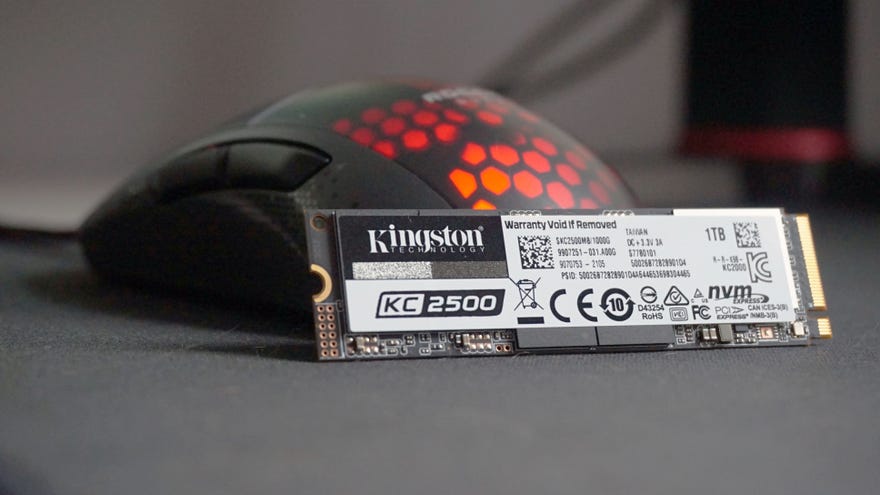
It seems like I’ve been harping on about the stupidly good valueWD Blue SN550since time immemorial at this point, as it really is one of thebest SSDs for gamingI’ve ever tested. Happily, the arrival of Kingston’s KC2500 SSD on my testing bench means I can finally widen my repertoire a bit now, as this is another astonishingly good NVMe drive that’s so darn fast it can actually rival the speeds of much newer and more expensive PCIe 4.0 drives.
Available in 250GB, 500GB, 1TB and 2TB size capacities, I almost couldn’t believe my eyes when I finished benchmarking the 1TB model of the Kingston KC2500 that was sent in for review. Not only were its random read and write speeds substantially faster than any other PCIe 3.0 NVMe SSD I’ve ever tested, but they were also verging on the kind of speeds I’d previously only seen on next-gen PCIe 4.0 SSDs - and in some cases even surpassing them. I double and triple-checked my results and cross-referenced them with other reviews to definitely make sure something wasn’t amiss, but it would appear they are indeed correct.
I’m not sure how Kingston have managed it. On paper, it would appear the KC2500 is no faster than its PCIe 3.0 competition. The 1TB model’s sequential read and write times are rated up to 3500MB/s read and 2900MB/s write, which is pretty much the same as theWD Black SN750andSamsung 970 Evo Plus- two of the best PCIe 3.0 drives you can buy today. In practice, I saw results of 3042MB/s read and 2712MB/s write when I put the KC2500 through AS SSD’s 1GB sequential test, and these speeds put it very much in the same ballpark as its WD and Samsung rivals.
Now, sequential speeds aren’t the best indicator of everyday performance, as data tends to be read and written randomly (i.e: all over the shop) instead of in neat blocks next door to each other. And it’s here where the KC2500 really blew me away. When I put it through AS SSD’s 1GB 4K random speed test, which reads and writes 1GB’s worth of tiny 4K files, the KC2500 finished with an incredible 62.8MB/s read and 196.6MB/s write.
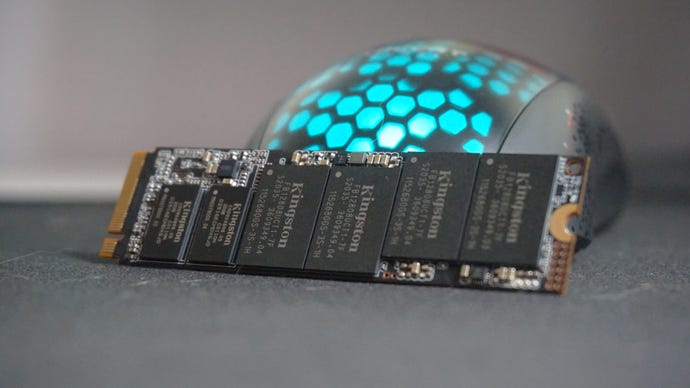
To put those figures in context, the Samsung 970 Evo Plus only managed speeds of 55.2MB/s read and 132.3MB/s write in that test, making the KC2500 14% and 48% faster respectively. As for the WD Black SN750, this drive came in with 45.0MB/s read and 167.1MB/s write with its special gaming mode enabled, which once again puts the Kingston KC2500 way out in front - 39% faster on read and 15% on write, which is mighty impressive considering its comparatively lost cost.
Indeed, while the 1TB model of the KC2500 isn’t quite as wallet friendly as the£83/$110WD Blue SN550 (which has a random read and write speed of 44.6MB/s and 157.3MB/s, in case you’re wondering, making the KC2500 41% and 25% faster)), the price of the 250GB and 500GB versions are pretty similar at time of writing, making them very,verytempting for those after a quick, but budget-friendly NVMe drive. The write speeds of these smaller drives may vary a little from what I’ve recorded above (they’re only rated up to 1200MB/s and 2500MB/s write according toKingston’s website), but their read speeds should be just as quick thanks to their identical 3500MB/s sequential ratings.
It’s that read speed that’s most important for gaming, too, as the faster a drive can read all those individual game files and whatnot, the faster it will be able to load them up. Sure enough, the 1TB KC2500 put in a stellar performance in my game loading time tests, loading upMonster Hunter: Worldin just eight seconds, Shadow Of The Tomb Raider in around 10 seconds, andFinal Fantasy XV’s massive Duscae region in 16 seconds. Now, I don’t have as much historic data for this test as I only started including it in my benchmarking earlier in the year, but in each case, the KC2500 was a couple of seconds faster than the WD Blue SN550 and four seconds faster than the also very budget-friendlyCrucial P2.
Xbox Series X - Xbox Velocity Architecture TrailerWatch on YouTube
Xbox Series X - Xbox Velocity Architecture Trailer

Sure, these intervals aren’t quite as ground-breaking as the difference between these drives' regular random speeds, but these times are still pretty much on par with what you’ll see over on a PCIe 4.0 NVMe drive at the moment. This may change once Microsoft introduce their fancyDirectStorageloading time reduction tech later in the year (which is based off their incredi-fast Xbox Velocity Architecture in the Xbox Series X and S), but for now, the KC2500 makes a pretty compelling case compared to its PCIe 4.0 rivals. For example, my current PCIe 4.0 champion, theWD Black SN850, came in with six seconds in Monster Hunter: World, an identical 10 seconds in Tomb Raider, and 14 seconds in FFXV - and a 1TB version ofthatdrive currently costs£158/$200, which is quite a bit more than the KC2500.
It’s not just game loading times where the KC2500 gives PCIe 4.0 drives a run for their money, either. As mentioned right at the start of this article, the KC2500’s everyday random speeds are also knocking on the door of its more expensive PCIe 4.0 counterparts as well. It’s not going to worry the WD Black SN850, which is still the fastest NVMe SSD I’ve ever tested thanks to its 79.3MB/s and 245.6MB/s random read and write speeds, but the KC2500’s read speed is definitely chomping at the heels of theXPG Gammix S70, which finished the AS SSD test with 65.7MB/s. Similarly, its random write speed is actually faster thanSamsung’s 980 ProSSD, which came in with 178.9MB/s when I tested it earlier in the year. That’s astounding for a PCIe 3.0 SSD, and when you consider that a 1TB model of the 980 Pro currently sets you back£175/$257, that makes the KC2500 a veritable steal in terms of value for money.
If all that wasn’t enough, the KC2500’s transfer speeds are also lightning quick as well. Once again, it did a great PCIe 4.0 impression when I copied my 100GBAssassin’s Creed Odysseyfolder over to it and timed how long it took to complete the transfer with a stopwatch. Whereas the WD Blue SN550 took around 2 minutes and 43 seconds to copy it from my old WD Black 3D NVMe drive, averaging around 630MB/s give or take, the KC2500 steamed through it in just 1 minute and 2 seconds, hitting a top speed of 1.8GB/s and rarely falling much low 1.1GB/s. Those kind of figures are pretty much bang on with the 58 and 59 second times I saw on the WD Black SN850 and XPG Gammix S70, making the KC2500 an absolute dream for those who regularly move large files around their PC.
In short, if you’re after a wallet-friendly 250GB or 500GB NVMe SSD, the Kingston KC2500 should now be at the top of your list, no doubt about it, supplanting the WD Blue SN550 as my new budget NVMe drive of choice. The £40 / $40-odd difference between the 1TB versions of these two drives is still probably just about wide enough for the SN550 to retain some of its cheap, good value appeal (£83/$110is very different to paying£120/$149in my books), but if you’re after the best of the best at 1TB or above, then the KC2500 is hands down the SSD to beat right now.
