HomeHardwareFeatures
I enjoyed the Lenovo Legion Go, right up to the moment I broke itLaying hands on the Steam Deck rival, maybe too much
Laying hands on the Steam Deck rival, maybe too much
Image credit:Rock Paper Shotgun
Image credit:Rock Paper Shotgun
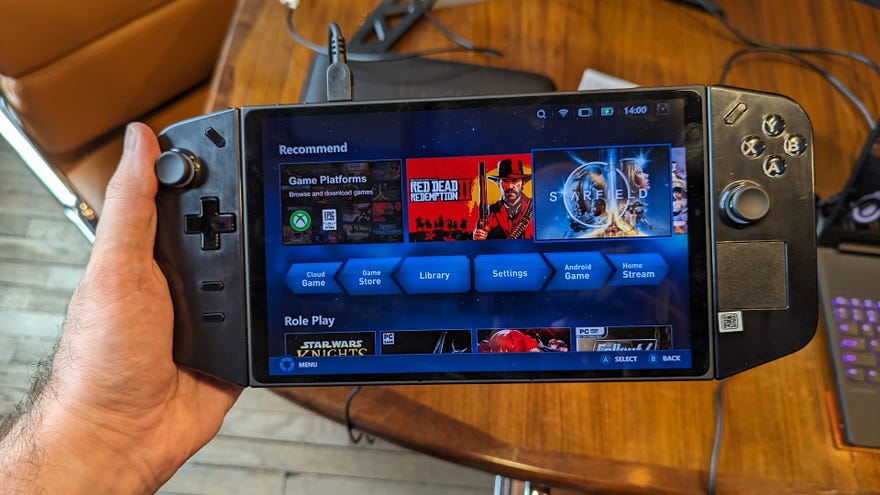
Turns out, now that I’ve tried the Legion Go for myself, I was worried about the wrong thing. It’s nowhere near as heavy or cumbersome as it looks, and while the breakaway controls remain an exciting prospect, they also risk introducing an acute pain point. At the very least, the model I tested proved highly vulnerable to lead-handed RPS hardware editors, because I left the building very much with the impression that I’d broken it.
To see this content please enable targeting cookies.Manage cookie settings
To see this content please enable targeting cookies.Manage cookie settings
To see this content please enable targeting cookies.Manage cookie settings
Image credit:Rock Paper Shotgun
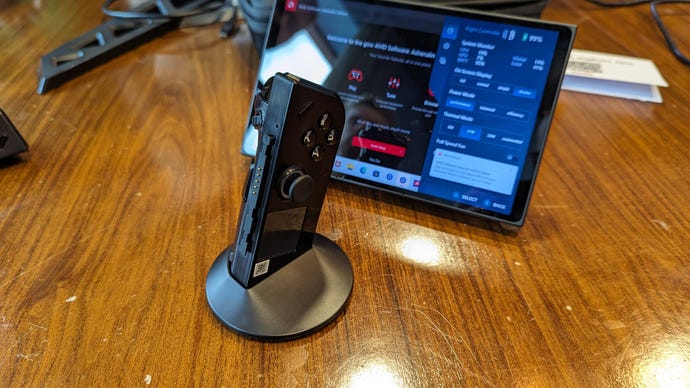
The potential benefit to mouse-mindedstrategyorFPSgames is evident too, and since the Legion Go will launch with the same AMD Ryzen Z1 Extreme APU and even the same £699 price as the ROG Ally, it already looks like a case of more practicality for no more money.
Image credit:Rock Paper Shotgun
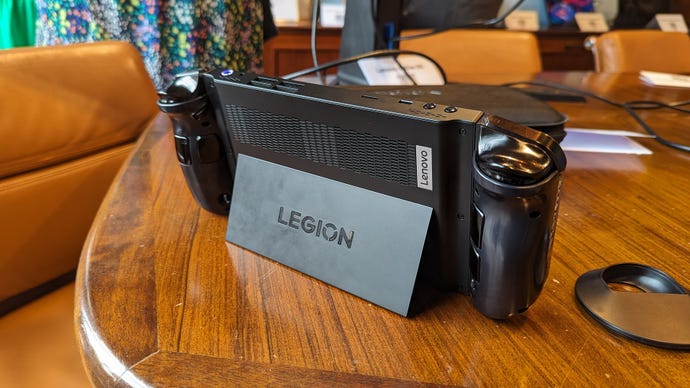
In my hands, though, 854g didn’t actually feel like much. The Lenovo Go balances its weight well enough that one wrist doesn’t wilt faster then the other, and unlike on the Switch, the controllers are sculpted to fit palms and fingers, creating a snug and comfortable grip whether they’re attached to the main body or not. And although this central unit is on the thicker side, at least that makes room for an impressively quiet cooling system.
The display, however, still needs to demonstrate that it won’t be too much of a good thing. We already know from the ROG Ally that the Ryzen Z1 Extreme isn’t strong enough to run all modern games at 1080p, so asking the same chip to feed a 2560x1600, 144Hz screen sounds like a long shot. It’ll be fine for older games and little indies, I’m sure, but I can easily see the standard practice to involve dropping the Legion Go down to 1920x1200 or a Deck-esque 1280x800. On 1200p, I played Rocket League on High settings at around 50fps, and I suspect I’d rather stick to that than risk iffy performance at 1600p.
Image credit:Rock Paper Shotgun
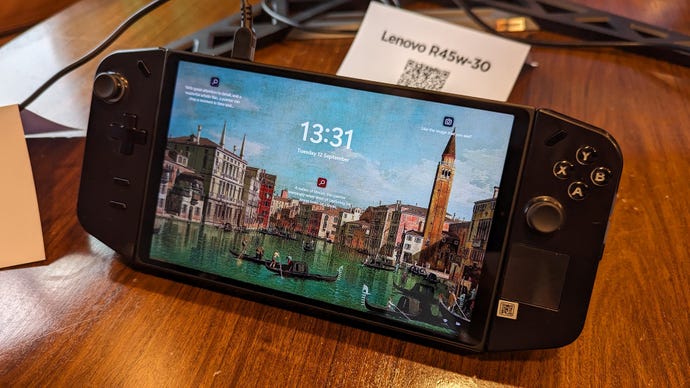
This was what the ROG Ally issue boiled down to: having to pay for high specs that you can’t always use. But then, the Legion Go is on the verge of making a good offer otherwise. That mousey controller could be a literal game-changer, and between the four rear buttons and single trackpad (a very smooth one, I might add), it has a more PC-friendly array of inputs than the Ally in full handheld mode. And, although battery life doesn’t sound amazing – I’m told between one and seven hours, depending on what games you play and on what settings – the Asus alternative could run dry with similar haste.
I’m still looking forward to the Legion Go, in other words. Despite the fact that I’ve already slain one.
