HomeGuidesPath of Exile
How to use a controller on PC in Path Of Exile: Setting up and remapping DualShock and Xbox controllersEverything you need to setup your controller in Path Of Exile
Everything you need to setup your controller in Path Of Exile

Trying to figure out how to use a controller in Path Of Exile on PC?Controller users rejoice;the PC version ofPath Of Exilefinally has full controller support.The game will now automatically detect DualShock and xinput style pads natively, including PS4, PS5, Xbox One, and Xbox Series X controllers. However, the processes of switching input types and mapping skills to buttons aren’t entirely obvious. This guide will help you get your controller fully set up so you can take onSentinel league.
Path of Exile: Siege of the Atlas Official TrailerWatch on YouTube
Path of Exile: Siege of the Atlas Official Trailer

How to use a controller on PC in Path Of Exile’s standalone client and Steam
Path Of Exile now has native support for Xbox-style and DualShock controllers, so all you’ll need to do is plug a controller in in and change your input type in the settings menu. However, you can only change inputs from the log-in screen, so you will need to do this before you actually start playing. Just go to the input tab of your options menu and select an input from the drop-down menu. If you have “auto input selection” checked, you can use your controller to navigate the log-in screen. The game will then automatically switch your input mode to controller when you enter character select this way.
How to remap skills and flask on controller in Path Of Exile
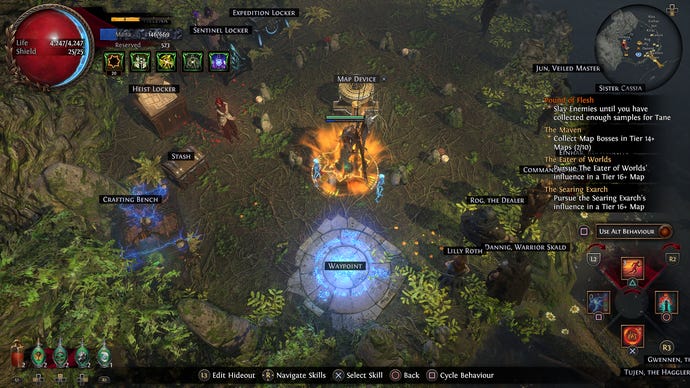
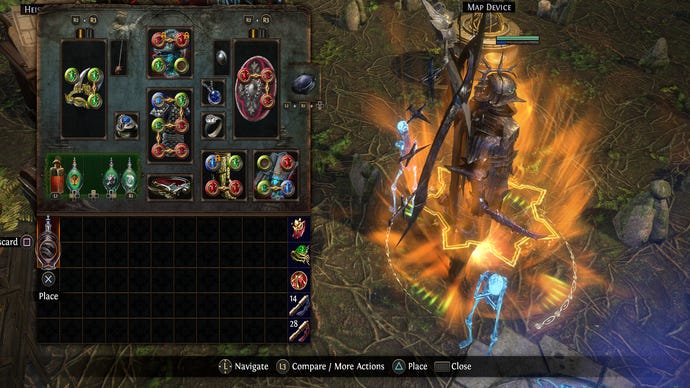
To remap skills on your controller in Path Of Exile, you need to click your right stick to enter remapping mode. From here, you can use your right stick and triggers to navigate through each slot and remap your skills. Generally, you’ll want to lump auras that you leave on together so that you don’t accidentally toggle them off.
That’s everything you need to start playing Path Of Exile with a controller! If you need a build to pair with your new input, check out ourSentinel league start buildrecommendations. Once you get rolling, visit our guide toSentinel league mechanics and stratgiesto maximize your loot.
