HomeHardwareFeaturesHorizon Zero Dawn
Horizon Zero Dawn benchmarks: what kind of performance you can expect on PCWhen it’s not crashing, of course
When it’s not crashing, of course
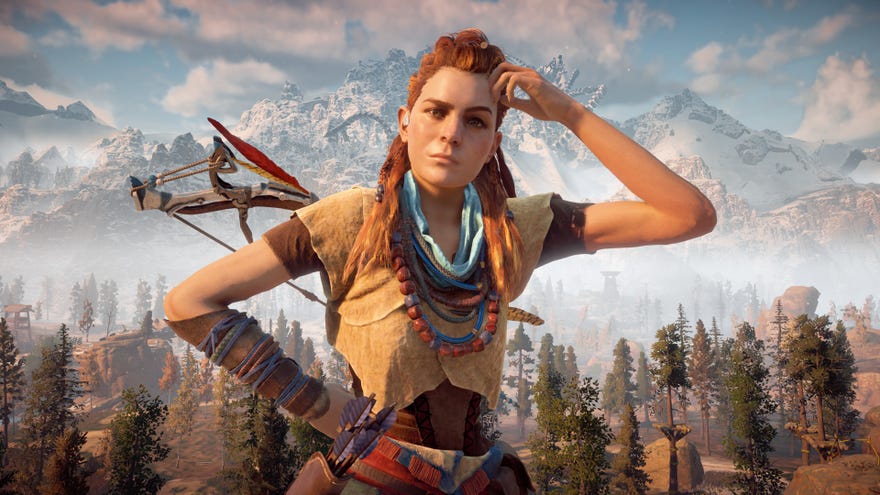
Horizon Zero Dawnhasn’t got off to the best start on PC. While we’ve had minimal performance issues here at RPS,others have found it downright unplayabledue to frequent crashes, stuttering and more. Guerrilla Games have said that they’re investigating these technical problems as a matter oftop priority, and we expect another patch to be forthcoming very soon.
In the meantime, though, I’d thought I’d make use of my relatively problem-freeHorizon Zero Dawnexperience to take a closer look at how the game runs across a variety of different graphics cards when it’snotmisbehaving, detailing what kind of performance you can expect from nearly all oftoday’s best graphics cards, and how to improve your PC’s performance if you find your graphics card’s struggling a bit.
As anyone who’s already played Horizon Zero Dawn will know, the game begins with a lengthy optimisation sequence that can often take a good 10-15 minutes to complete before you can get into the game. However, having tested the game with 14 different graphics cards over the last week or so, I’ve usually found it doesn’t do a particularly good job of detecting the best settings for any of my given GPUs, which is a large part of why I wanted to put together this PC performance guide for Horizon Zero Dawn in the first place. Below, you’ll find out exactly what kind of performance to expect from my current crop of graphics cards, as well as what the best settings are to get 60fps at 1920x1080, 2560x1440 and 4K.
All figures are based on my own testing with the latest game updates, graphics drivers and Windows updates installed, but I’ll be keeping a close eye on whether the game’s performance changes once Guerrilla have issued that hotly-anticipated patch. In the mean time, here’s how to get the best performance from Horizon Zero Dawn for those who aren’t experiencing any horrible crashes.
Watch on YouTube
Watch on YouTube

Horizon Zero Dawn PC requirements
Before we begin, here’s a reminder of Horizon Zero Dawn’s PC requirements. Like its Decima Engine-sharing stablemateDeath Stranding, Horizon Zero Dawn needs a graphics card that supports DirectX 12 in order to work, and it also requires you to be running Windows 10.
Horizon Zero Dawn minimum PC requirements
CPU:Intel Core i5-2500K / AMD FX 6300RAM:8GBGPU:Nvidia GeForce GTX 780 / AMD Radeon R9 290Storage:100GBDirectX:12OS:Windows 10
Horizon Zero Dawn recommended PC requirements
CPU:Intel Core i7-4770K / AMD Ryzen 5 1500XRAM:16GBGPU:Nvidia GeForce GTX 1060 (6GB) / AMD Radeon RX 580 (8GB)Storage:100GBDirectX:12OS:Windows 10
It’s quite a hog on the old storage front, too, but generally its minimum and recommended PC specs are pretty manageable. Indeed, duringmy initial Horizon Zero Dawn PC performance teston my GTX 1060, I found it was more than capable of running the game at a steady 60fps on its second highest ‘Favour Quality’ setting, which is a step up from its PS4-grade ‘Original’ graphics preset.
To see how Horizon Zero Dawn fared on other graphics cards, just click the links below. All figures are based on my own testing with my Intel Core i5-8600K processor and 16GB of Corsair Vengeance RAM clocked at 2133MHz.
Horizon Zero Dawn PC graphics settings
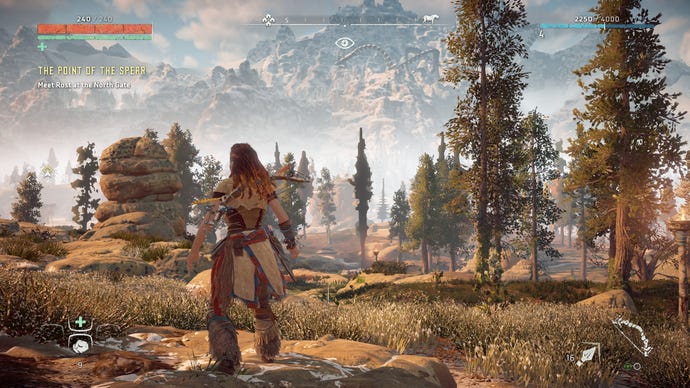
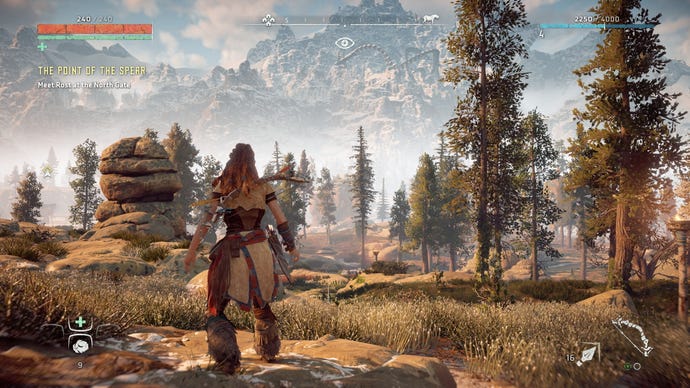
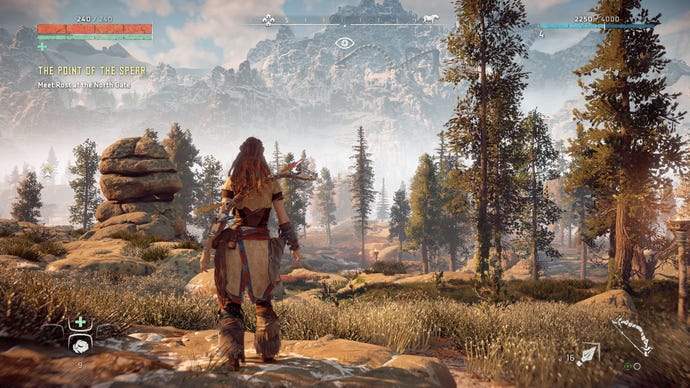
You have four graphics presets to choose from in Horizon Zero Dawn. There’sFavour Performance(which is pretty much the game’s version of Low),Original(harking back to its original PS4-level graphics but is really Medium in traditional PC speak),Favour Quality(or High), andUltimate Quality, which speaks for itself. You can find them in the Graphics tab of the game’s main Settings menu, and here’s what they all look like in their default state:
Favour PerformanceOriginalFavour QualityUltimateAs I explained last week, there are some quite big differences between the four presets. Favour Performance is quite low on detail, particularly when it comes to the game’s flora and fauna, and there’s not much in the way of realistic lighting, either. Original improves on this to quite a degree, offering pretty much identical graphics settings to the original PS4 version of the game, while Favour Quality goes even further, adding in loads more detail to the background and extending the game’s draw distance.
Favour PerformanceOriginalFavour QualityUltimate
Favour Performance
Original
Favour Quality
Ultimate
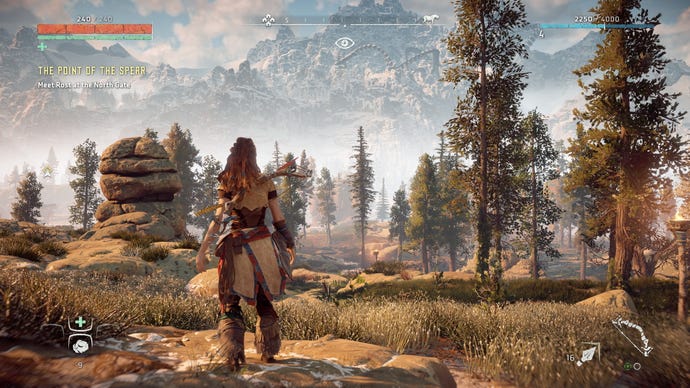
Favour Quality is the optimal PC setting in my experience, as stepping it up to Ultimate Quality just doesn’t bring as many improvements. You get slightly fancier lighting, but it’s a much smaller jump in visual loveliness than going from Original to Favour Quality in my eyes.
How to get the best settings in Horizon Zero Dawn
As mentioned earlier, anyone with a GTX 1060 / RX 580 or above should be able to get Horizon Zero Dawn running smoothly at 60fps on Favour Quality settings at 1920x1080 without much trouble (provided you’re not subject to the game’s extensive technical problems). However, if your graphics card is a little bit older than a GTX 1060, or you just want to try and boost your frame rate a little bit without having to drop down an entire graphics preset, these are the best settings to either switch on or turn down to help improve performance.
I should also note that while the game’s internal benchmark has proven to be a reasonably accurate indicator of in-game performance for the Nvidia graphics cards I’ve tested, the same cannot be said for my crop of AMD cards. Whereas my Nvidia results tended to be around 5-8fps slower in-game compared to the average frame rate figure I saw in the benchmark, almost every AMD card I tested ended up being at least 10fps slower than the benchmark, if not slightly more.
For example, when I tested my AMD Radeon R9 290, - which is the minimum graphics card in Horizon Zero Dawn’s PC requirements - the benchmark said it was capable of hitting an average of 59fps on Original settings at 1920x1080, but my in-game experience was closer to 45-50fps. As a result, I wouldn’t take the benchmark as gospel when it comes to performance.

Lower the Render Scale
Before we even get to Horizon Zero Dawn’s graphics settings, it’s worth noting that its display settings also have a number of features that can help to increase your PC’s performance. The two big ones are the Adaptive Performance FPS setting and the Render Scale option. The former lets you set your target frame rate, such as 30fps, 40fps, 60fps or higher, and the game will then automatically adapt to try and maintain it. When I tried this with my R9 290, though, this made the game look very fuzzy and low-res as it tried to hit 60fps on Original.
Consequently, I’d recommend using the Render Scale option instead. This will render the game at a percentage of your target resolution - such as 90% of 1920x1080, for example, or 80% of 2560x1440 - before scaling it back up to your chosen target. This can help take some of the load off your GPU without having to settle for a lower resolution. 90% of 1920x1080, for instance is technically 1728×972, which is still higher than the next resolution setting down of 1600x900.
Set an FPS Limit
If your graphics card just isn’t quite up to doing 60fps, then you can at least lock the frame rate to 30fps, 40fps or 50fps depending on your preference. It’s not ideal, but at least it will stop your frame rate from veering wildly up and down when you’re in-game, helping to create a smoother experience overall.
Turn down Shadows
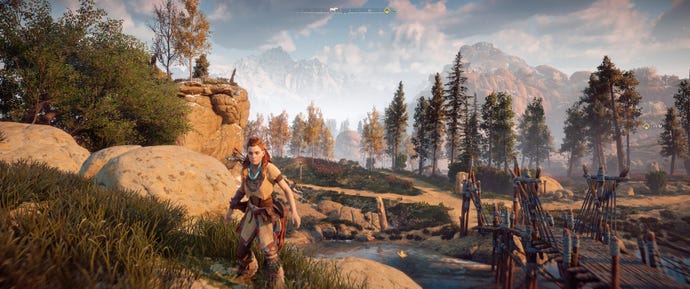
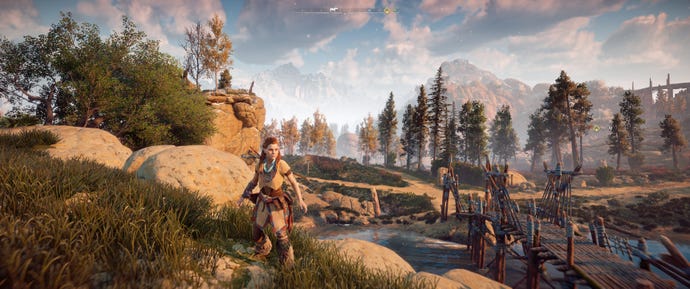
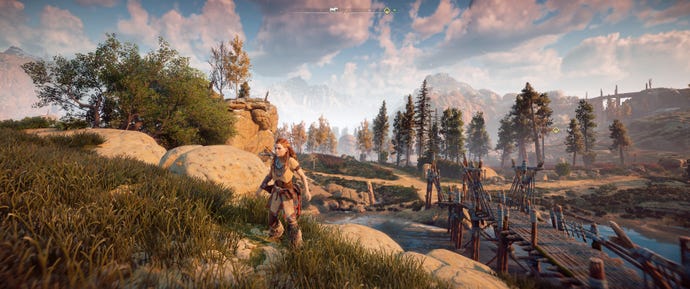
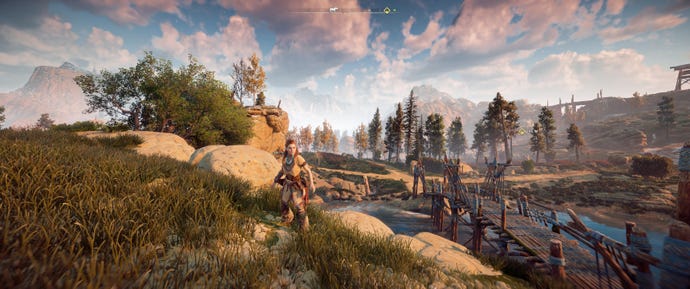
Keep the FOV settings to 70 degrees
70 degrees80 degrees90 degrees100 degrees
70 degrees
80 degrees
90 degrees
100 degrees
Turn off Motion Blur
Turn down Anti-Aliasing and Ambient Occlusion
Individually, turning down the game’s Anti-Aliasing and Ambient Occlusion didn’t have a huge impact on my game’s frame rate, but together (and combined with switching off the Shadows setting) I saw another decent bump to my in-game performance speed. Again, we’re only talking a handful of frames overall, but sometimes that’s all you need to make a game feel smooth and slightly less juddery than it was before.
If your PC is still having trouble, then you’ll probably have to settle for dropping down to the next graphics preset, as there aren’t any more individual settings that can provide a quick and easy fix to improve your PC’s frame rate. Still, as I mentioned above, anyone with a GTX 1060 or above should be able to run Horizon Zero Dawn without issue at 1920x1080 (when it’s not crashing), so you’ll hopefully only need to employ these settings if you’re below the recommended PC spec.
To see how today’s graphics cards fare with Horizon Zero Dawn, just click the page links below or scroll back up to the list of tested GPUs above. There, you’ll find exactly what kind of graphics performance you can expect at 1920x1080, 2560x1440 and 4K, and which quality preset you’ll need to select to get the best speeds.
And if you’re looking to play Horizon Zero Dawn on an ultrawide gaming monitor, then be sure to check out ourfull ultrawide reviewright here. For now, though, let’s get on to those graphics cards.
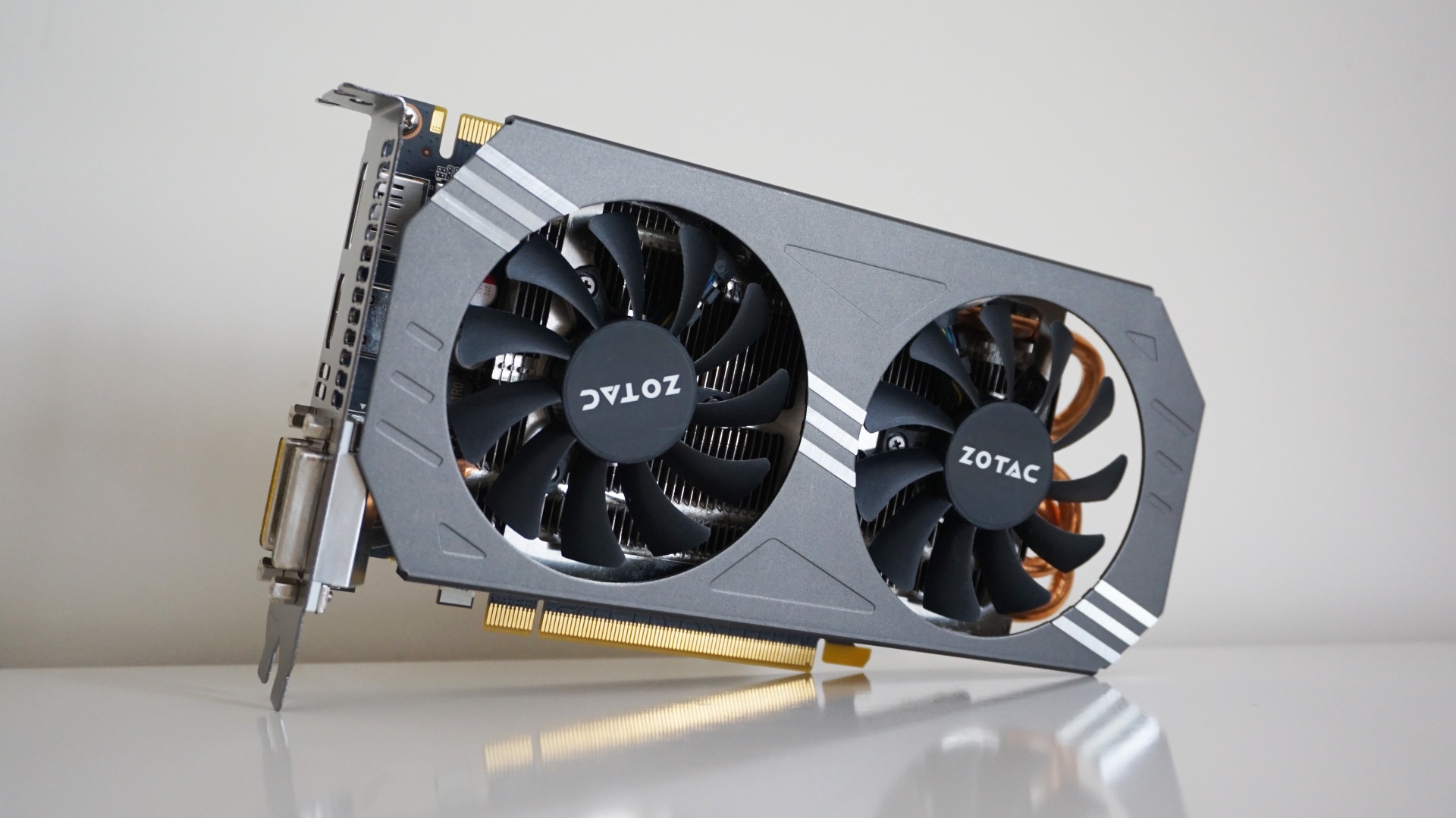
Horizon Zero Dawn PC performance: Zotac GeForce GTX 970 Dual Fan
The Nvidia GTX 970 is getting on a bit now, and it showed when I tested it with Horizon Zero Dawn. As a result, you’ll probably need to employ some of the settings tweaks I described on the first page of this Horizon Zero Dawn PC performance review to bump it up closer to 60fps.
To test the GTX 970, I used my Zotac Dual Fan edition, which is a bit faster than other GTX 970s out there. With a base and boost clock speed of 1076MHz and 1216MHz respectively, this puts it quite a bit out in front of Nvidia’s reference specification. Still, I’m pretty confident the speeds I mention below will be broadly representative of what you’ll get on other GTX 970s, and you can always follow the tips back on the first page if you feel in need of an extra speed boost.
Can I play this at 1920x1080?
Yes, but you’ll have to temper expectations. I saw an average of48fps on Favour Performancewhen I ran the game’s internal benchmark, which translated to just over 40fps in-game. As a result, you’ll probably want to lock the frame rate to 30fps here to prevent it from feeling too juddery. That said, you’ll probably be able to get away with playing on Original, as this still managed an average of 44fps in the benchmark, which also teetered around the 40fps in-game.
Can I play this at 2560x1440?
Just about, but not really. I saw an average of32fps on Favour Performancein the game’s benchmark, but in-game this often veered below 30fps, so I wouldn’t recommend it. Instead, you’re better off sticking to 1920x1080 with this card.
Want to see what other graphics cards make of Horizon Zero Dawn? Here’s a handy list of links:

Horizon Zero Dawn PC performance: Asus GeForce GTX 1060 OC 9Gbps Edition (6GB)
The Asus GeForce GTX 1060 OC 9Gbps edition I used for my testing is definitely one of the faster models of this particular card, thanks to a base clock speed of 1584MHz and a boost clock speed of 1809MHz. The only GTX 1060 cards with faster clock speeds are Asus' own ROG Strix model and EVGA’s SSC Gaming ACX 3.0 version. As a result, the results below are probably a best case scenario for current 6GB GTX 1060 owners, but there’s still a lot to like here.
Can I play this at 1920x1080?
You sure can. While Ultimate Quality is probably a little out of reach of this particular card, you should be able to get a smooth near-60fps experience onFavour Qualitywithout issue. I saw an average of62fpsin the benchmark, which translated to between 55-60fps in-game. If you want a steady 60fps, however, then you should definitely be able to achieve that on Original, which averaged 69fps in the benchmark.
Can I play this at 2560x1440?
Absolutely. You’ll get the smoothest speeds onFavour Performance, which averaged58fpsin the benchmark, but you should be able to push it up to Original as long as you don’t mind an average frame rate somewhere in the region of 45-50fps. You’ll probably be best locking the frame rate to 30fps or 40fps in this case, but it is doable.
Can I play this at 4K?
Barely. While its average of 31fps on Favour Performance is impressive, this card really isn’t built to play this at 4K in-game. You can probably just about do it if you lock the frame rate to 30fps and deploy some of the settings tricks outlined on the first page of this article if you really want that PS4 Pro style experience on PC, but I’d recommend sticking to a lower resolution for a better overall experience.
Want to see what other graphics cards make of Horizon Zero Dawn? Here’s a handy list of links:

Horizon Zero Dawn PC performance: Asus GeForce GTX 1660 Phoenix
The successor to the mighty GTX 1060, theNvidia GeForce GTX 1660is a great 1080p performer for those on a budget. There isn’t a huge gulf between each card’s overall performance in Horizon Zero Dawn, all told, but you should still get decent speeds if you’re sensible with the graphics settings.
I used the single-fan Asus GeForce GTX 1660 Phoenix for my Horizon Zero Dawn testing, which has a With a base clock speed of 1500MHz and a boost clock speed of 1800MHz, this is pretty typical of a lot of GTX 1660 cards out there at the moment, so the results below should be broadly representative of what you’ll get on other makes of card as well.
Can I play this at 1920x1080?
Yes indeed. Much like the GTX 1060, you should be able to get a perfectly smooth experience onFavour Qualityat this resolution, which averaged a smooth60fpsin the game’s internal benchmark. In-game, this was more like 55fps in practice, but it still felt perfectly playable and I don’t think I would have noticed the difference if I didn’t have a frame rate counter running in the top corner of my screen.
You’ll have to drop down to Original if you want an absolutely steady 60fps, as this averaged 72fps in the benchmark and stayed well above 60fps in-game, but I think you’ll be fine sticking with Favour Quality.
Can I play this at 2560x1440?
Yep, although again, you’ll need to rein in your expectations here. You’ll get the best experience onFavour Performance, which averaged65fpsin the benchmark and produced a very smooth 60-odd fps in-game, but I reckon you’ll be perfectly capable of pushing it up to Original if you don’t mind an average closer to 50fps.
Can I play this at 4K?
Not really. Yes, it might be able to manage an average of 33fps on Favour Performance in the game’s benchmark at this resolution, but unless you’re desperate to replicate the game’s PS4 Pro experience on PC, I’d recommend sticking with a lower resolution here for a better experience.
Want to see what other graphics cards make of Horizon Zero Dawn? Here’s a handy list of links:
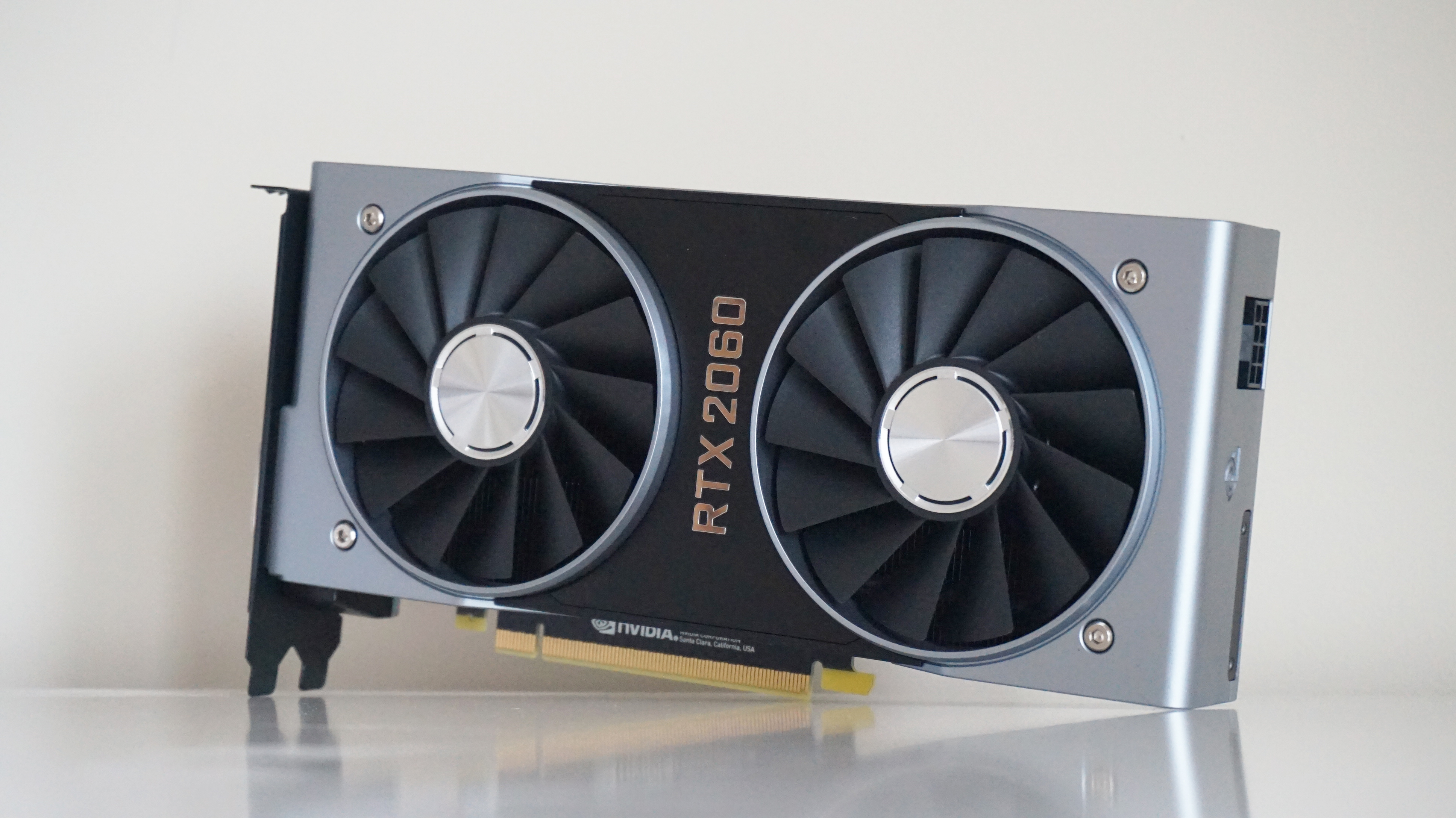
Horizon Zero Dawn PC performance: Nvidia GeForce RTX 2060
Horizon Zero Dawn doesn’t support ray tracing or any other fancy RTX features like DLSS unfortunately, but theNvidia GeForce RTX 2060is still a very able companion for those after top notch performance at both 1920x1080 and 2560x1440 resolutions.
I’ve got the Founders Edition on test here, which has a base clock speed of 1365MHz and a boost clock speed of 1680MHz. This is fairly typical compared to other third-party RTX 2060 cards, a lot of which push its boost clock speed even higher. As a result, these speeds are probably the least you can expect to see from an RTX 2060, with faster cards likely able to squeeze even more out of it.
Can I play this at 1920x1080?
Absolutely. Whack it up toUltimate Qualityand enjoy a smooth 60fps frame rate. The benchmark averaged66fpswhen I tested it with the RTX 2060, and while its in-game frame rate occasionally dipped down to 58-59fps, it still perfectly smooth and playable. If you’ve got a high refresh rate monitor, though, you’ll probably want to drop down to Favour Quality, where it averaged an impressive 78fps in the benchmark, and well in excess of 70fps in-game.
Can I play this at 2560x1440?
Yep indeedy. For a steady 60fps experience, you’ll want to opt forOriginalsettings here, which averaged68fpsin the benchmark, but you should also be able to push it up to Favour Quality if you don’t mind an average frame rate closer to 50fps. It averaged 58fps in the benchmark, for example, and when I re-tested the card in-game, this still felt eminently playable. The frame rate rarely dipped below 50fps in my testing, so you should be able to get away with this if you want.
Can I play this at 4K?
Just about, but you’ll have to settle forFavour Performance. It averaged48fpsin the benchmark, for example, which just about felt okay in-game, averaging closer to 40fps, but why settle for this when you can get faster speeds and shinier graphics at 1440p?
Want to see what other graphics cards make of Horizon Zero Dawn? Here’s a handy list of links:

Horizon Zero Dawn PC performance: Nvidia GeForce RTX 2060 Super
Nvidia’s GeForce RTX 2060 Superis a fraction faster than their originalRTX 2060card, and thus another excellent card for playing Horizon Zero Dawn with. With 8GB of GDDR6 memory to its name, it’s got plenty of oomph for handling the game at higher resolutions, and it can even make a decent fist of playing at 4K, too.
On test here is Nvidia’s Founders Edition of the RTX 2060 Super, whose specs are actually exactly the same as their own reference spec this time (the Founders Edition version of the original RTX 2060 was overclocked), so the results below should be taken as very much a baseline for RTX 2060 Super performance rather than the absolute limit. As such, you may well find that other RTX 2060 Super cards are a bit faster than what I’ve detailed here, but there’s still plenty of good numbers to see here.
Can I play this at 1920x1080?
Absolutely. Crank it up toUltimate Qualityand you’ll probably see an average frame rate somewhere around the71fpsin the benchmark, which translates to a very smooth 65fps-odd in-game.
Can I play this at 2560x1440?
Absolutely positively. I saw an average of57fps on Ultimate Qualityin the game’s benchmark, which equated to a more than playable average around the 50fps mark in-game, but if you want to be absolutely sure of hitting 60fps at this resolution, I’d recommend dropping down to Favour Quality. Here, the benchmark returned an average of 64fps, which worked out at pretty much bang-on 60fps in-game.
Can I play this at 4K?
Absolutely positively definitely, if you don’t mind tempering your graphics expectations that is. The RTX 2060 Super is more than capable of handling the game onFavour Performanceat this resolution, thanks to its benchmark average of57fps, which meant around 50fps in-game, but if you want to replicate that PS4 Pro style experience, then you should also be able to manage the game on Original quality settings as well here. In the benchmark, I saw an average of 47fps, for example, which worked out to roughly 40fps in-game. Lock the frame rate to 30fps and you should be flying.
Want to see what other graphics cards make of The Division 2? Here’s a handy list of links:
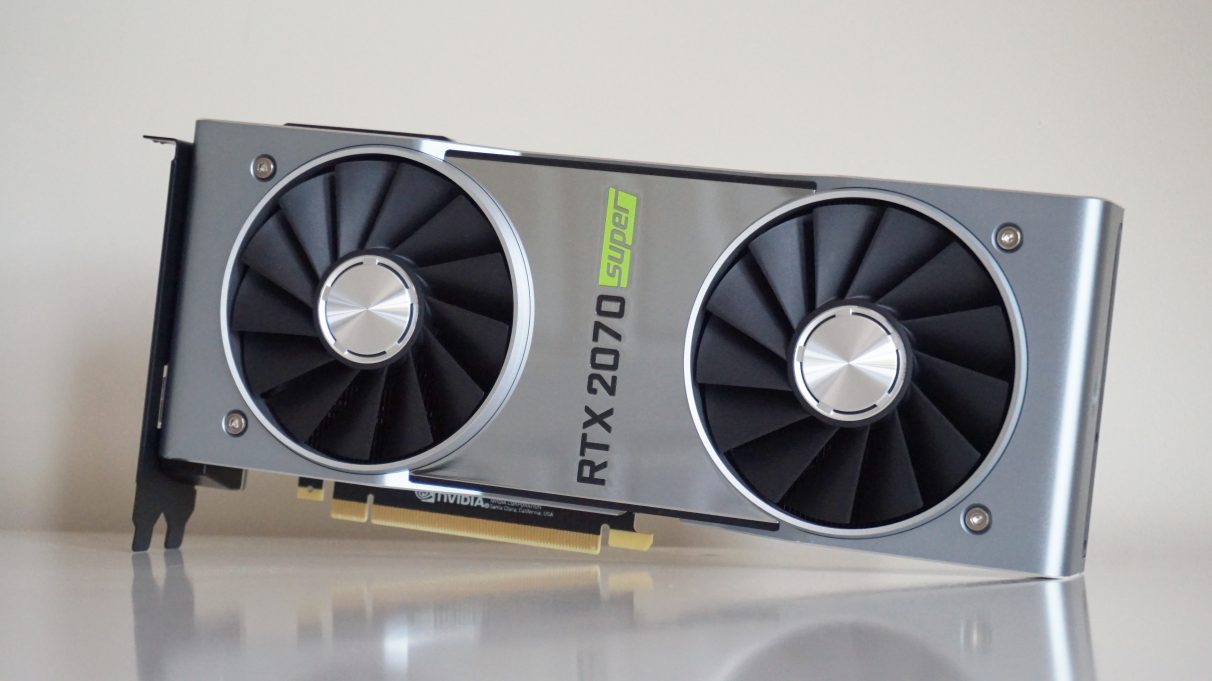
Horizon Zero Dawn PC performance: Nvidia GeForce RTX 2070 Super
A faster, nippier version of the originalRTX 2070, theRTX 2070 Superis effectively Nvidia’s answer toAMD’s Radeon RX 5700 XT- and remains one of today’sbest graphics cards for flawless 1440p gaming.
Can I play this at 1920x1080?
Can do, captain. Whack it up toUltimate Qualityand have at it. I saw an average of86fpsin the game’s internal benchmark, which equated to around 80fps in-game. Good times.
Can I play this at 2560x1440?
Affirmative. Once again, you can stick it straight onUltimate Qualityat this resolution, as its benchmark average of68fpsstill translated to a smooth 60fps in-game.
Can I play this at 4K?
Yes indeed. Like its RTX 2060 siblings, you’ll get the smoothest speeds onFavour Performancehere, which averaged64fpsin the benchmark and provided smooth, near-60fps speeds in-game. However, you should also be able to get a decent frame rate on Original here, too, as this still averaged 53fps in the benchmark. This worked out at around 45fps in-game, which is just about playable in my eyes, although you may want to lock it to 40fps just to ensure a good level of smoothness.
Want to see what other graphics cards make of Horizon Zero Dawn? Here’s a handy list of links:

Horizon Zero Dawn PC performance: Nvidia GeForce RTX 2080 Super
The Founders Edition of theRTX 2080 Superis a bit different to the rest of the Nvidia RTX Super family. Instead of sticking to their own reference spec like all the other Founders Edition Super cards, Nvidia decided to crank up the clock speed of its 8GB of memory for the RTX 2080 Super, raising it to 15.5 Gbps instead of the usual 14 Gbps. This gives the RTX 2080 Super a much more noticeable lift over its non-Super sibling, but both cards still capable of delivering lovely smooth speeds when it comes to Horizon Zero Dawn.
The Nvidia Founders Edition should be broadly representative of the kind of performance you’ll see on other RTX 2080 Super models, too. As you may have seen in myRTX 2080 Super benchmark showdown, where I pitted it against Zotac’s super fast AMP Extreme edition of the card, they’re pretty much neck and neck, showing you needn’t spend loads on a more expensive card just because its GPU is slightly clocked slightly higher.
Can I play this at 1920x1080?
Affirmative. As you’d expect from a card of this calibre, you can whack it straight up toUltimate Qualityand enjoy a smooth average frame rate in the 80s at this resolution, thanks to its benchmark score of86fps.
Can I play this at 2560x1440?
Abso-positively. You’re looking at anotherUltimate Qualityspecial at this resolution, as I saw a smooth average of72fpsin the game’s benchmark, which equated to around 65fps in-game.
Can I play this at 4K?
Abso-defini-positively. You’ll get the best speeds onOriginalwith this card, as its average of59fpsin the benchmark translated to a smooth and eminently playable 50-55fps in-game. You could probably get away with performance in the low-40s if you really wanted to push it up to Favour Quality, thanks to an average benchmark result of 48fps, but you’ll probably have to lock the frame rate to help keep things nice and steady.
Want to see what other graphics cards make of Horizon Zero Dawn? Here’s a handy list of links:
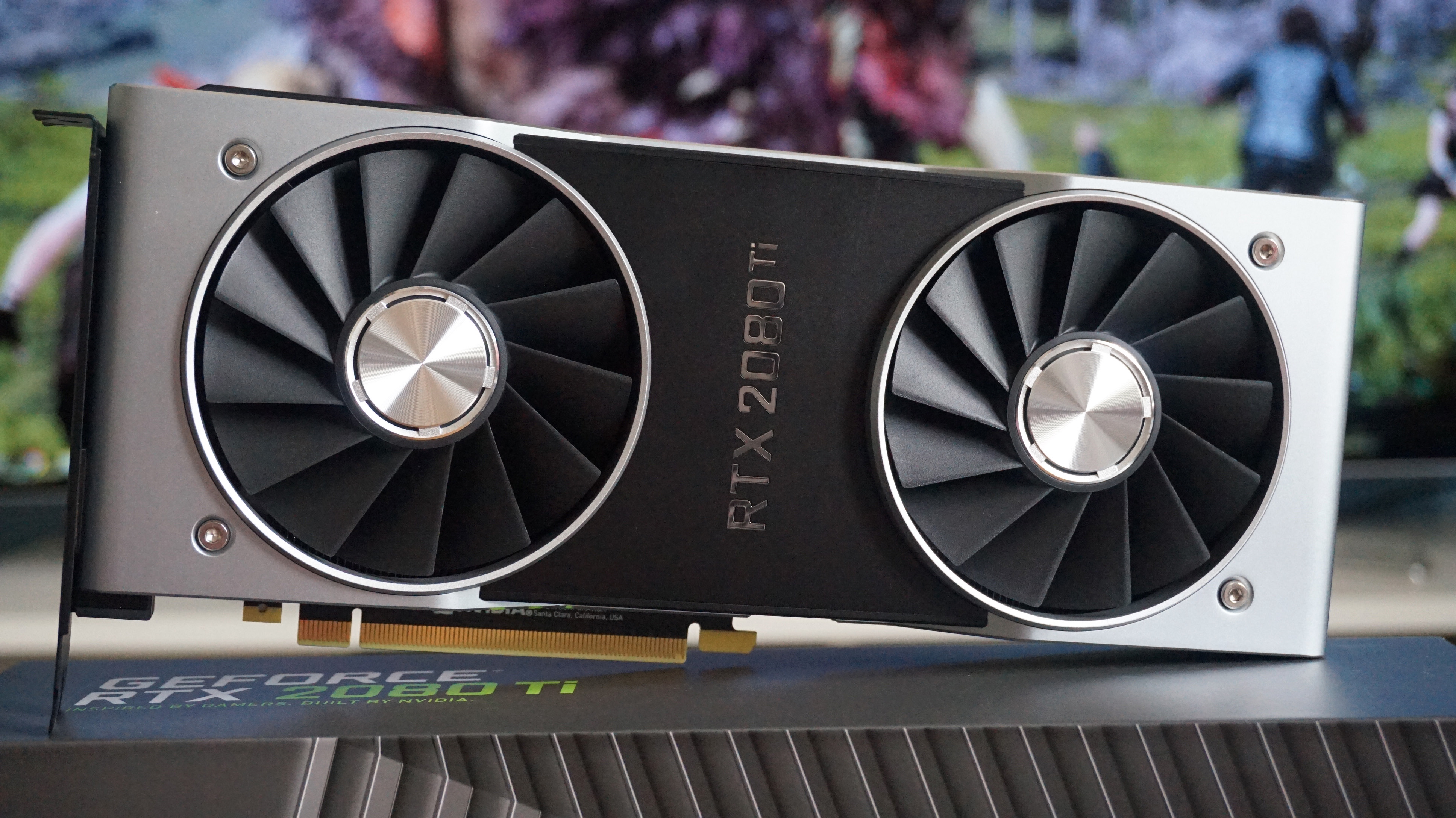
Horizon Zero Dawn PC performance: Nvidia GeForce RTX 2080 Ti
The big daddy of today’s graphics cards. As you’d expect from a GPU that costs well in excess of £1000 / $1000, the RTX 2080 Ti is perfectly capable of handling almost every game you can throw at it right now. That said, achieving 60fps at 4K isn’t quite as easy as you might think in Horizon Zero Dawn, as even the RTX 2080 Ti struggles to maintain a steady frame rate on the game’s top quality presets.
Needless to say, though, there are still some very agreeable performance numbers below, and the Founders Edition of the RTX 2080 Ti should be pretty representative of what you’ll find on other versions of this card, too. If anything, those with better processors and water-cooling may even get better results than what I’ve listed below, so take this as a baseline RTX 2080 Ti experience rather than best case scenario.
Can I play this at 1920x1080?
If an average frame rate of107fps on Ultimate Qualityin the game’s internal benchmark isn’t good enough for you, I don’t know what is. An excellent companion for high refresh rate monitors here, as you can expect to see around 100fps in-game.
Can I play this at 2560x1440?
Oh, go on, whack it up toUltimate Qualityagain and see if an average frame rate of90fpsin the game’s benchmark can’t lift your spirits. That translated to around 85fps in-game based on my experience, which should be more than enough to get some use out of a high refresh rate monitor, too.
Can I play this at 4K?
You sure can, but you’ll probably need to stick withFavour Qualityhere rather than go straight for Ultimate. I still saw a very agreeable average of 54fps on Ultimate in the benchmark, but this worked out at around 50fps in-game. Favour Quality, on the other hand, averaged60fpsin the benchmark, and therefore managed to stick a lot closer to that all-important number when I tested it again in-game.
If you want a steady 60fps, however, then you’ll probably have to stick to Original, as its benchmark average of 75fps meant it was more than capable of maintaining a steady 60fps in-game.
Want to see what other graphics cards make of Horizon Zero Dawn? Here’s a handy list of links:
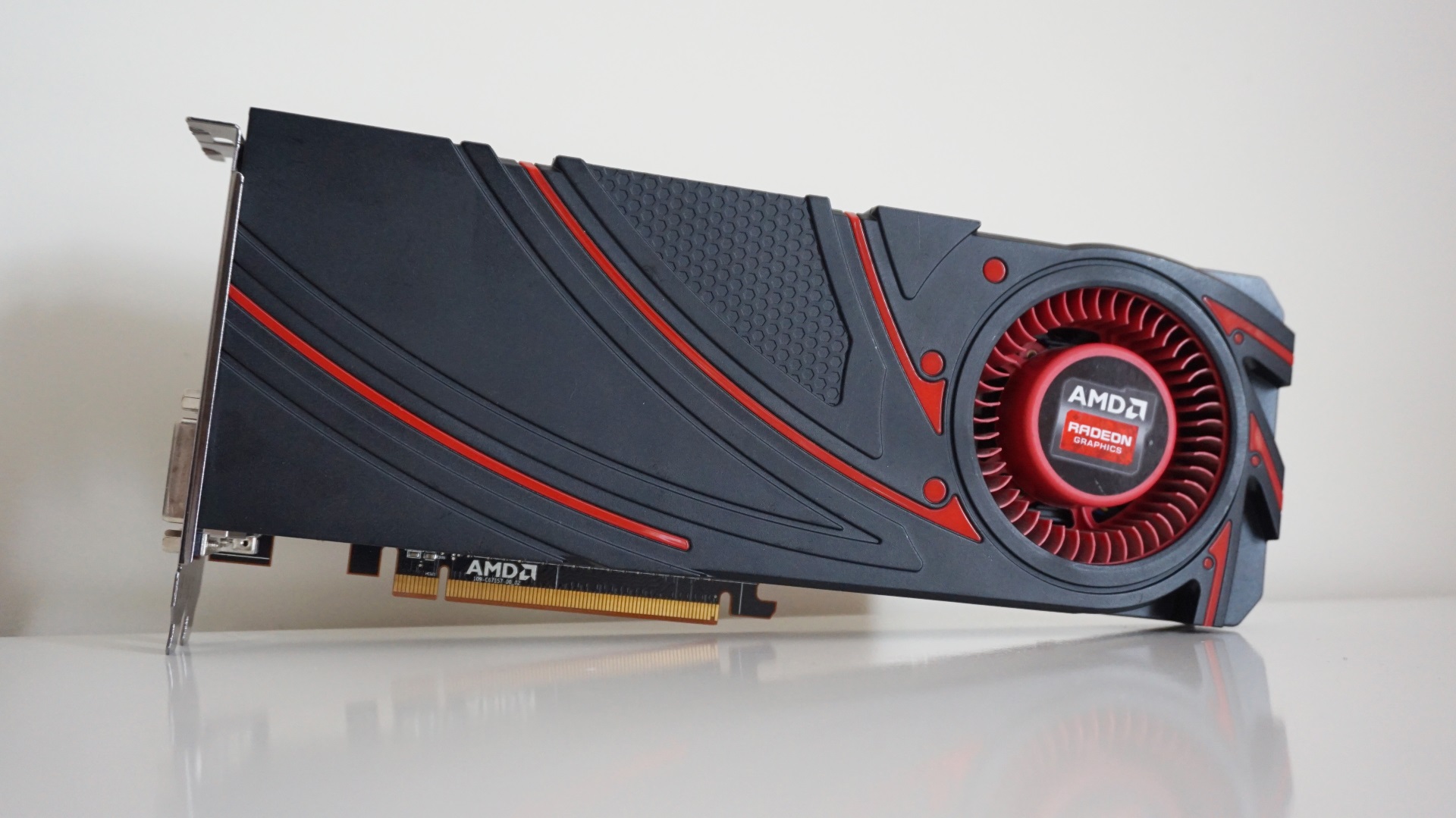
Horizon Zero Dawn PC performance: AMD Radeon R9 290
The AMD Radeon R9 290 is the minimum graphics card requirement for Horizon Zero Dawn, but much like the GTX 970, it’s really starting to show its age now. Horizon Zero Dawn is a tough test for this elderly graphics card, so you’ll have to keep expectations low to get the best out of it. Still, its 4GB of memory still puts it in reasonably good stead here, and you should still be able to get playable frame rates at 1920x1080.
This reference card from AMD only has a single fan to keep its innards cool, mind, so chillier versions with more sophisticated cooling systems may well find themselves able to beat the speeds listed below.
Can I play this at 1920x1080?
Yes, but it’s a little bit of a stretch. You’ll get the best speeds onFavour Performanceat this resolution, although even here you’ll struggle to hit a steady 60fps without adjusting some of the settings mentioned on the first page of this performance guide. As I mentioned at the start, the game’s internal benchmark isn’t the best indicator of performance for AMD cards, as its average of65fpson its lowest quality setting only translated to around 50fps in-game, and even then there were frequent dips below it down to 45fps. You could probably manage Original if you locked the frame rate to 30fps, but anything beyond that is too much for this particular graphics card.
Can I play this at 2560x1440?
Just about, but not really. While it managed an average of46fps on Favour Performancein the game’s benchmark, this was more like 30fps in-game. It’s a bit dicey, so I’d recommend sticking to 1080p if you can help it here.
Want to see what other graphics cards make of Horizon Zero Dawn? Here’s a handy list of links:
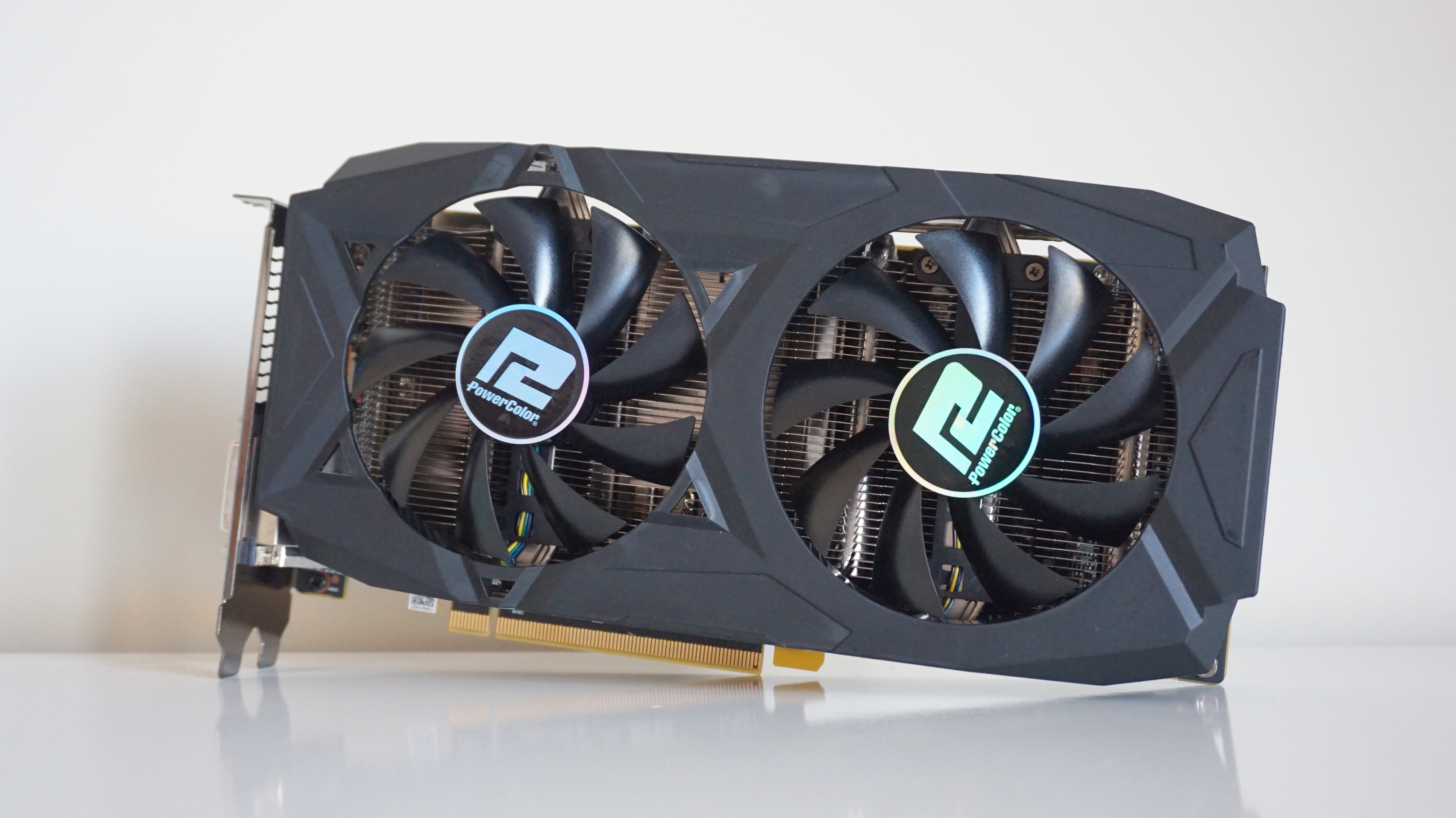
Horizon Zero Dawn PC performance: PowerColor Radeon RX 580 Red Dragon
TheAMD Radeon RX 580is just below the recommended PC specs for Horizon Zero Dawn, but this mid-range GPU still puts in a pretty good performance at both 1080p and 1440p for those on a budget.
This 8GB PowerColor Red Dragon model is one of the faster RX 580s out there at the moment, admittedly, and that’s mostly thanks to its high boost clock speed of 1380MHz. However, I’m pretty confident most of these results will be applicable to other 8GB versions of this card as well, as even slightly slower models should only be an average of a couple of frames behind tops.
Can I play this at 1920x1080?
Can I play this at 2560x1440?
Yes once again here, although you’ll likely have to settle forFavour Performance. Here, it managed an average of58fpsin the benchmark, resulting in much smoother gameplay than Original’s average of 50fps. In-game, the latter only worked out to around 40fps most of the time, if not high 30s, making Favour Performance the smoother choice at this resolution.
Can I play this at 4K?
Sadly, this is a bit beyond the RX 580, which isn’t all that surprising, really. While it managed an admirable 30fps on Favour Performance at this resolution, it just can’t replicate those speeds in-game. Instead, stick with a lower resolution here.
Want to see what other graphics cards make of Horizon Zero Dawn? Here’s a handy list of links:
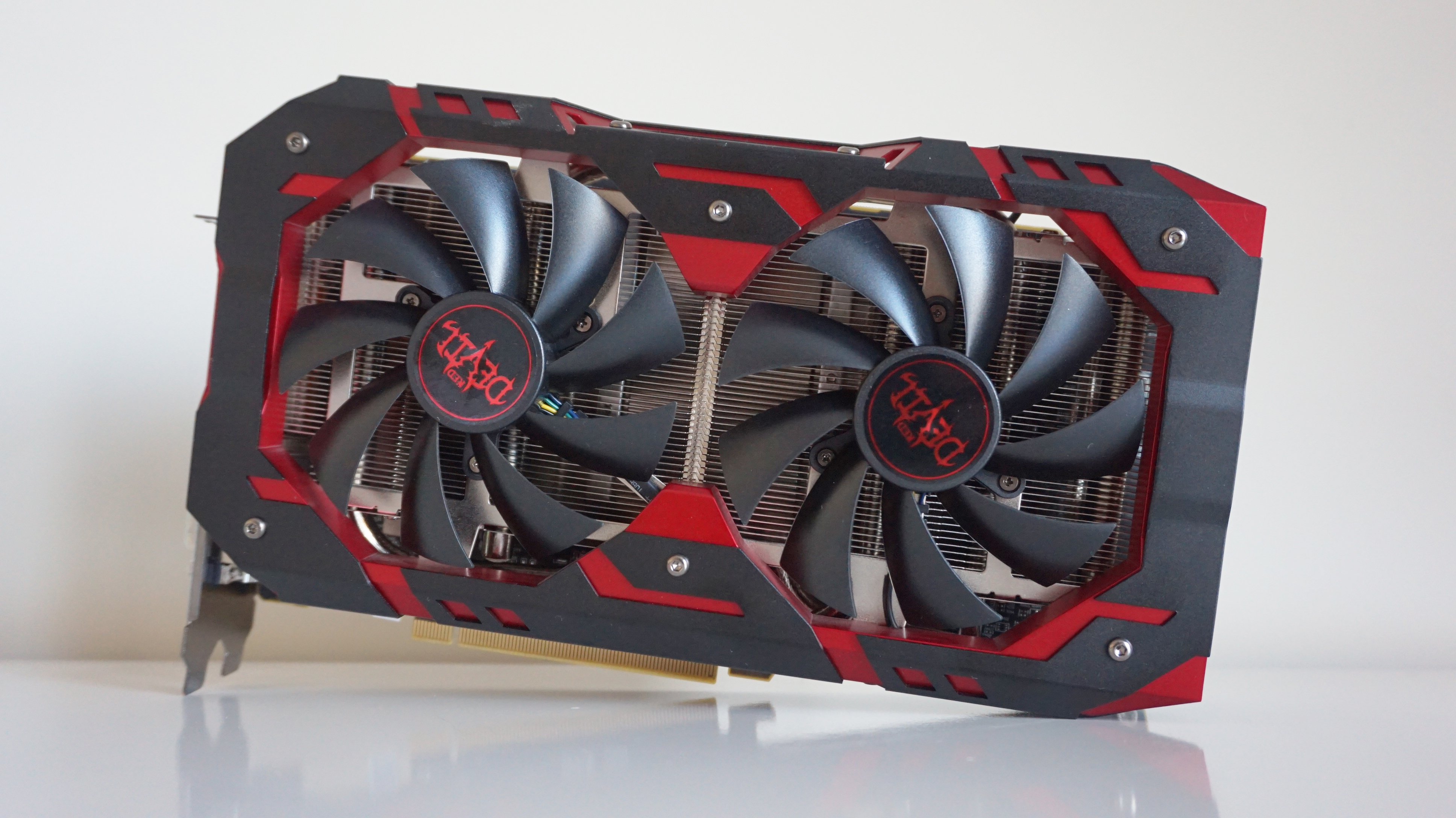
Horizon Zero Dawn PC performance: PowerColor Radeon RX 590 Red Devil
Yep, it’s another PowerColor, but this time it’s theRX 590, which was once the closest rival AMD had to Nvidia’sGTX 1660until they released their RX 5500 XT graphics card. The RX 590 is the recommended AMD GPU in Horizon Zero Dawn’s PC specs, although even here you may struggle to get 60fps on the very top graphics settings.
This particular PowerColor model is quite possibly one of the largest graphics cards I’ve ever seen, but this chunky boi should be pretty typical of what most RX 590 cards are capable of here, as its boost clock speed of 1576MHz puts it more or less right in the middle of what you’ll find on other RX 590s.
Can I play this at 1920x1080?
Yep, although you’ll probably need to settle forOriginalsettings here rather than Favour Quality, as the benchmark only produced an average of 64fps in the latter, which equated to around 50fps in-game. Original, on the other hand, managed78fpsin the benchmark, which translated to just over 60fps speeds when I tested it again in-game.
Can I play this at 2560x1440?
A double yep here, although again, you’ll likely have to stick to the lower end of the preset pool. While it managed an average of 54fps on Original in the game’s benchmark, this was quite a bit choppier when I tried it again in-game. Instead, I’d recommend sticking toFavour Performanceat this resolution, which averaged62fpsin the benchmark and produced a much smoother 50-odd fps in the game itself.
Can I play this at 4K?
Alas, I cannot give this a triple yep in this case, as it only managed an average of 32fps in Favour Performance at this resolution, which resulted in a very choppy sub-30 frame rate in-game. Instead, stick with 1080p here, as you’ll get a much better experience.
Want to see what other graphics cards make of Horizon Zero Dawn? Here’s a handy list of links:

Horizon Zero Dawn PC performance: Asus ROG Strix Radeon RX 5500 XT OC (8GB)
TheAMD Radeon RX 5500 XTis a top notch graphics card for those on a budget these days, and arguably much better value than any of Nvidia’s GTX 16 series cards, too. It’s a great performer at 1080p, and can even manage a little bit of 1440p if you don’t mind turning down the graphics settings a bit.
I’ve got one of Asus' beefier 8GB models on test here today, which will likely be much better able of handling the game’s higher graphics presets than the entry-level 4GB model. It’s also one of the faster RX 5500 XTs you can buy right now, too, thanks to a base clock speed of 1733MHz and a boost clock speed of 1845MHz. As a result, the figures below are probably a best case kind of scenario for RX 5500 XT owners, rather than the absolute minimum.
Can I play this at 1920x1080?
Yes indeed. The RX 5500 XT is a great graphics card for 1080p gaming, and it even managed an admirable average of68fps on Favour Qualityat this resolution. Sure, those figures quickly fell to around 55fps when I tried it again in-game, but that’s still pretty good going for such a budget-oriented graphics card. It also managed a very smooth average of 81fps on Original in the benchmark, so you should be able to make use of a high refresh rate monitor on this preset as well if you’ve got one.
Can I play this at 2560x1440?
Just about, but you’ll likely have to settle forFavour Performancerather than Original here. The latter produced a decent average of 54fps in the benchmark, but only managed around 40-odd fps in-game. You’ll probably be all right here if you lock the frame rate to 30fps, but if you want to the closest thing to 60fps at this resolution, then you’ll have to drop it down to Favour Performance. This produced an average of62fpsin the benchmark, which translated to around 50-odd in-game.
Can I play this at 4K?
Alas, no. While its average of 32fps on Favour Performance is an impressive feat for this kind of graphics card, these speeds didn’t translate to smooth performance in-game. Instead, stick to 1080p or at the lower end of 1440p to get the best experience here.
Want to see what other graphics cards make of Horizon Zero Dawn? Here’s a handy list of links:
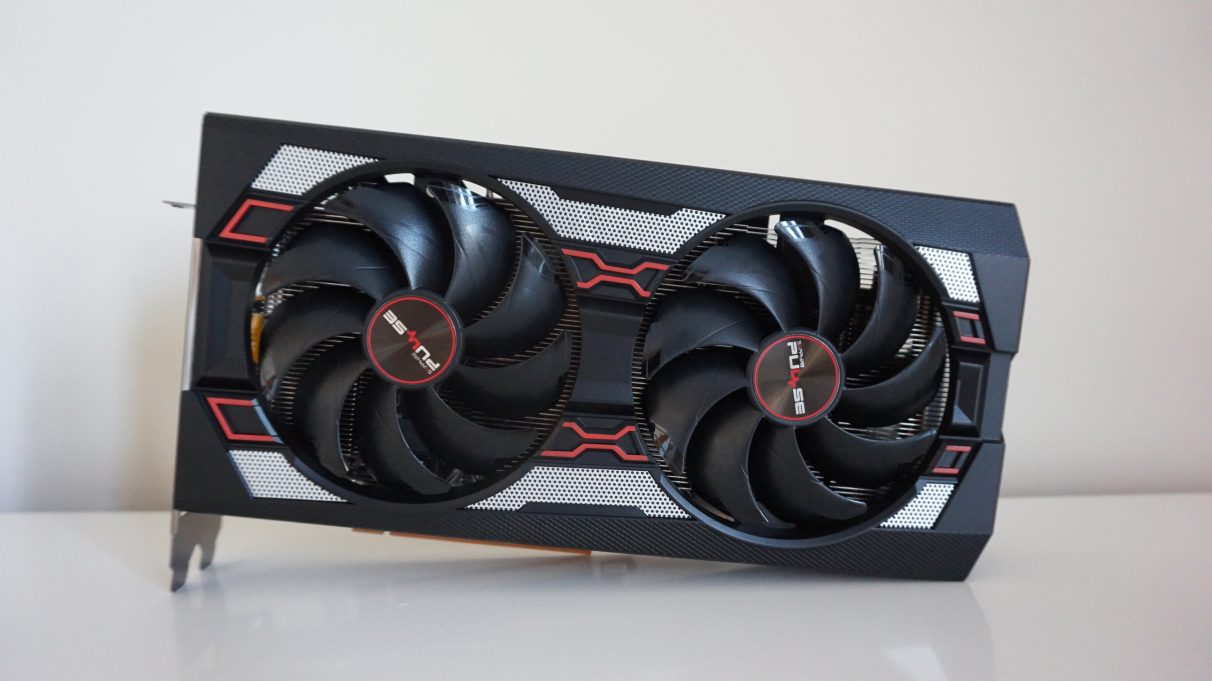
Horizon Zero Dawn PC performance: Sapphire Radeon RX 5600 XT Pulse
Arguably the best graphics card you can buy today without breaking the bank, AMD’s self-proclaimed ultimate GPU for 1080p gaming is a fantastic companion for Horizon Zero Dawn. Capable of delivering super smooth speeds at both 1080p and 1440p alike in Horizon Zero Dawn, the RX 5600 XT delivers much faster speeds than Nvidia’s RTX 2060 for a lot less money.
The Sapphire Pulse model I’ve got on test today is pretty standard as RX 5600 XT cards go, too, thanks to its base clock speed of 1560MHz and boost clock speed of 1620MHz. This puts the Sapphire at the cheaper end of RX 5600 XT cards, so the figures below should be considered the baseline for what to expect rather than the best case scenario.
Can I play this at 1920x1080?
A big thumbs up here. While its benchmark average of75fps on Ultimate Qualitymight not quite translate to the same kind of speeds in-game, it’s more than capable of delivering a smooth 60fps at this resolution, so crank up those settings and enjoy.
Can I play this at 2560x1440?
Can I play this at 4K?
Want to see what other graphics cards make of The Division 2? Here’s a handy list of links:

Horizon Zero Dawn PC performance: XFX Radeon RX 5700 XT Thicc Ultra III
Despite its half-melted appearance, theAMD Radeon RX 5700 XTremains one of thebest graphics cards you can buy today for flawless 1440p gaming. Offering enough of a leg up over AMD’s equally stonkingRX 5600 XT, this is the AMD card to buy right now if you want the best of what their Navi architecture has to offer.
I’ve got XFX’s ultra large Thicc III on test today, which is right at the top end of today’s RX 5700 XT models. With three massive fans, a base clock speed of 1810MHz and a high boost clock speed of 2025MHz, this is very much the cream of the RX 5700 XT crop right now, so some figures may vary depending on what type of card you have. As a result, consider these results a best case scenario for the RX 5700 XT rather than the minimum.
Can I play this at 1920x1080?
You betcha. You’ll have no trouble playing Horizon Zero Dawn onUltimate Qualityhere, thanks to an average frame rate of93fpsin the benchmark. You might not see speeds quite this high in-game, but you’ll definitely be well in excess of the coveted 60fps mark here, so have at it.
Can I play this at 2560x1440?
You double betcha. Once again, you should be able to comfortably manageUltimate Qualityagain here. In the benchmark, I saw an average of71fps, which translated to roughly 60fps in-game, but you may feel more comfortable dropping down to Favour Quality just to be on the safe side. Either way, smooth speeds await.
Can I play this at 4K?
You triple betcha. While it probably just about falls short of being able to play this on Original at this resolution, thanks to an average of 53fps in the benchmark, you might still get a decent experience if you lock the frame rate to 30fps here. However, if it’s 60fps speeds, you’re after, then stick withFavour Performance, whose62fpsaverage in the benchmark translated to roughly 50fps in-game.
Want to see what other graphics cards make of The Division 2? Here’s a handy list of links:
