HomeNewsDead Space
Here’s how to fix up the original Dead Space to play todayPretty easy if you don’t fancy paying £50 for the remake
Pretty easy if you don’t fancy paying £50 for the remake
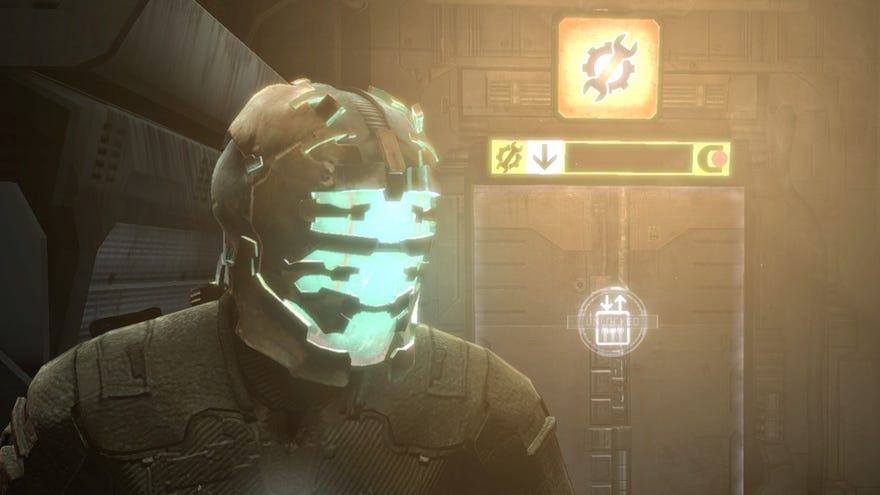
OurDead Space remake reviewand the associated excitement has me wanting to check out the sci-fi survival horror again, but not quite enough to pay £50 for a new version of a game I already own. So I reinstalled the game I already own. Turns out, after a few vital (yet easy) tweaks and fixes, the 2008 game is still perfectly playable. If you too wish to once again toCUT OFF THEIR LIMBSand are uncertain about ponying up £50, here’s how to get the original working well on PC.
Dead Space PC Review - An Excellent Remake Of A Horror ClassicThis is the Dead Space you remember but with a brilliant new sheen, luxuriously improved in small but considered ways. Comfortably familiar, but excellent nonetheless.Watch on YouTube
Dead Space PC Review - An Excellent Remake Of A Horror Classic

Upon loadingDead Spacefor a few times after reinstalling, a few things become immediately apparent:
Thankfully, technical problems are easy to address, and some of the solutions are shared. The main thing is:
1. Install the unofficial Dead Space Mouse Fix
Hitthe PCGamingWikito download this tiny file and extract it into your Dead Space folder. That’s all. Then it’s working. This stops your mouse from feeling like it’s dragged through treacle, slow and delayed.
2. Tweak gamepad deadzones
For non-Steamers, the PCGW recommends using theDurazno XInput Wrapperto minimise the deadzones. I would not know about that.
1of2CaptionAttribution
1of2
1of2
1of2
CaptionAttribution
CaptionAttribution
Caption
Attribution
3. Vsync (or other form of framerate cap) is important
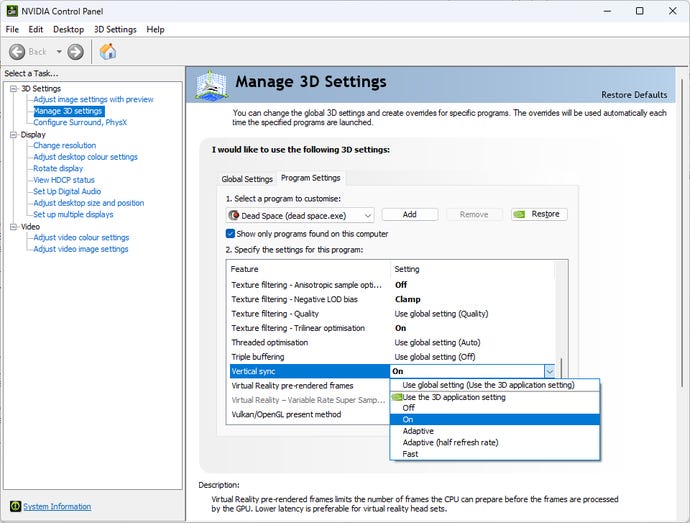
Honestly, I like vsync for Dead Space. In a game with slow-ish action and big mood, I’ll take 60 clean frames over 600 torn frames. The important thing here is to not use the in-game vsync option.
Disable vsync in Dead Space’s graphics options menu, then load up the Nvidia Control Panel (not to be confused with the Nvidia GeForce Experience software) or whatever it is AMD cards use (look, I haven’t had a Radeon in decades) and turn on vsync there. Or if you’d rather not use vysnc, set a framerate cap of 120fps or lower to avoid crashes and breakings.
You might want to root around deeper in those graphics card control panel options while you’re there.
4. It looks old
That’ll be because it came out 14 years ago. That is fine.
While some fans have made updated models or used post-processing tools to refresh the look (so many high-constract ReShade profiles!), I think they all make the game look distinctly worse. Dead Space might look old, but it looks like itself. If you like ReShade, hey, go wild, I’m sure you already know how to do it, but I don’t recommend it to others.
5. Any other issues
As ever,PCGamingWiki’s Dead Space pageis an invaluable resource for other niche bugs and technical desires. I only covered the big three problems but that page hits more.Steam’s Guides sectionhas help too.
My parting tip is: cut off their limbs. Just in case you missed that. It’s the thing you should do: cut off their limbs.
