HomeFeaturesMinecraft
Here are three ways to turn Minecraft into a computer inside your computerHow many sheep is 8GB of RAM?
How many sheep is 8GB of RAM?
The more I see ofMinecraft, the more I’m convinced that we all live in a simulation. Possibly one that’s also inside Minecraft, and running some fancy shaders. I don’t make that claim lightly. Like all conspiracy theorists, I have proof that you cannot dispute. Prepare yourself for a reality check. Below are some dazzlingly intricate pieces of computing, but rendered entirelyinsideMojang’s blocky world-builder. And if Minecraft is capable of running in-game PCs, then we’re all just Creepers waiting to explode.
Proof #1:This graphing calculator
It’s still Minecraft, so you can whack away at the equations until they crumble, and you can have clouds interfering with particularly wavy results. If you’re terrible at coming up with functions, the mod has a few to play around with. You can grab it from the description in the maker’s tutorial,here.
Watch on YouTube
Watch on YouTube

Proof #2:A functional PC
If you’re looking for a more general computing experience, Reddit user “joran213” built a PC with a built-in paint program, photos app, and more. It’s a chonky computing beast, with a keyboard laid out in a large grid in front of a giant screen that displays all the work. 750 command blocks power this, and it looks like it runs faster than my old ZX 128K. I eagerly await the Target: Renegade port.
I made a functional computer using 750+ command blocks. So far you can take notes, use paint, view your photos, use a calculator and play tic tac toe. Took me about a week to make, and is downloadablehere. fromr/Minecraft
To see this content please enable targeting cookies.Manage cookie settings
Proof #3:A PC building mod
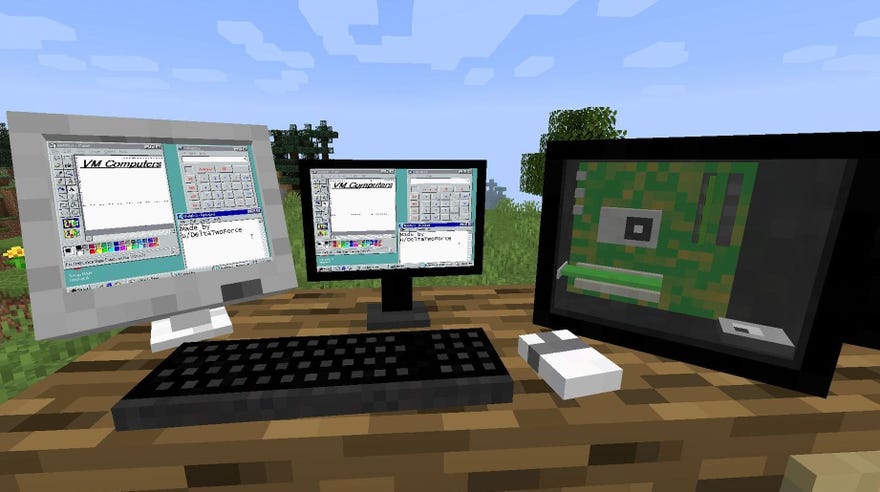
What good does it do you to have the work done for you? In VM Machines, you have to build a tablet that you can use to access a passing satellite that acts as a shop. When you’ve connected to that, you order your case, a screen, some RAM, a graphics card, a CPU, a mobo, and a hard-drive. With all the items at hand, you then need to build it, including adding a real OS. Yeah, you need to go through the install process, too. When it’s all done, you’ll have a working PC on your in-game desk. Windows XP runs on it.
There are some smoke and mirrors. The processing itself runs within a virtual machine and displays it on the PC you’ve built, so you have to have that on your computer, but the PC will correspond to to the selected components you bought. Want it? It’shere.
Watch on YouTube
Watch on YouTube

And, yes, it can run Doom.
(But it can’t run Minecraft.)
