HomeHardwareReviews
Nvidia’s RTX 3050 Ti is the star of this affordable 1080p laptop
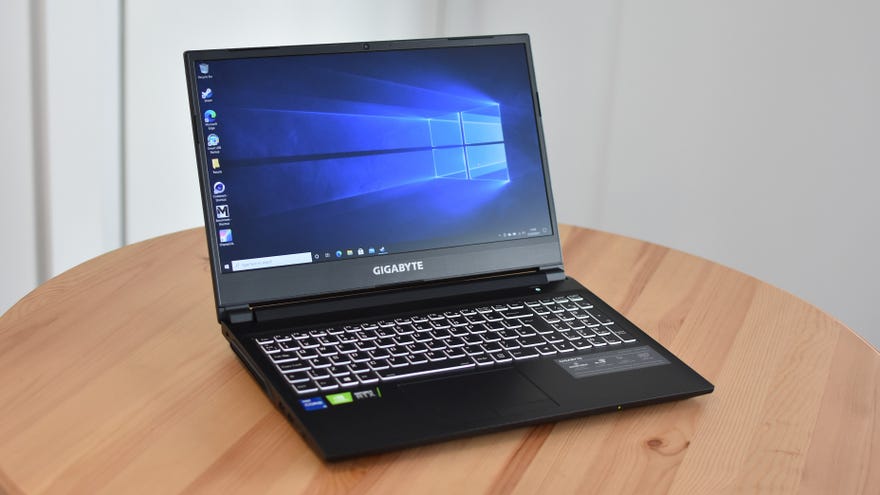
Granted, you’re not exactly getting theRTX 3080, theRTX 3070or anything else from the annals of thebest graphics cards. The G5’s affordability cuts both ways, and that means a you get a RTX 3050 Ti: a GPU so modest Nvidia hasn’t even bothered to produce a desktop version. Still, that’s preferable to the absolute bottom-rung RTX 3050, and you’re also getting a capable hexa-core CPU in the Intel Core i5-11400H. Specs like 16GB of RAM and a 144Hz refresh rate on the 1080p screen also show that the G5 is aiming higher than entry level – but will its shots land?
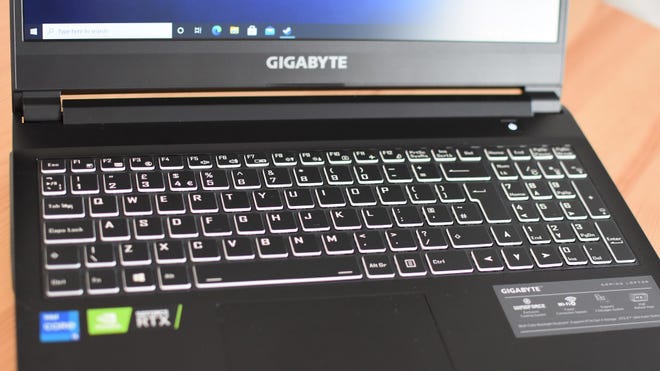
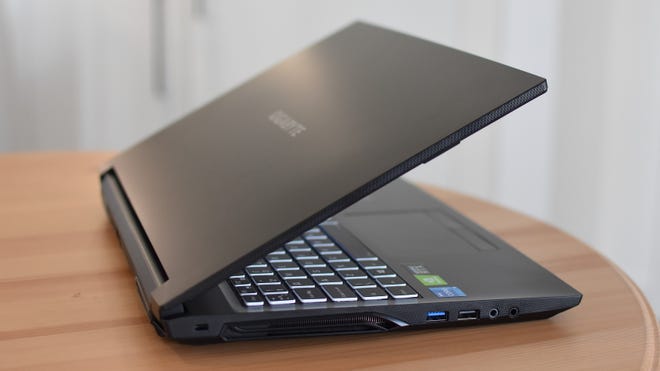
Also from the school of Flawed But Still Quite Good comes the display. It lacksG-Syncsupport and is ‘only’ 1920x1080, though the 15.6in form factor doesn’t stretch out pixel density too much, and the 144Hz refresh rate gives technically easygoing games a much smoother look than you’d get on a true budget, 60Hz screen. And, while the IPS panel does have a hint of ghosting to it, it comfortably outperforms other affordable gaming laptops we’ve tested. Take the G5’s sRGB gamut coverage of 85.7% - that’s not quite elite, but makes for a far more vibrant display than the likes of theAsus ROG Zephyrus M15andROG Zephyrus G GA502. A reasonably high contrast ratio of 1090:1 and a decent peak brightness of 306cd/m2 also help keep games looking more or less their best, and the 0.28cs/m2 black level is low enough to prevent dark scenes looking too grey.
Even so, it would be fair to wonder if the RTX 3050 Ti really has enough in it to fill out that refresh rate without knackering fidelity. Truth be told, consistently running games at the best settings is asking a bit much of the G5 and its internals, though as ever you don’t need the full 144fps for smooth performance.Shadow of the Tomb Raiderdemonstrates this aptly: averaging 79fps with the High quality preset and SMAA, it shows the RTX 3050 Ti is a marked improvement on last-gen laptop GPUs like the GTX 1650 Ti and GTX 1660 Ti. Unlike those GPUs, the RTX 3050 Ti also supports Nvidia’s RTX graphics options, so you can add Ultra-quality ray traced shadows and Shadow (heh) will still run at a playable 52fps on average.
Is this making the most of the display’s specs? Not really, but it’s nice that you can get both ray tracing and DLSS (and probably alsoDLAA, eventually) on a less devastatingly expensive laptop. Even the famously demandingMetro Exoduscan just about handle a combination of the High preset and Normal quality ray tracing, provided DLSS is there to take the edge off. This pumped out a 46fps average, which again isn’t super fast, but is respectable enough for ostensibly lower-end hardware.
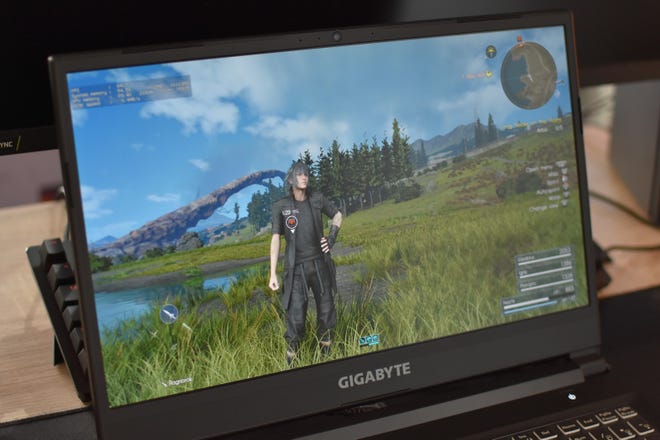
Outside of RTXland, Total War: Three Kingdom’s Battle benchmark produced 45fps on Ultra quality, so again it’s arguably better to drop down a step: on the High preset, that average jumped to 64fps.Final Fantasy XVmostly hovered around the 60fps region on its Highest setting, albeit with bells and whistles like TurfEffects and Hairworks snipped off, though despite a high of 67fps it could drop below 30fps when using effect-heavy moves in combat encounters. Dropping down to High provides much stronger grounding, as in the same scenarios I never saw FFXV dip below 53fps.
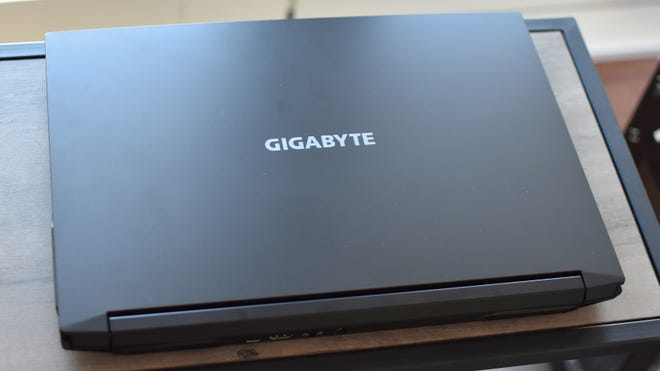
To see what the G5 could do with something easier, I also tested it with F1 2021’s built-in benchmark (using the Bahrain track). With maxed-ouT Ultra settings, ray tracing on High and DLSS engaged, F1 2021 raced to a smooth 111fps; however, it happens to have one of the uglier DLSS implementations I’ve seen, with some downright hideous blurring around the cars’ wheels. Switching to old-fashioned TAA ate a huge chunk of frames, but still ran nicely enough at a 70fps average. Still with ray tracing on, too.
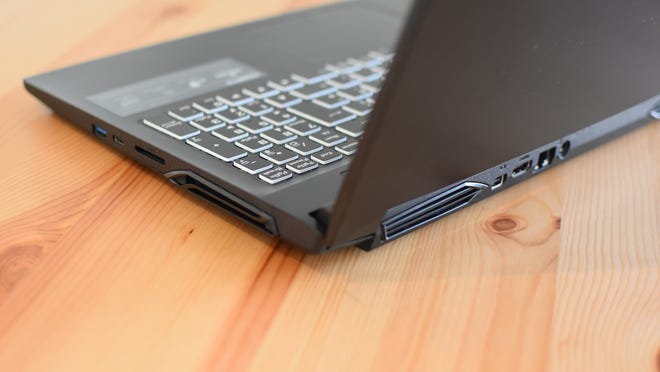
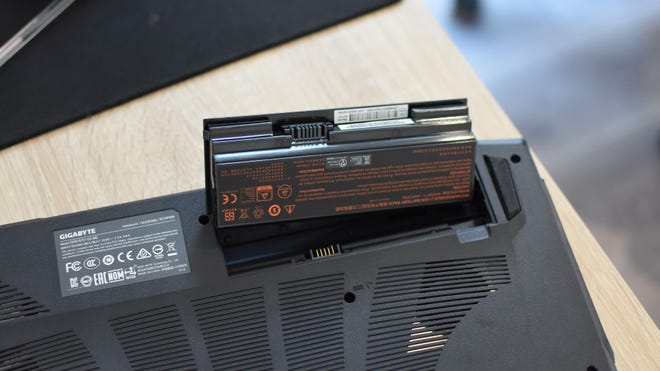
The G5 continues its relative tinker-friendliness with a removable battery, which you can unlock directly on the underside without any screwdriver work. Perhaps the idea was to let you swap in spares, as for all its qualities elsewhere, the G5 doesnotlast long away from the mains. You could wring out two or three hours of typing and browsing, but I only got an hour and five minutes from a full charge when running Shadow of the Tomb Raider.
Remember, though, that the G5 doesn’t actually need to be a go-anywhere laptop. If it can deliver the graphical goods at a lower price than most desktop graphics cards, there’s an argument for it as an everyday PC replacement – and one that, for me at least, became more compelling the longer I spent using it. Headphones are recommended, to block out the fan noise, but even so the G5 is a reassuring reminder that going for the cheapest option doesn’t always mean bargain basement dreck. Sometimes, you can find yourself a surprisingly good gaming machine.
