HomeHardwareFeaturesFar Cry 6
Far Cry 6: PC performance and the best settings to useThe revolution will not be optimised
The revolution will not be optimised
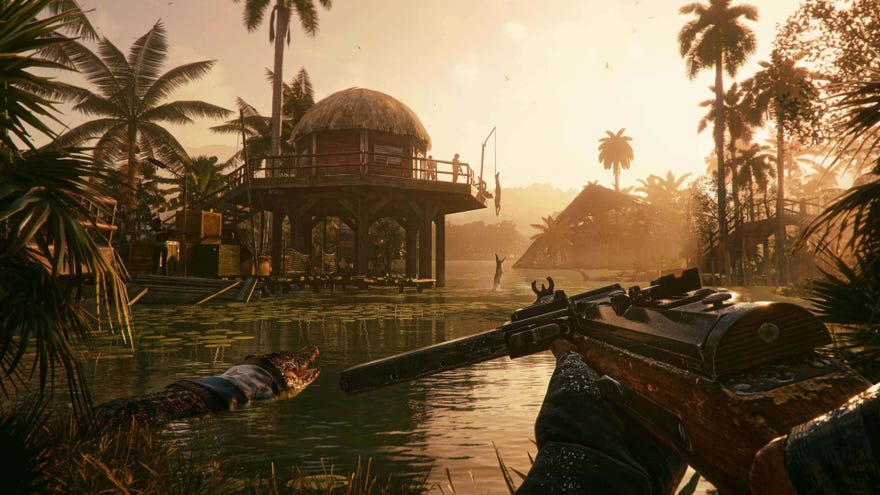
Far Cry 6is another Ubisoft map marker maelstrom, but it’s not all familiar open world action and notably absent political commentary. In terms of PC techiness, this episode takes a relatively sizeable step forward for the series, introducing ray tracing for shadows and reflections as well as AMD’s FidelityFX Super Resolution (FSR) for upscaling-enabled frame rate boosts. Giancarlo Esposito’s face has never taken advantage of modern graphics hardware quite like this.
Far Cry 6 Is At Its Best When You Just Explore | My Fav Thing In… (Far Cry 6 Review)Watch on YouTube
Far Cry 6 Is At Its Best When You Just Explore | My Fav Thing In… (Far Cry 6 Review)

As you’d imagine, this comes with a ramping up of the PC system requirements from the previous instalment,Far Cry New Dawn. These don’t pushFar Cry 6’s performance beyond the realm of realistic attainability – ray tracing is optional, naturally – though between general fidelity upgrades and what looks like suboptimal optimisation, getting a truly silky frame rate may require some finesse.

Far Cry 6 PC requirements
Ubisoft kindly provides recommended specs for multiple resolutions and quality levels, beyond the bread and butter minimum and 1080p recommended requirements. Judging from my testing, they’re pretty reliable guides, too - with emphasis on Windows 10 as the OS.Some Far Cry 6 players are reporting crashesand launch failures, and Ubisoft have pointed toWindows 11as a possible cause.
Minimum requirements (30fps)
Recommended requirements (60fps)
Recommended 2K configuration (60fps, ray tracing off)
Recommended 2K configuration (60fps, ray tracing on)
Recommended 4K configuration (30fps, ray tracing on)
PC performance: what to expect
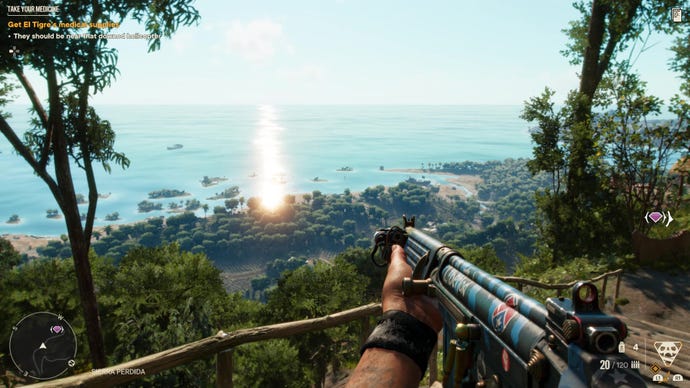
My main testing rig targeted the standard recommended spec, with aGTX 1080and 16GB of RAM, albeit with a more powerful Core i7-8086K. I also tested top-end performance with anRTX 3090and Core i9-10900K.
Sure enough, the GTX 1080 system seldom dropped below 60fps on High settings, and averaged a little higher in Far Cry 6’s integrated benchmark. I used this for repeatability’s sake – the game proper is often more taxing, but if you can average at least 70fps in the benchmark you should get at least a minimum 60fps while playing. As such, the benchmark tool can still be a useful performance indicator.
However, after both running the benchmark dozens of times and playing normally for several hours, I do get the sense that Far Cry 6 might not be making the best possible use of its resources. The absolute high frame rate average I got from the benchmark, using the RTX 3090, Core i9-10900K, a 1080p resolution and the Low graphics preset, was 152fps: just enough to fill out a 144Hz monitor, but a lower ceiling that might be expected. I also noticed GPU utilization often sitting below 90%, only very rarely coming close to the ideal 100%. I suspect some CPU bottlenecking can hinder the GPU from getting as much done as it should, which is concerning even if you’re not wielding one of the absolutebest graphic cards.
HD Textures Pack on, 2560x1440, Ultra quality
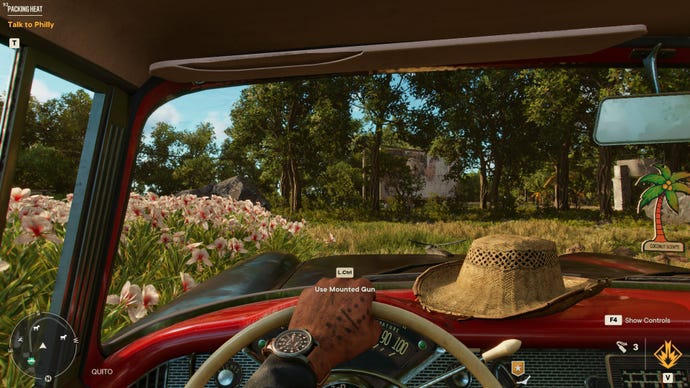
HD Textures Pack off, 2560x1440, Ultra quality
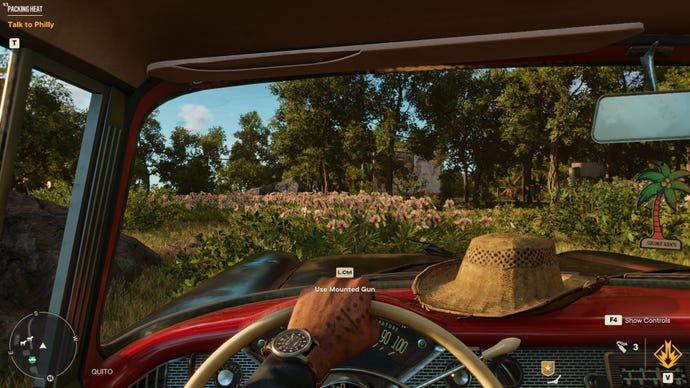
Nonetheless, Far Cry 6 also wants to embrace premium hardware with its optional HD Textures Pack. In addition to sucking up another 40GB-odd of storage space, it requires a towering 11GB of VRAM to run without problems. Indeed, when I tried these textures on the 8GB GTX 1080, some of them failed to load in properly, hurting the aesthetic instead of enhancing it. The good news is that if you can provide sufficient video memory, HD textures add some extra visual crispness while levying a somewhat modest performance tax.
Far Cry 6 best settings
While the PC version of Far Cry 6 could do with some fine-tuning, there’s a good mix of graphical options that make it perfectly possible to nab some extra frames. Here we’ll be focusing on the main quality settings, and which ones to turn down in exchange for faster performance, though it’s worth mentioning that there are plenty of other tweaks you can make to personalise the game for your setup. FoV adjustment, V-Sync and frame rate locks, resolution scaling and so on. Credit where it’s due, Far Cry 6 also has an excellent range of accessibility options, from colourblind modes and adjustable subtitles to menu narration and the ability to turn QTEs into single button presses.
Ultra quality, 2560x1440, FSR Ultra quality, CAS on, HD textures off, DXR off

High quality, 2560x1440, FSR Ultra quality, CAS on, HD textures off, DXR off

Medium quality, 2560x1440, FSR Ultra quality, CAS on, HD textures off, DXR off
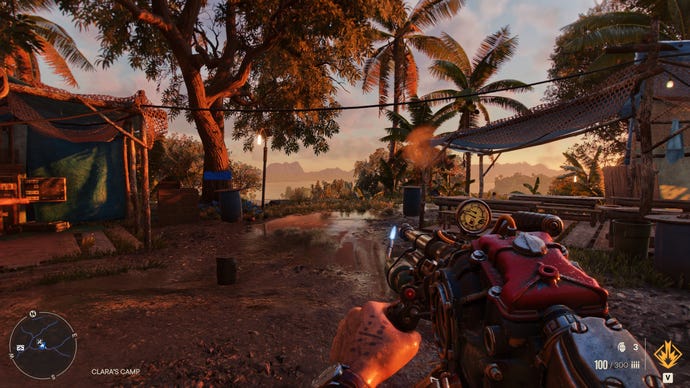
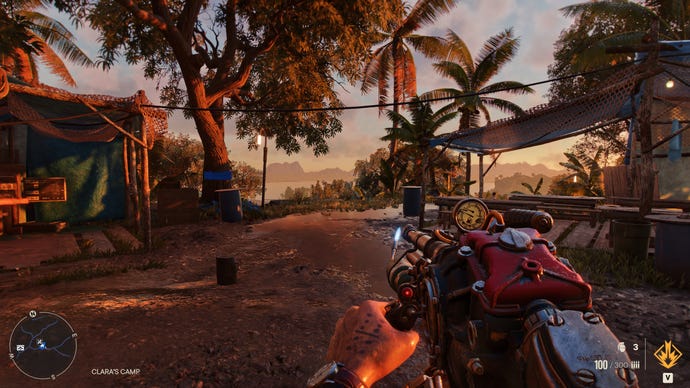
Low quality, 2560x1440, FSR Ultra quality, CAS on, HD textures off, DXR off
Below are the main individual settings you can change, and how significantly they affect performance:
Texture Filtering –Determines the sharpness of textures. Not a big determiner of performance, mind – switching this from Ultra to Medium only gave me a single extra frame per second in the benchmark tool.
Geometry and Vegetation –The in-game description mentions this adjusting “the graphical complexity of the world geometry”, though the far more profound effect of turning it down is the loss of tree and plant detail and density. There’s a lot of salad in Far Cry 6, so be careful about lowering this too far, through dropping from Ultra to Medium can grant a very tasty 17% performance boost.
Environment –A bit vague, but this appears to affect the level of detail in baked-in environmental lighting and reflections. Dropping this to Medium only adds about 3% performance, so I’d suggest leaving it on Ultra or High if you can.
Water –Affects the detail and overall quality of water effects, like ripples and waves. Like Environment, setting this to Medium only sees a 3% performance gain compared to High, though try to avoid Low as it completely removes the otherwise decent-looking ripple effects.
Terrain –Determines the amount of visible detail on world terrain, like sand. This is one setting that might suit the Low setting, as it doesn’t look that bad, and gives Far Cry 6 a 5-6% performance boost instead of Medium’s 1%.
Volumetric Fog –God rays, basically. Leave this one up and turning it down produces the most negligible of performance increases.
Anti-Aliasing -Can be disabled, or set to use SMAA or TAA. TAA costs two or three more frames per second but exhibits far less shimmering, so go with that.
I also strongly recommendenabling the two AMD Fidelity FX features, Contrast Adaptive Sharpening (CAS) and FSR,regardless of whether you use an AMD or Nvidia graphics card. CAS is a simple sharpening filter but helps clean up the blurriness that TAA can induce, while setting FSR to its Ultra Quality settings renders Far Cry 6 at a lower resolution then upscales it to look as good as native res. At 1080p the performance gains this provides are relatively small, but 1440p and 4K can enjoy big speed boosts that counterract the draining effect of thirstier settings like DXR reflections and DXR shadows.
DXR reflections on, DXR shadows on, 2560x1440, Ultra quality, FSR Ultra quality, CAS on, HD Textures Pack off

As for those DXR features themselves, sadly these aren’t the most technically impressive implementations of ray tracing – reflections in particular seem to take a hybrid approach that includes regular old screen space reflections on some surfaces. I suppose the upside is that they’re not the most taxing, either: on my RTX 3090 setup, running at 4K with FSR on, enabling DXR shadows caused an 11% performance drop while DXR shadows cost 10%.
For the ideal balance of looks and performance, though, I think you can skip ray tracing, and even drop the Shadows setting down a couple of steps as well. Everything else except for Geometry and Vegetation can be left on Ultra or High on mid-range hardware and above, and with FSR engaged, you should be able to get Far Cry 6 running smoothly in spite of its optimisation imperfections. Just avoid the temptation to drop FSR below Ultra Quality, as this produces a blurrier image that’s much more obviously an upscaling job.
