HomeHardwareFeatures
Asus TUF Dash F15 reviewAn exceptionally well-rounded RTX 3070 gaming laptop
An exceptionally well-rounded RTX 3070 gaming laptop
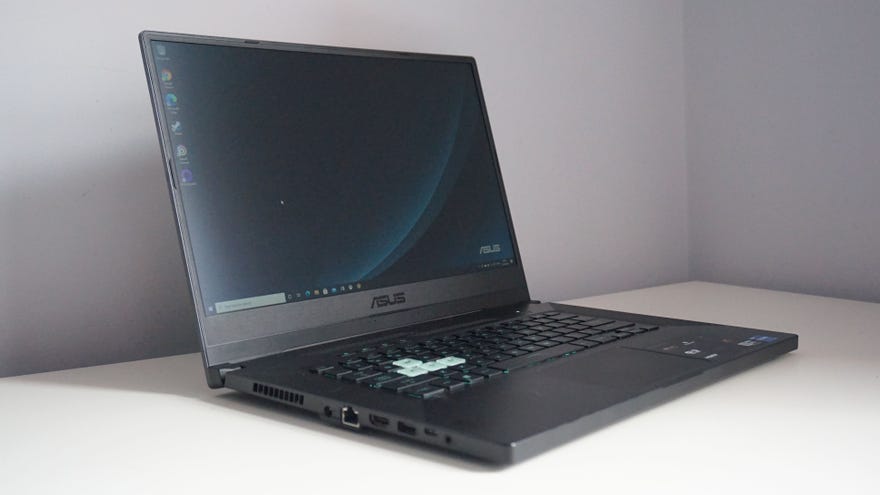
This gives the TUF Dash F15 an important leg up over other RTX 30 laptops at the moment, as most Intel systems have settled for one of their older 10th Gen CPUs, like the Aorus 15G, or jumped ship entirely and gone with one of AMD’s new Ryzen 5000 chips, like the Scar 15. This is because Intel haven’t actually released their full suite of 11th Gen H-series chips yet, which means there aren’t any direct replacements for CPUs like their popular Core i7-10750H.
Instead, Intel have only released three 11th Gen Tiger Lake chips at the moment, which have been specifically designed for thin and light laptops. Known as theirH35 family, these combine the best bits of Intel’s consumer-focused U-series with the gaming chops of their traditionally beefy H-series, bridging the gap between performance and power efficiency. It’s a new category for Intel, and the quad-core Core i7-11370H inside my particular review sample proved a very capable companion for the TUF Dash F15’s RTX 3070 graphics chip.
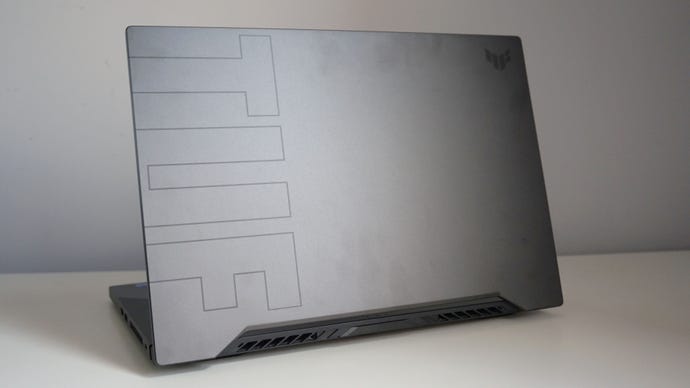
Apart from the huge TUF letters on the back of the laptop, the overall design of Dash F15 is fairly low-key compared to other gaming laptops out there.
Indeed, the Core i7-11370H’s single core performance in Cinebench’s R20 benchmark was properly nippy, finishing the test with a massive score of 582. That’s even faster than the Ryzen 9 5900HX’s score of 570, which is pretty darn impressive. It’s also around 30% faster than what you’ll get on an older Core i7-10750H chip, too, giving the TUF Dash F15’s daily desktop performance a real spring in its step.
Of course, being only a quad-core CPU, its multicore performance isn’t going to be as stellar as its six and even eight core rivals, but I was surprised how close its Cinebench score of 2723 came to the i7-10750H. When I tested this chip onAcer’s Predator Helios 300, for example, the i7-10750H returned a score of 2886, while theAsus ROG Zephyrus M15came in with 2989. On average, this means the i7-11370H is only around 7% slower than the 10750H, which is pretty good going considering it has two fewer cores and a lower TDP (thermal design power) rating of 28-35W as opposed to 35-45W. Naturally, it’s not a patch on the Ryzen 9 5900HX’s blisteringly fast 4935 result, but that’s hardly surprising given this chip has eight cores and an even higher TDP rating of 35-54W.
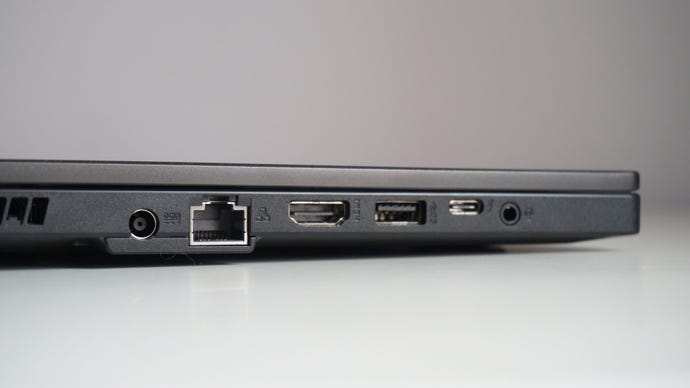
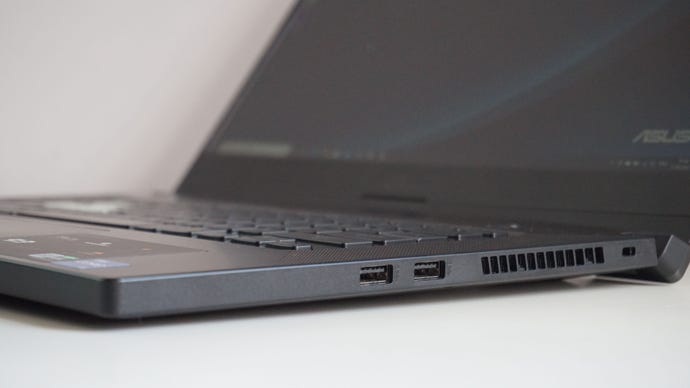
The Asus TUF Dash F15 has an HDMI 2.0b output for connecting the laptop to an external display, a full-sized Ethernet port, one USB-C, three USB-3.2 Type-A ports and a combined headphone and microphone jack.
In Assassin’s Creed Valhalla, for example, the TUF Dash F15 finished its built-in benchmark with an impressive score of bang-on 60fps on Ultra High settings, which rose to a very smooth 70fps on High. That’s only a smidge behind the 63fps and 71fps averages I saw on the RTX 3080-powered Aorus 15G, I might add, which is a very decent set of results considering the difference in price.
Admittedly, Valhalla was very much the exception to the rule here, but the TUF Dash 15 still put in a great set of results in the rest of my benchmarking suite. InMetro Exodus, for example, it managed another spot-on average of 60fps on Ultra and 75fps on High in its demanding benchmarking tool. I had to settle for its Normal quality preset to make use of Metro’s Ultra-fied ray tracing settings in order to maintain an average of 60fps (most ray tracing games don’t let you take advantage of Nvidia’s performance boosting DLSS tech at 1080p, after all), but in fairness its 53fps average on High with Ultra ray tracing thrown in was still pretty playable.
Monster Hunter: Worldran like a dream, too, hitting an average of 65fps on Highest, while Final Fantasy XV managed an even smoother average of 71fps on Highest. The latter fell to 54fps when I started throwing in its extra Nvidia effects such as TurfEffects and Hairworks, but that’s still a lot better than the high 30s you’d get in the past on similarly-priced RTX 2060 gaming laptops.
Opting for Intel’s Core i7-11370H CPU also brings a lot of benefits to the Asus TUF Dash F15’s battery life, too. Thanks to its CPU’s power efficient design and lower TDP, the laptop can double up as a pretty decent workhorse for when we (eventually) start getting out of the house again. Indeed, with the screen brightness set to 50% and the Wi-Fi left on, I was able to get around 5-6 hours worth of work and internet browsing out of the TUF Dash F15 before its battery bat hit 50%, so I reckon you should be able to get 10-12 hours in total - if not a bit more with a couple of extra settings tweaks such as turning off the keyboard’s LED backlight, lowering the screen brightness further and enabling the laptop’s battery saver mode.
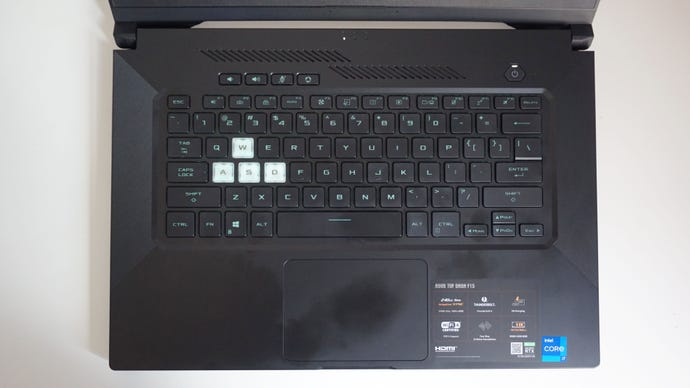
They keyboard is quite prone to picking up fingerprints, but it’s lovely to type on.
Asus have picked out a great display for the TUF Dash F15, and the 15.6in, 1920x1080 240Hz IPS-level panel on my review sample (it’s also available with a 144Hz refresh rate) was just stunning. My X-Rite i1 DisplayPro calibrator showed it was displaying an impressive 94.3% of the sRGB colour gamut, putting it right up there with the very best laptop displays I’ve tested, and I also recorded a very good contrast ratio of 1116:1. I was pleased to see a low black level of 0.27cd/m2, too (the closer to 0.00cd/m2, the better), and its peak brightness of 310cd/m2 should be more than enough to cater for a variety of lighting conditions.
I got on brilliantly with its keyboard, too. It’s not an opto-mechanical one like the Scar 15’s, but its well-spaced chiclet keys still had a decent amount of travel to them and plenty of tactile feedback. I much preferred it to the keyboard on the Aorus 15G, and I was able to get up to my usual typing speed in no time at all. Its touchpad is a little smaller than the Scar 15’s as well, but it was perfectly adequate for everyday use when I didn’t have a mouse handy. Naturally, I wouldn’t recommend using it for playing games, but it can just about do a decent job of moving the camera while clicking at a push.
The only mildly bum note on the TUF Dash F15 was its rather mediocre 1TB SSD. Admittedly, its random read speed of 38MB/s in AS SSD’s random 1GB 4K test is still pretty nippy in the grand scheme of things (most laptop SSDs rarely exceed 40MB/s most of the time), but its random write speed of 67MB/s is quite a bit slower than I was expecting. For comparison’s sake, a lot of the laptops I’ve tested recently have all had SSDs capable of hitting speeds of 90-100MB/s, and the TUF Dash F15’s result is easily one of the worst I’ve ever recorded. It’s hardly a dealbreaker, though, and the good news is that all models come with a spare M.2 slot as standard so you can add your own choice of NVMe SSD at a later date - as long as you feel up to taking the entire rear panel off in order to do so, of course.
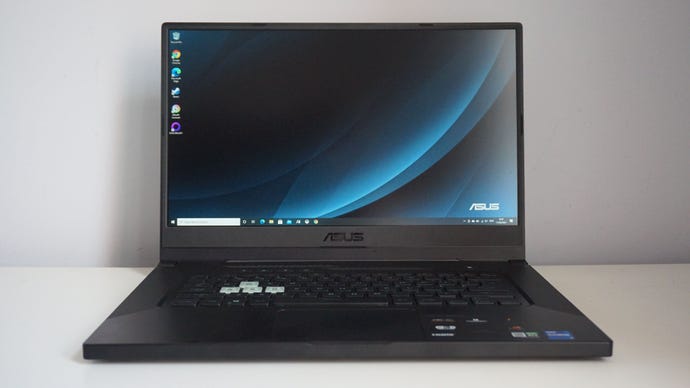
All in all, I’m pretty impressed with the Asus TUF Dash F15, and it feels like a well-rounded machine for the money. The combination of its RTX 3070 graphics chip and Intel Core i7-11370H processor allow it to strike a great balance between gaming and everyday desktop tasks, and its great-looking display and tactile keyboard make it a real pleasure to use for long periods of time.
It’s definitely a much better buy than the RTX 2060-poweredAcer Predator Helios 300I reviewed a few months ago, which currently goes for£1279/$1390, and while the 240Hz model of the TUF Dash F15 on test here doesn’t seem to be readily available in the UK, there’s a 144Hz version available for £1300 at time of writing, which still gets you the exact same set of specs I’ve talked about above. To me, that’s a pretty great price for what the TUF Dash F15 has to offer, and if my ageing Dell XPS 15 gave up the ghost tomorrow, it would definitely be a top contender for its replacement.
