HomeHardwareFeatures
Asus ROG Gladius II Core reviewWhy buy a new mouse when you can just change the switches?
Why buy a new mouse when you can just change the switches?
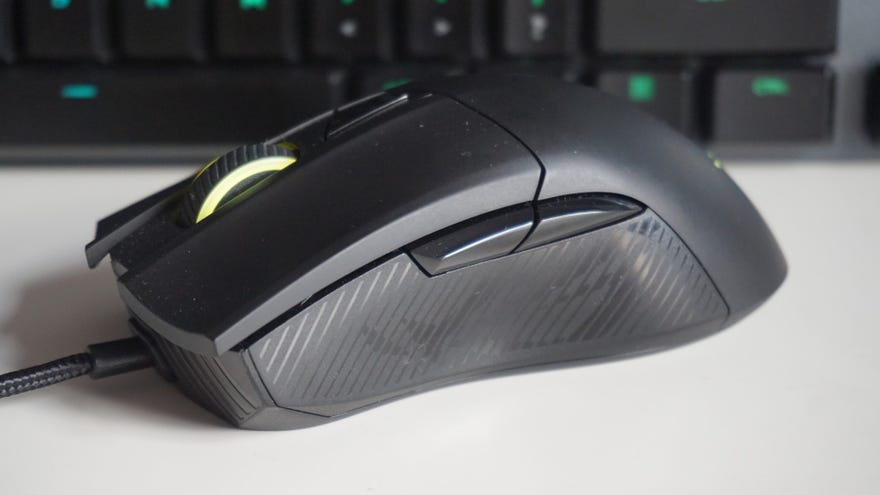
The Asus ROG Gladius II Core is probably one of the oddest gaming mice I’ve tested in a while. Its modest DPI range of just 200-6200 puts it firmly at the lower end of the gaming mouse spectrum, but its comparatively high price of£50/$46suggests otherwise. Indeed, its DPI range might not be as high as other mice in this kind of price range, but the ROG Gladius Core II has all the hallmarks of a great mid-range gaming mouse. It’s comfortable, well-built, comes with a braided cable instead of a plastic one, and its unique switch socket design means you can even change the type of Omron switch it has under the main right and left click buttons.
Asus ROG Gladius II Core specs:
It’s a neat little feature set compared to other similarly-priced gaming mice, such as mycurrent favourite mouse, theRoccat Kain 120- although how many people will actually go to the lengths of ordering new Omron switches instead of just buying a whole new mouse if and when they start to go a bit iffy is probably slim to none.
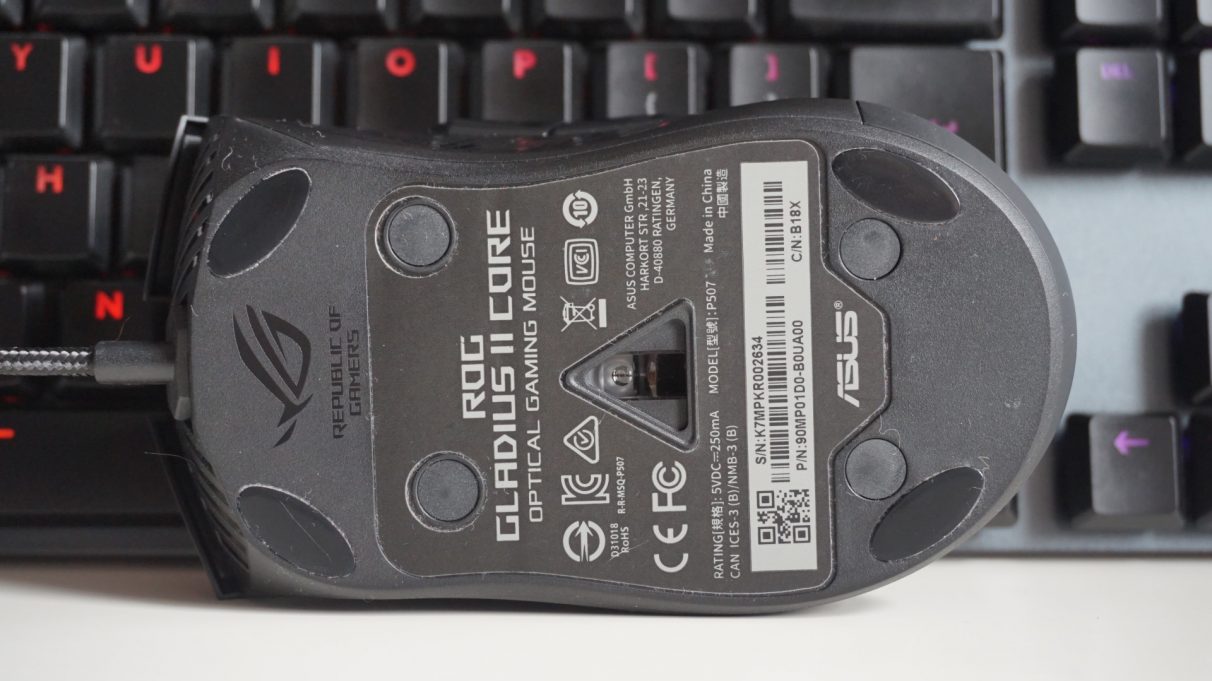
Still, at least there’s the option of swapping in new switches if you prefer, and the whole process takes less than a minute, too. All you need to do is pop off four little screws on the bottom of the mouse (all tastefully hidden with little rubber caps), lift the chassis away from the base, pull the switches out, push in the new ones and snap the chassis back onto the base again before screwing it back together. It’s wonderfully easy, although there are full instructions onAsus' websiteif you need more reassurance.
I can see it being particularly handy in a couple of years time, say, when the mouse itself has gone end of life and is no longer available to buy anymore. Indeed, the ROG Gladius II Core is an exceptionally comfortable gaming mouse, and I’ve grown increasingly fond of it over the last few weeks it’s been on my desk. It’s large, palm filling shape fits my hand perfectly, and it’s very easy to swish around my mouse mat. At 92.5g, it’s a bit heavier than my preferred gaming mouse weight - my other all-time favourite, theLogitech G Pro Wireless, weighs just 69g, for example - but its extra heft never became a problem for me during everyday use.
The four screws you’ll need to remove to change the Gladius II Core’s switches are all hidden under tasteful rubber caps.
Admittedly, Armoury Crate doesn’t give you as many options as you might expect from a £50 / $50-odd gaming mouse. There’s no option to turn one of them into a ‘Sniper button’, for example, which lets you change its DPI / sensitivity settings on the fly for lining up headshots and the like for as long as you hold it down, and the number of Windows shortcuts you can assign to it are also relatively small in number. There are the usual cut, copy, paste and undo options, as well as showing the desktop and closing apps, but you can’t use them to open certain applications, for instance, or open web pages, folders or other documents like you can on with rival mouse software.
Instead, it’s just the basics you get here, including media controls, text and keyboard inputs, recorded macros, and rearranging its standard mouse functions. You also can’t customise the left click button, but the rest of its five buttons (including the clickable scroll wheel) are yours to do with what you will.

Finally, you can also use Armoury Crate to adjust the colour, pattern and brightness of the two RGB light zones on the ROG Gladius II Core, as well as enable Asus' Aura Sync feature to make it flash and glow in unison with any other Asus RGB products you might have in your setup.
Overall, there’s a lot to like about the Asus ROG Gladius II Core, despite the apparent mismatch between its price and specs. TheRoccat Kain 120, just about hangs onto its crown as my favourite overall gaming mouse thanks to its plentiful supply of customisation options and slightly lower price, but the ROG Gladius II Core is a great alternative. Indeed, I’d be happy to have either mouse on my desk in the long-term, and if you value having the option of being able to replace your mouse switches further down the line, then the ROG Gladius II Core is definitely worth the extra expense over the Kain 120.
