HomeNews
Asobo Studio manually edited 37,000 airports for Microsoft Flight SimulatorClear for landing
Clear for landing
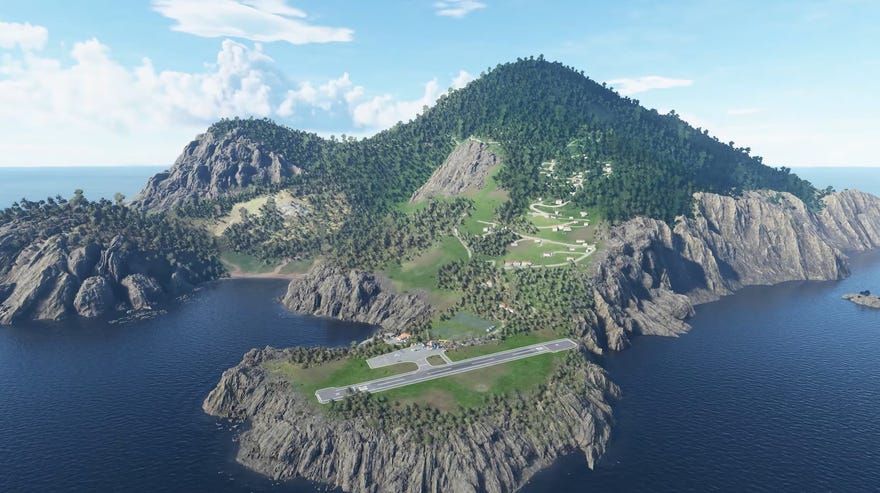
The previousMicrosoft Flight Simulator Xgame had only—and I promise I say “only” as a joke—24,000 airports. Asobo has vastly expanded that number and specifically chose 37,000 of them to edit individually with satellite images as references. Some are small rural landing strips and others are on top of mountains.
For each airport, Asobo trace all of the runways from a Bing aerial map (suppose they weren’t allowed to use Google satellite images, eh?), and then define each of the taxiways. They then place parking spots in the same locations as the real world version and reproduce all the ground markings. After that, they define the materials of the runway—whether it be concrete or grass or dirt. Runways can be grass? I’m learning so much today. The material of the runway affects things like grip of the landing gear as well.
To see this content please enable targeting cookies.Manage cookie settings
Just from the video, the configurations of each set of runways are pretty fascinating as a person who knows not a wink about how airports are designed. I spotted at least one in there that looks like its runways are arranged in a triangle. Is that odd? I don’t even know. Maybe it’s totally normal but it stuck out to me.
Microsoft Flight Simulator is planned to release sometime this year though we’ve not heard a firm date yet. You can keep up with development videos like these on the game’sYouTube channel.
