HomeHardwareFeaturesArmored Core VI: Fires of Rubicon
Armored Core 6: Fires of Rubicon Steam Deck performance and settings guideMechanical engineering
Mechanical engineering
Image credit:Rock Paper Shotgun
Image credit:Rock Paper Shotgun
Armored Core 6: Fires of Rubiconlaunches tomorrow with the distinction of being a FromSoftware game thatisn’tmissing a bunch of PC tech basics, with ultrawide and 120fps support welded on as standard. As I’ve been finding out, it’s also a fine fit for theSteam Deck: performance issues are few, controls translate comfortably, and it won’t hog too much space on amicroSD card. Handheld life is good for Fires of Rubicon, even if it likes to keep yours brutish and short.
The customary Steam Deck settings guide is further on down, though rest assured that Armored Core VI is exponentially easier to get running smoothly than fellow August releaserBaldur’s Gate 3. Of the four graphics presets, only Maximum fails to produce a viable framerate, and I haven’t smelt the faintest fume of instability that can come with tricking Windows games into running on SteamOS.
To see this content please enable targeting cookies.Manage cookie settingsLiam and Ollie also have some beginner’s tips, to help rookie pilots explode less often.Watch on YouTube
To see this content please enable targeting cookies.Manage cookie settings
To see this content please enable targeting cookies.Manage cookie settings
Image credit:Rock Paper ShotgunSteam Deck Academybrings together all our guides and explainers on getting the most out of your Steam Deck, no student loans or sweaty dormitories required.
Image credit:Rock Paper Shotgun
Steam Deck Academybrings together all our guides and explainers on getting the most out of your Steam Deck, no student loans or sweaty dormitories required.
Valve have already assigned ‘Playable’ status to Armored Core VI on the Steam Deck, seemingly stopping short of a full Verified certification due to some tiny UI text. Sure enough, there are a few menus that take some squinting to read properly, though I also never had to call on the Deck’s magnifier tool to make sense of anything. Same with the in-game HUD, which uses text and numbers of similarly short stature, but doesn’t present a truly serious problem on the 1280x800 screen.
Image credit:Rock Paper Shotgun
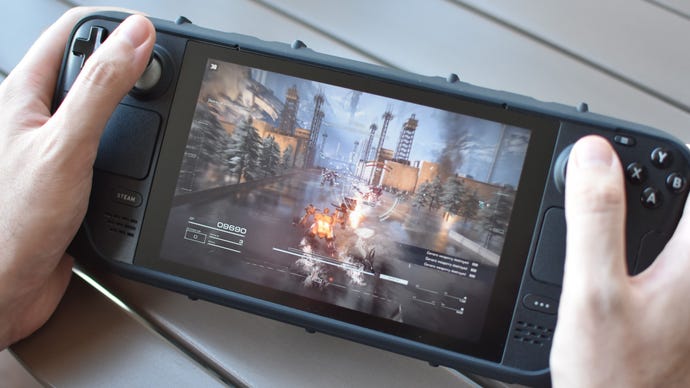
Otherwise, Armored Core VI is raring to go on the Deck. Its default controller mapping is sensible and uses all correctly matching on-screen prompts, and it appears to run fine on standard Proton, without needing the aid of custom versions likeProton GEto fix problems. A marked improvement onElden Ring, which took abespoke Proton Experimental upgradejust to soothe its stuttering.
Armored Core 6: Fires of Rubicon: Best settings for the Steam Deck
Maximum might be the only preset that can’t pop out at least 30fps, but it is possible to get well above that while still engaging plenty of maxed-out individual settings. This custom approach is inarguably the best, as the High and Medium presets will both have missions take place within that 30-40fps range while making quality reductions that – given the neglible performance impact of settings like texture quality, effects quality, and shader quality – aren’t strictly helpful. The Low preset zips along, usually at 40-45fps, but again is uglier than it needs to be. Especially with its lack of anti-aliasing, a setting I implore you to keep on High.
After testing each one individually for performance impact, here’s the settings list I’ve come up with for optimal Steam Decking:
These settings will generally put you in the 35-40fps range, verrrrrry slightly faster than the Medium preset while keeping Armored Core VI looking much tidier than it would at Low. While fine-tuning these selections, I kept seeing framerate dips accompanying big explosions, but that minor lighting quality reduction helps to steel it against them.
Image credit:Rock Paper Shotgun
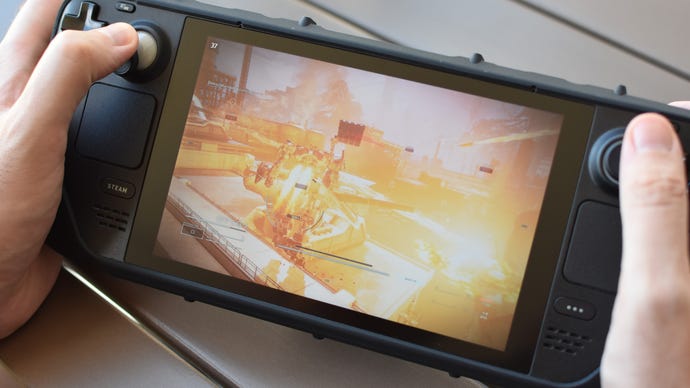
If you do use these settings, I’d repeat that lowering your Deck’s refresh rate is a worthwhile final tweak. Just hit the triple-dotted overlay button beneath the right trackpad, open the Performance submenu, scroll down to the Refresh Rate slider and set it to either 40 or 45. It won’t add hours and hours to battery uptime but, as Hidetaka Miyazaki would have said if he did supermarket ads, every little helps.
