HomeHardwareFeatures
AOC Agon AG493UCX reviewA gorgeous super ultrawide gaming monitor without the ultrawide price
A gorgeous super ultrawide gaming monitor without the ultrawide price
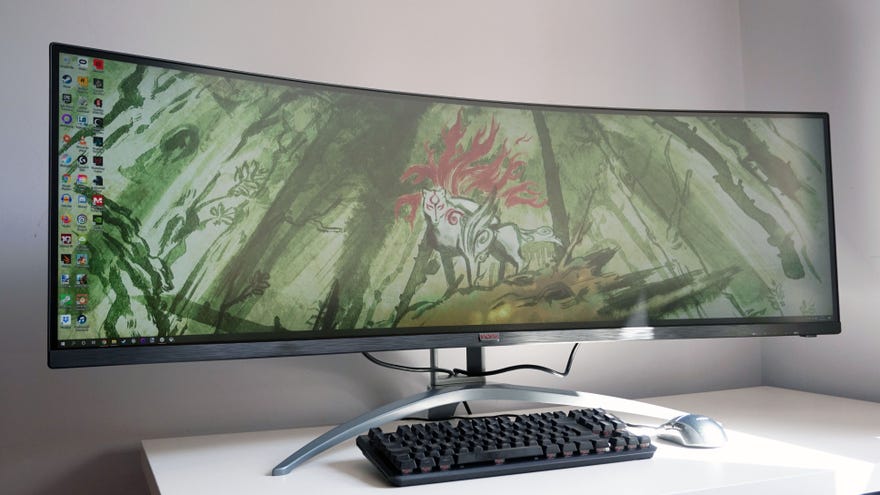
Samsung may have started the craze for super ultrawide 32:9 mega monitors with theirCHG90,CRG9andOdyssey G9gaming screens, but now we’re starting to see other monitor manufacturers take up the mantle as well. AOC’s Agon AG493UCX is one such super ultrawide gaming monitor, offering the same 5120x1440 resolution as its latest Samsung rival, but at a much lower price -£900/$1000versus the Odyssey G9’s £1200 / $1480.
Of course, that’s still a lot to spend on what’s effectively two 27in, 2560x1440 monitors mashed together. The main reasons why the AOC is that much cheaper is because this screen ‘only’ has a 120Hz refresh rate instead of a 240Hz one like the G9, and its VESA HDR certification only meets the entry-level DisplayHDR 400 standard rather than the full whack DisplayHDR 1000 experience. The curve of its VA panel isn’t quite as pronounced either, making it easier to see the edges of the screen without craning your neck.
Red Dead Redemption 2 - Ultrawide GameplayWatch on YouTube
Red Dead Redemption 2 - Ultrawide Gameplay

In its stead, the AG493UCX makes for a fine alternative. Personally, I think 120Hz is plenty on a screen this large. It takes a pretty hefty graphics card to run games smoothly at 5120x1440 - I’d recommend at least an Nvidia GeForce RTX 2070 Super or AMD Radeon RX 6700 if you’re thinking of getting one - and even some of today’sbest graphics cardswill struggle to fill this refresh rate in big name blockbusters. 240Hz looks good on paper, sure, but unless your gaming library only consists of 2D indie games or competitive online shooters, it will be years yet before you’ll find a graphics card capable of making the most of it. 120Hz is plenty for now, and playing games such asResident Evil Villagewith an RTX 3080 in super ultrawide still looked lovely and smooth during my testing.
I’m not that fussed about the AG493UCX’s lower HDR support either. The main thing is that I was able to get it working without issue when I booted up my old test scene inAssassin’s Creed Odyssey, which left me breathing a sigh of relief after all the trouble I had with the Odyssey G9’s HDR support. Not only did the screen automatically switch over to one of its four HDR picture modes when I turned HDR on in-game, but I was also able to use the in-game sliders to get a good picture without everything looking massively blown out.
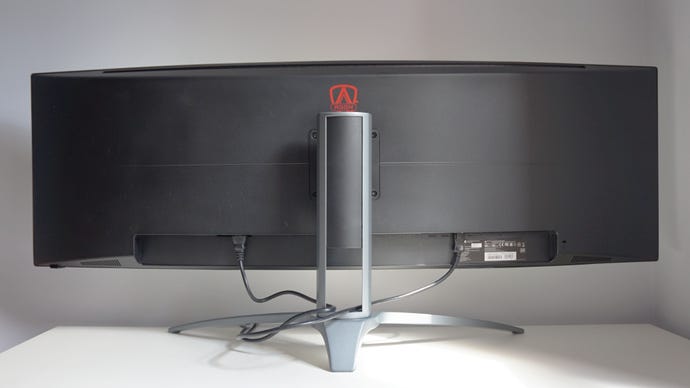
There’s no flashy RGB lighting round the back of the AG493UCX, helping to keep the price down even further.
However, much like other DisplayHDR 400 screens I’ve tested, the actual impact of the AG493UCX’s HDR is pretty weak. When I put my X-Rite i1 DisplayPro calibrator over the hot, searing sun in Assassin’s Creed Odyssey, I only measured a peak brightness of around440cd/m2, which is actually a little bit lower than what I measured the screen’s regular peak brightness to be at475cd/m2. As a result, the game looked pretty much identical regardless of whether HDR was switched on or off - and given how much hassle HDR continues to be on Windows 10, you may think it’s not worth bothering with at all.
Its HDR isn’t anything to write home about, then, but the AG493UCX’s curved VA panel is still a real stunner, serving up gorgeous, vivid-looking colours and excellent contrast in games and desktop applications alike. On its default settings (which includes its Standard Eco mode, Gamma 1 and Warm colour temperature settings and its various gaming modes switched off), my DisplayPro tool measured a near-perfect99.5% coverage of the sRGB colour gamut, and an excellent87.9% coverage of the HDR-grade DCI-P3 gamutas well. Even the best HDR screens only need to hit 90% of the DCI-P3 gamut, so to get this close is still pretty good.
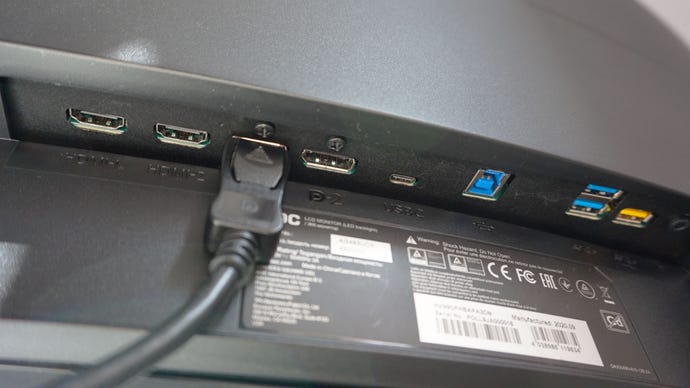
The AG493UCX has a good suite of display ports, including two HDMI 2.0 inputs, two DisplayPort 1.4 inputs, one USB-C port, three USB 3.2 (Gen1) ports and a 3.5mm headphone jack.
Combined with a lovely low black level of0.18cd/m2(the closer to 0.00cd/m2, the better) and a high contrast ratio of2565:1, the AG493UCX can be used pretty much as is out of the box. Indeed, I wasn’t able to improve on any of these figures after going through my usual calibration process, and I wouldn’t recommend using any of its dedicated Gaming modes, either, as all of these looked very blue when I turned them on.
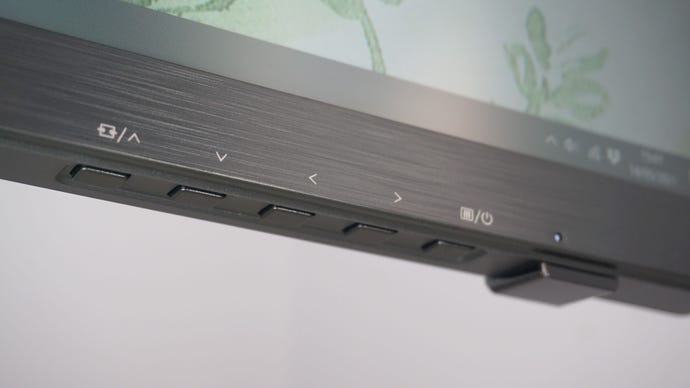
It’s just as well, really, as AOC’s decision to include four separate buttons to navigate its onboard menu system instead of an intuitive four-way stick meant that actually trying to change any of its settings was a bit of a headache. I was constantly pressing the wrong buttons or accidentally backing out of a menu tab when I wanted to select it, and a lot of settings weren’t where I was expecting them to be, either. HDR, for example, isn’t in the Luminance tab, but in the Image Setup menu, while the Eco modes are in Luminance, but the Low Blue Light mode is in Colour Setup. It’s confusing, and I’m not sure why AOC have separated them out in this way when a lot of them could probably all be grouped together in a single menu screen.
Navigating the onboard menu screen is a little fussy, but luckily you shouldn’t need to use them a huge amount.
And gosh, I do loveplaying games in ultrawide, I really do. It’s a massive indulgence, but I just can’t get enough of it. It’s always a treat when one of these monitors comes in for testing, and it is such a delight to bask in all that ultrawide glory again after being stuck at 16:9 for months and months previously. Not all games support 21:9 and 32:9 aspect ratios, I should point out, and those that don’t will leave you with pesky black bars down either side of the central portion of the screen. It’s not ideal, and is obviously a lot more noticeable with 32:9 screens like the AG493UCX than it is, say, on a 21:9 display. More and more PC games are getting ultrawide support, though, and personally I think the occasional bout of black bar-itis is worth putting up with when proper ultrawide games look so gosh darned lovely. Still, if you are particularly averse to black bars for some reason, then a super ultrawide screen like the AG493UCX probably isn’t the best one to get.
The AG493UCX isn’t one of Nvidia’s officially certifiedG-Sync Compatible monitors, but I had no issues getting its AMD FreeSync Premium Pro variable refresh rate tech to work with my Nvidia RTX 3080, making it a good fit for Nvidia and AMD GPU owners alike.
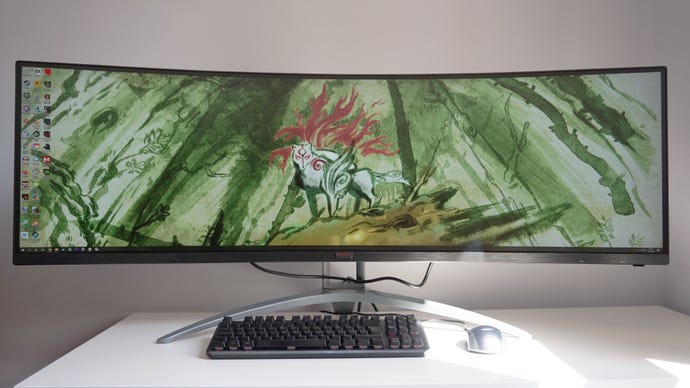
For those who are in the market for a super ultrawide gaming screen, however, the AOC Agon AG493UCX is a great choice. Its superb panel makes games and desktop applications look wonderfully vibrant and rich with detail, and its 5120x1440 resolution provides plenty of screen real estate to get some work done, too. Sure, its HDR might not be the best out there, but it’s serviceable and isn’t a faff to get working. I’d definitely choose this over the Samsung Odyssey G9 - although if you do really care about HDR, then I’d strongly suggest trying to track down Samsung’s older CRG9 instead before it goes end of life. For everyone else, though, I reckon the AOC Agon AG493UCX is the next best thing, delivering fantastic colour accuracy and a smooth, 120Hz refresh rate in one luxurious package.
