HomeHardwareFeatures
AMD Radeon Super Resolution is FSR-style upscaling for almost any gameLike Nvidia Image Scaling, but for AMD GPUs
Like Nvidia Image Scaling, but for AMD GPUs
GPU-based upscaling has proven to be one of the most useful additions to gaming PC tech in years. Big performance improvements in exchange for only a minor drop in visual quality, if any at all? Yes please and thank you. Nvidia’sDLSShas established itself as the gold standard of upscalers, outperforming AMD’s FidelityFX Super Resolution (FSR), but the Radeon makers are now readying two new offerings: FSR 2.0 and Radeon Super Resolution (RSR).
7 Reasons Why You’ll Fall In Love With TunicWatch on YouTube
7 Reasons Why You’ll Fall In Love With Tunic

RSR is out right now via a big Radeon Software update, whereas FSR 2.0 is coming Q2 2022: that’s sometime between April and the end of June. I’ve been testing a preview build of Radeon Super Resolution, and although it probably won’t match FSR 2.0 on overall quality, it looks like a worthy alternative for when your AMD GPU could use some help.
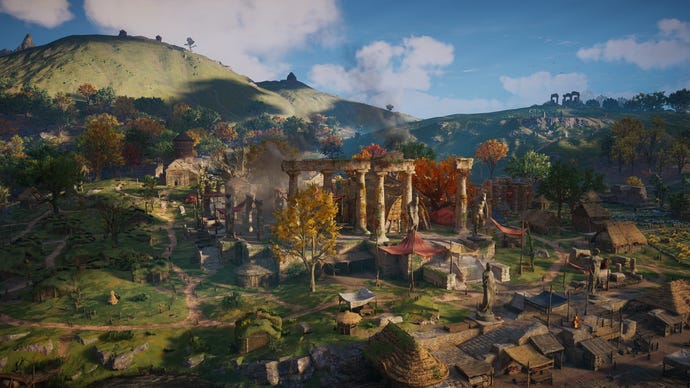
Assassin’s Creed Valhalla, Medium quality, 3840x2160
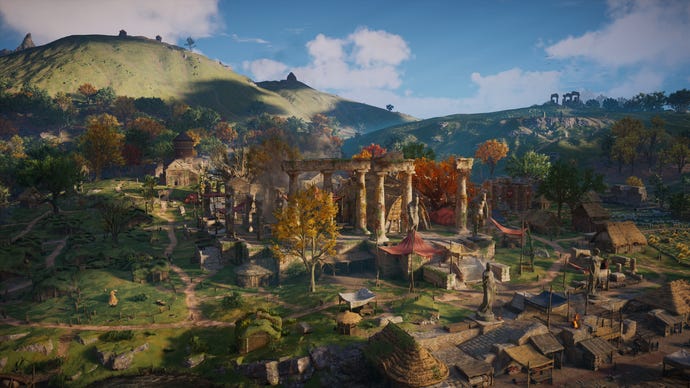
Assassin’s Creed Valhalla, Medium quality, RSR at 2560x1440
Left: native 3840x2160. Right: RSR at 2560x1440
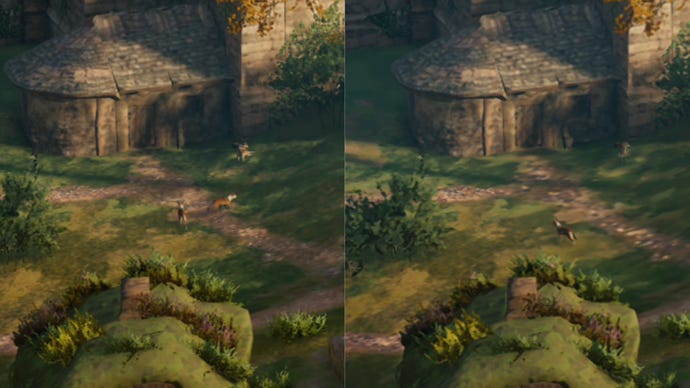
Even so, that tiny detail drop is no great shakes next to the advantage of (very nearly) doubling the average frame rate over native resolution. A good start for RSR.
Hitman 3, Ultra quality, 3840x2160
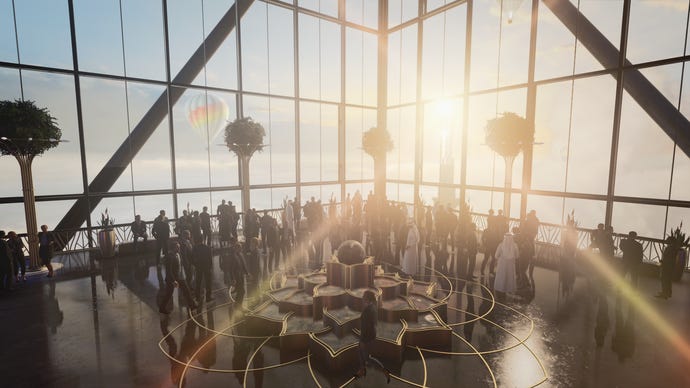
Hitman 3, Ultra quality, RSR at 2560x1440
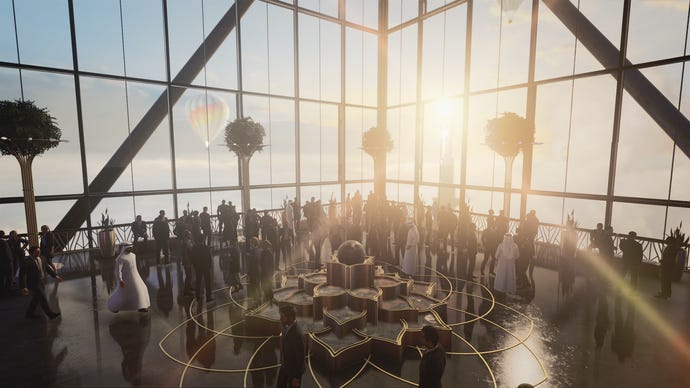
InHitman 3, the quality difference between native 4K and upscaled 1440p is starker, mainly thanks to a more pronounced haziness; the upscaled image undoubtedly looks more heavily processed. It’s a tad darker, too.
Left: native 3840x2160. Right: RSR at 2560x1440

Again, though, all that comes with a dramatic performance boost. With Ultra quality settings, the Dubai benchmark averaged 22fps at 4K and 43fps when upscaled from 1440p.
Shadow of the Tomb Raider, Highest quality, 2560x1440
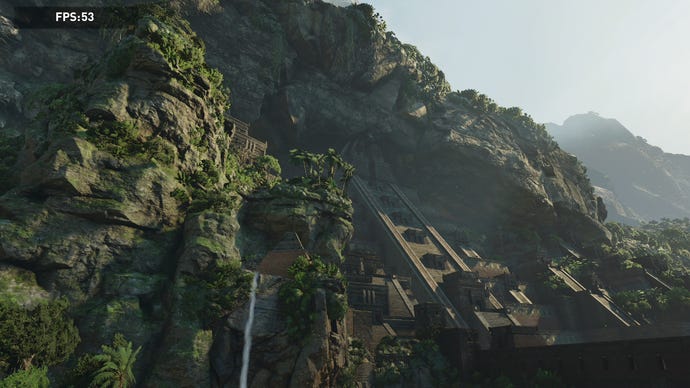
Shadow of the Tomb Raider, Highest quality, RSR at 1920x1080

RSR can also do good work when upscaling from 1080p to native 1440p; you don’t need one of thebest 4K monitorsto take advantage of it. It gaveShadow of the Tomb Raidera big boost on its Highest quality setting, jumping from 35fps at 1440p to a much smoother 53fps when upscaling from 1080p.
Left: native 2560x1440. Right: RSR at 1920x1080
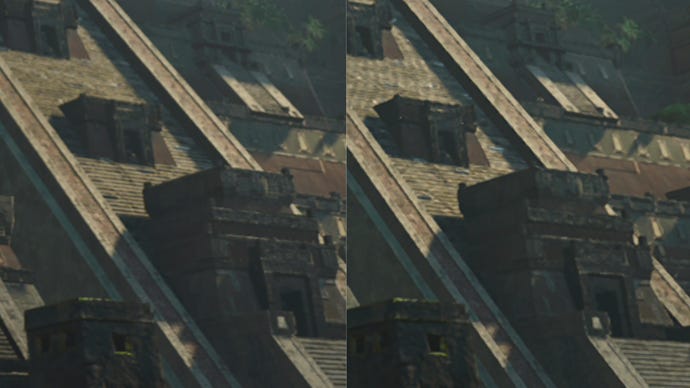
A closer look reveals there is a loss in sharpness visible on distant objects, though up close the difference is harder to notice.
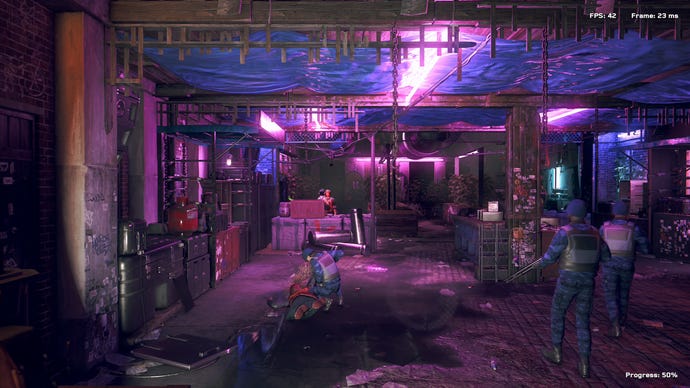
Watch Dogs Legion, Medium quality, 2560x1440
Watch Dogs Legion, Medium quality, RSR at 1920x1080
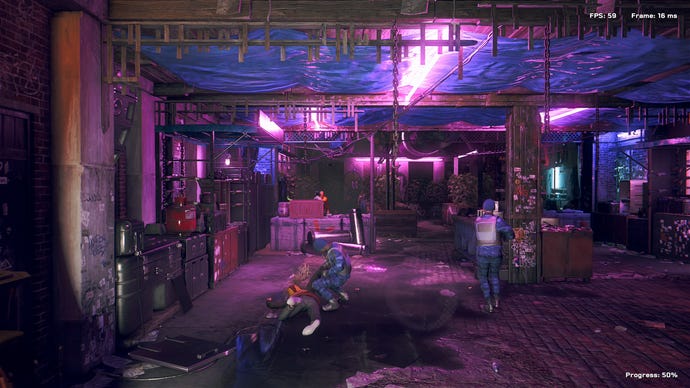
Watch Dogs Legiongets a lot of value out of RSR as well. First there’s the performance gain: 47fps on 1440p, using the Medium quality preset, becomes 67fps when upscaling from 1080p. And the general quality difference is barely there:
Left: native 2560x1440. Right: RSR at 1920x1080
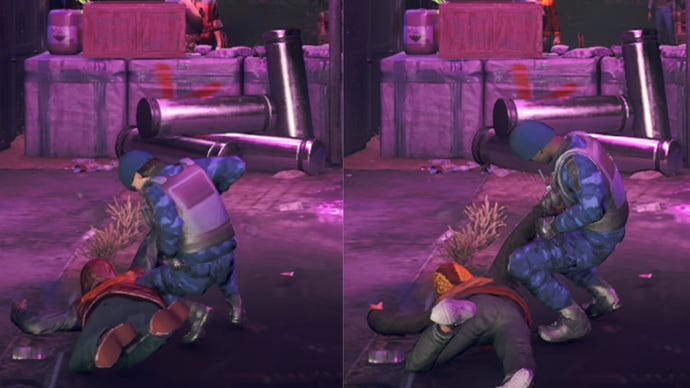
There’s perhaps a tiny touch more visible aliasing in the upscaled image, but not to the extent that I noticed it much in motion.
Total War: Three Kingdoms, Medium quality, 2560x1440
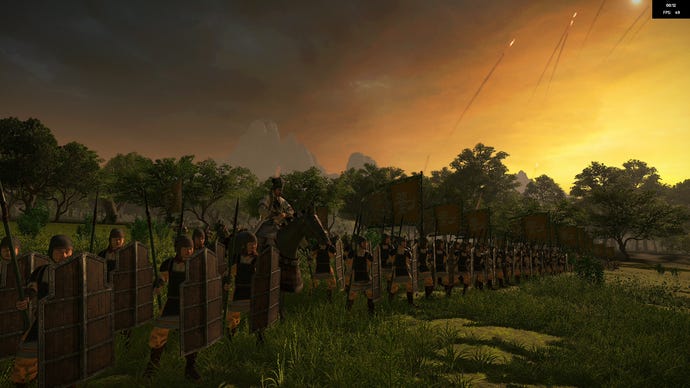
Total War: Three Kingdoms, Medium quality, RSR at 1920x1080
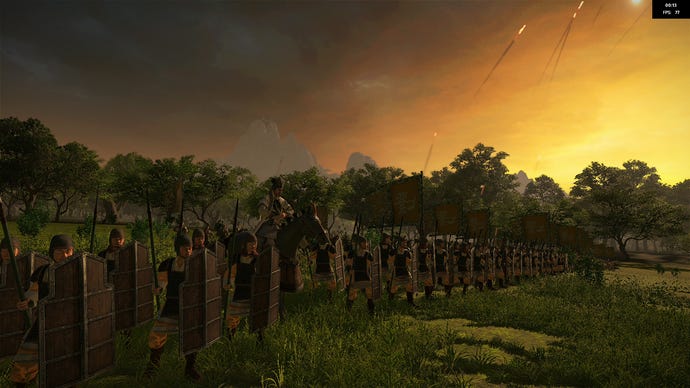
Total War: Three Kingdomshas some more conspicuous jaggies when upping the scale from 1080p to 1440p. Native 1440p isn’t hyper-smooth either, but because RSR maintains the same AA without introducing its own (as DLSS does), it’s never going to be 100% as sharp.
Left: native 2560x1440. Right: RSR at 1920x1080
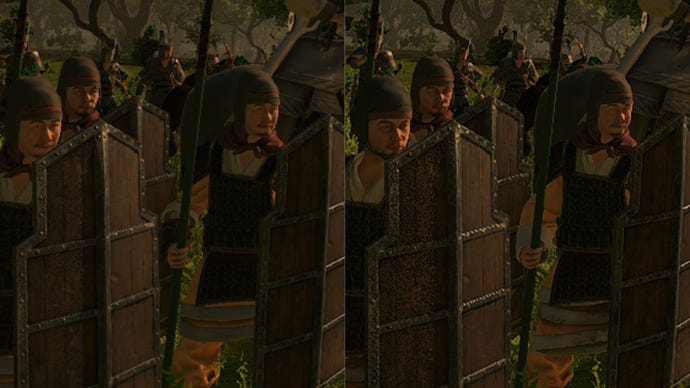
There’s also a grainy effect that’s present in native resolution, but becomes more pronounced after upscaling is applied. Still, that might be worth accepting when RSR boosts performance as much as it does: on Medium quality, Three Kingdoms’ Battle benchmark pushed out 78fps after upscaling, compared to 47fps at native 1440p.
Elden Ring, Medium quality, 2560x1440

Elden Ring, Medium quality, RSR at 1920x1080

Perennial performance problem childElden Ringcan benefit too. On Medium quality, I averaged 46fps with the resolution at native 1440p; dropping this to 1080p, with RSR doing the rest, brought the frame rate up to 59fps.
Left: native 2560x1440. Right: RSR at 1920x1080
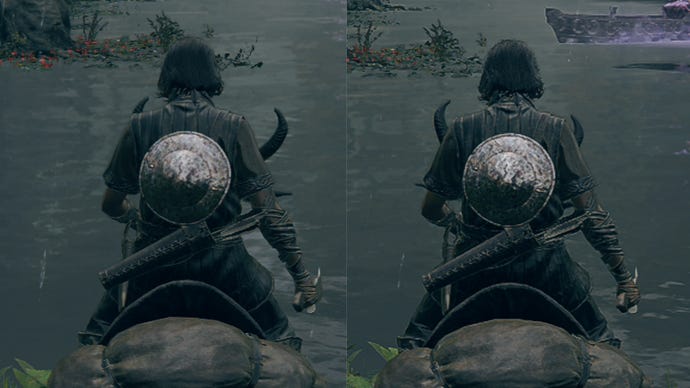
It didn’t help withElden Ring’s stuttering -unlike the Steam Deck- and there’s some quite noticeable sharpening with RSR, but it’s nothing ruinous.
God of War, Original quality, 2560x1440
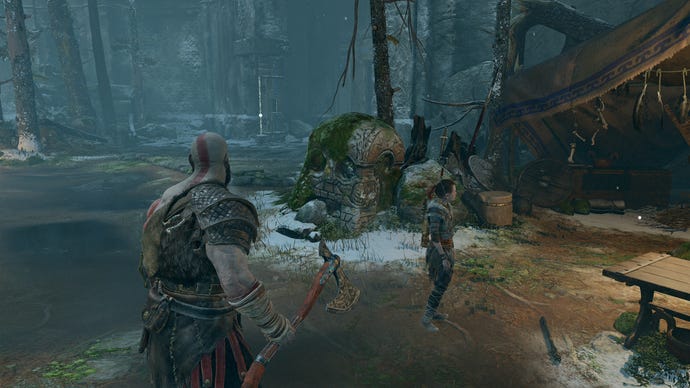
God of War, Original quality, RSR at 1920x1080
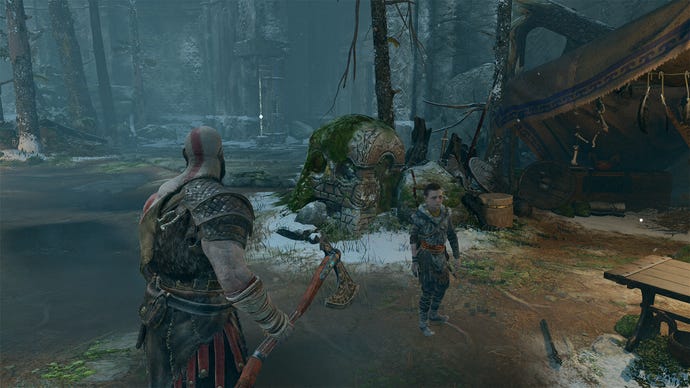
God of War, Original quality, 2560x1440 with Ultra Quality FSR
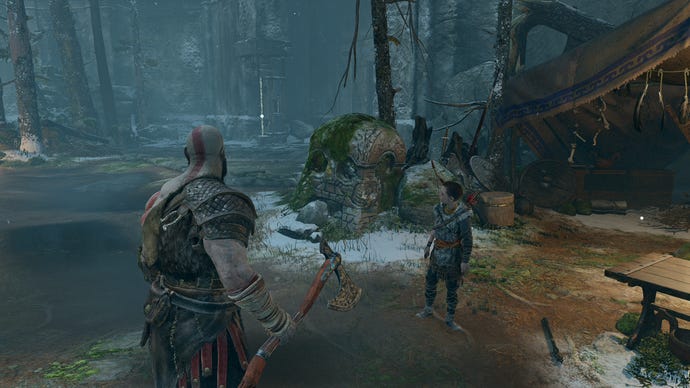
God of Waralso provided the means to see how RSR matches up against its smarter brother, FSR. As it turns out, RSR lands somewhere between FSR’s ‘Quality’ and ‘Ultra Quality’ settings, at least when upscaling from 1080p to 1440p. The Original quality preset and native 1440p averaged 42fps in my benchmark run, rising to 57fps with FSR on Ultra Quality, 60fps with RSR, and 66fps with FSR on Quality.
Left: native 2560x1440. Right: RSR at 1920x1080
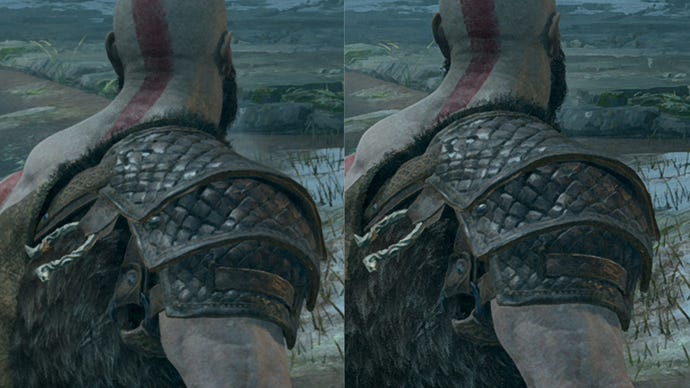
Left: 2560x1440 with Ultra Quality FSR. Right: RSR at 1920x1080
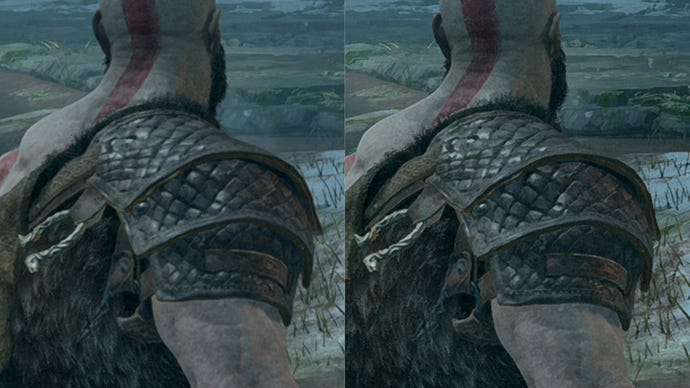
To my eyes, Ultra Quality FSR is better than RSR at preserving the quality of native res: sharpness is about the same on purely anti-aliasing terms, but there’s slight smudginess to certain textures with RSR that Ultra Quality FSR avoids. That said, RSR does beat Quality FSR, which doesn’t look all that close to 1440p at all. It’s surely no coincidence that this upscaling hierarchy reflects the rendering resolution each one uses when targeting 1440p: Ultra Quality FSR uses 1970x1108, RSR uses 1920x1080, and Quality FSR uses 1708x960.
Radeon GPU owners should therefore stick to the top FSR setting wherever it’s available, though in fairness, the whole point of RSR is to step in when it isn’t. And this driver-level tech can do a rather fine job, even if it usually ends up “close enough” to native res quality as opposed to matching it 1:1.
It’s also worth noting that while RSR worked as expected in most of the games I tried, it wasn’t 100% compatible with 100% of games. For the life of me, I couldn’t get upscaling from 1080p to 1440p to work in AssCreed Valhalla and Hitman 3, even as it performed admirably with 1440p to 4K. It didn’t appear to be a borderless vs. fullscreen issue, but the only ‘help’ I got from AMD’s software was an incorrect assertion that I was attempting to run the game at native res.
I also tried RSR inHorizon Zero Dawn, and Radeon Software didn’t even acknowledge that I was attempting to upscale – successfully or otherwise. So far these problems appear specific to certain games, and a small number at that, so hopefully AMD can get them fixed.
For the most part, Radeon Super Resolution is worth keeping in mind for when your Radeon card struggles to keep up with a high-res monitor. With some more polish, it’ll be the ideal understudy for FSR.
